




VAT Tracking Software: How to Choose the Right One
£11.9 billion, or 6.5% of theoretical VAT liability, was the estimated UK VAT gap for the 2023 to 2024 tax year, according to HMRC's second estimate. That figure puts VAT tracking software in perspective: it is a control system for records, deadlines and cash. Judge it by whether it helps prevent penalties and cash shortfalls, not by the length of its feature list.
Why UK Businesses Need VAT Tracking Software
VAT tracking software records output VAT on sales and input VAT on purchases, works out the amount due for each period, and files the return with HMRC through Making Tax Digital compatible software. That definition matters because filing is only the last step. The control work happens earlier, when a transaction gets its VAT treatment and evidence.
The HMRC Making Tax Digital for VAT final evaluation reports that 48% of 2,005 mandated businesses kept VAT records continuously up to date after MTD, compared with 38% before its introduction, while the share updating records at least quarterly rose from 95% to 97%. HMRC required VAT-registered businesses with taxable turnover above the £85,000 VAT-registration threshold to keep digital records and submit returns through compatible software from April 2019, digital links between accounting records were required from April 2021, and the requirement expanded in April 2022 to VAT businesses below the threshold.
What actually changed
Continuity changed more than frequency. Businesses were already updating records for a return. MTD pushed more of them to keep records current as transactions happened, which is where errors are cheapest to catch.
A tool that only helps on filing day arrives after the evidence problems have already formed.
Judge candidates on three questions. Can they keep a continuous, digitally linked record? Can they control the deadline and submission? Can they show the liability early enough for you to pay it? Software that fails the first question is an efficiency add-on, not statutory infrastructure.
Core Features Compared Side by Side
Score every candidate against the same rows before you discuss price or design. Mark any unknown cell as a demo question, not as a pass.
| Criterion | Minimum acceptable | Stronger option | Why it matters |
|---|---|---|---|
| MTD VAT submission | Direct API submission of VAT returns | Submission receipt stored against each return | Proves filing and supports disputes |
| Accounting link | Sync with Xero or QuickBooks | Digital links kept intact, with duplicate checks | Removes re-keyed figures |
| Receipt capture | Photo or PDF upload | Email, WhatsApp forwarding and automatic field extraction | Cuts manual data entry |
| VAT rate handling | Standard, reduced, zero and exempt rates | Mixed-rate and reverse-charge flags with a review queue | Wrong rates change the liability |
| Deadline control | Obligation dates displayed | Alerts before the deadline and pre-submission validation | Prevents late-submission penalty points |
| Audit trail | Transaction and submission log | Source document, VAT treatment, approver, timestamp and HMRC receipt linked | Supports reviews and corrections |
| Income Tax MTD separation | Separate VAT and income-tax records | Own deadlines and penalty points for each regime | Stops one submission being mistaken for both |
Which rows disqualify a tool
A shortfall on direct MTD submission or the accounting link should end the conversation. If figures are exported, re-keyed or copied between systems, you've rebuilt the manual break the software was meant to remove. The same logic applies when you compare budgeting software for UK companies, where a broken link between plan and ledger turns reporting into reconciliation work.
Receipt capture and rate handling work differently. They rarely disqualify a product outright, but they decide how much manual work remains each month. A contractor who photographs receipts in a van needs fast mobile capture. A retailer with mixed-rate invoices needs line-level flags and a review queue more than another upload channel.
Why a full row of ticks isn't a verdict
A feature list doesn't prove control. Say a tool meets every row but can't show who approved a VAT treatment, or it overwrites a correction instead of preserving the original entry. You still can't defend the figure.
Ask the vendor to demonstrate, not describe, three things. Show a receipt becoming a ledger entry. Show an exception being corrected. Show the submitted return with its HMRC receipt attached. If any answer depends on a screenshot or a roadmap promise, score that cell as unproven and keep it on your question list.
Checking Making Tax Digital Compatibility
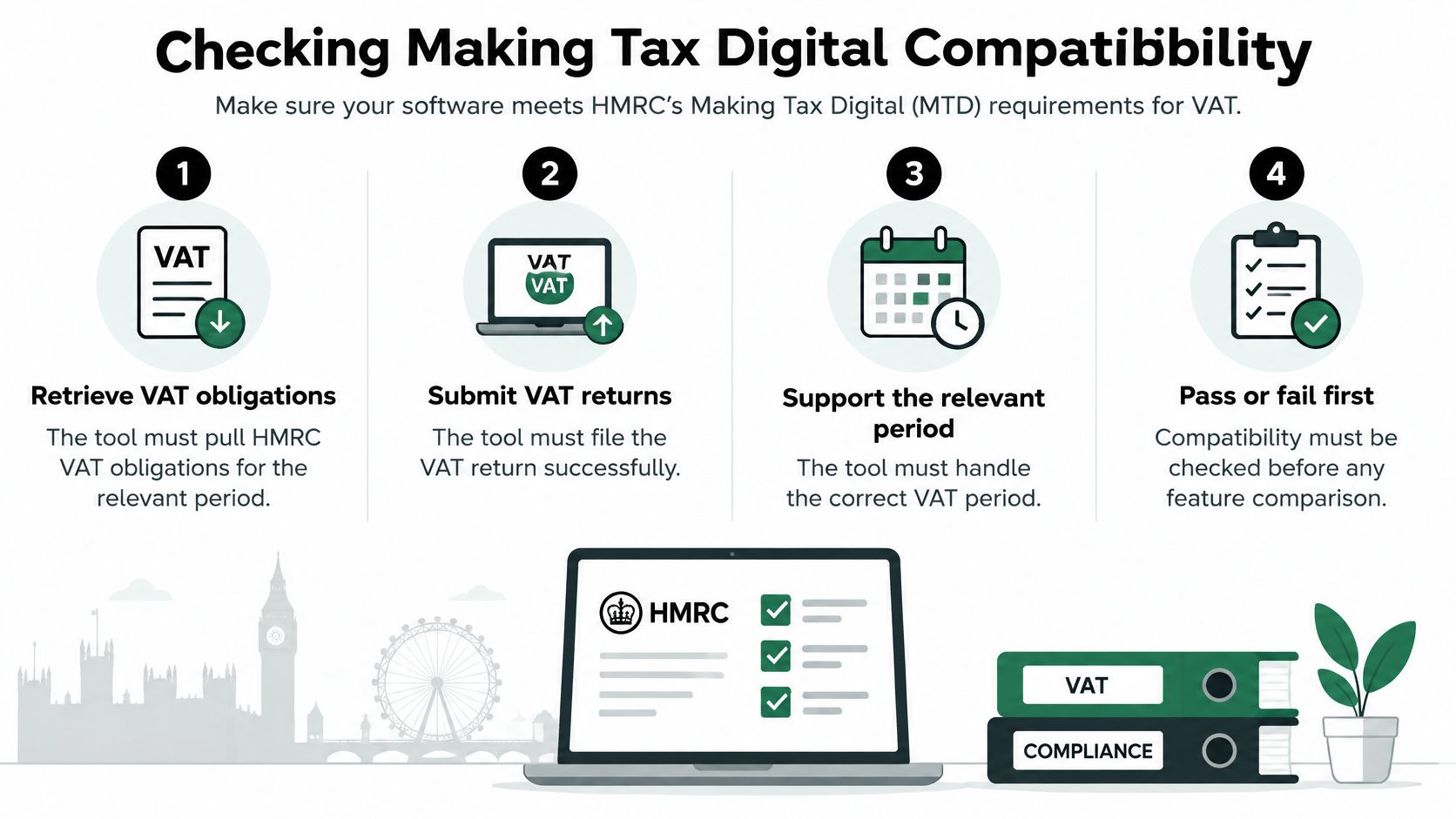
Treat compatibility as pass or fail before you compare dashboards, capture channels or price. A VAT calculator that produces a tidy summary isn't the same as software that communicates digitally with HMRC.
The HMRC VAT MTD end-to-end service guide states that HMRC's VAT MTD API requires software to retrieve VAT obligations, submit returns for the relevant period, and support retrieval of customer information, historic returns, liabilities, payments, and penalties, and HMRC also requires fraud-prevention header data for API requests. HMRC also states that digital links between systems must be maintained where data forms part of the electronic account.
Six yes or no tests for a demo
- Obligations from HMRC: Does it list open obligation periods pulled from HMRC, rather than dates someone typed into a calendar?
- API submission: Does it submit through the API, rather than only producing a spreadsheet or VAT summary?
- Stored receipt: Does it persist the HMRC submission receipt against that exact return?
- Reconciliation back: Does it reconcile HMRC's returned liability and payment data to your ledger?
- Safe retry: After a timeout, does it prevent a duplicate submission and confirm whether the first attempt landed?
- Traceable lineage: Can you trace an entry from bank line or receipt through to the return without re-keying?
Any answer that relies on a file export counts as a fail for that test. Our guide to Making Tax Digital compliance in practice covers the wider record-keeping duties behind these checks.
Numbers an accountant should request
Ask for the API success rate, retry behaviour, latency from period close to submission, and completeness of retained evidence. Vendors who monitor these measures can usually explain them plainly. Vendors who can't may still file returns, but they haven't shown they control failures, and failures are where penalties start.
Deadlines, Penalty Points and Submission Reliability
Price the failure before you praise the automation. A late return isn't an admin slip. It's the start of a points record.
HMRC guidance on penalty points and penalties for late VAT returns states that the late-submission regime applies to VAT returns for accounting periods beginning on or after 1 January 2023, quarterly filers reach the penalty threshold at four points, annual filers reach it at two points, and once the threshold is reached the penalty is £200, with another £200 for each subsequent late submission while the taxpayer remains at the threshold. Paper returns can attract a penalty of up to £400 where no exemption applies.
| Filing pattern | Points threshold | Cost at threshold |
|---|---|---|
| Quarterly | Four points | £200, then £200 per further late return |
| Annual | Two points | £200, then £200 per further late return |
| Paper return, no exemption | Not applicable | Up to £400 |
Match each penalty path to a control
- Forgotten deadline: Automated obligation-date monitoring and alerts delivered before the deadline, to a named person, not a shared inbox nobody owns.
- Invalid return: Pre-submission validation that catches missing VAT codes, unassigned treatments and periods that don't match the open obligation.
- Transient API failure: Idempotent retries, so a timeout creates neither a second submission nor a missing one.
- Disputed filing: A durable audit trail showing source transaction, VAT treatment, approval, submission timestamp and HMRC receipt.
Practical rule: If a person has to remember the deadline, the software isn't controlling it.
What to measure after go-live
Accountants should compare tools on exception rate per return, the percentage of returns submitted without manual re-entry, and time required to investigate a rejected or amended submission. Those three numbers tell you more than a demo of a clean return.
When a return is rejected, you need to trace the failure back to the transaction behind it quickly. If the investigation starts with inbox searches and spreadsheet versions, submission reliability is a claim, not a system. Freelancers gain the same benefit at smaller scale. Deadline compliance stops being a calendar task and becomes a monitored workflow with evidence at the end.
Capturing VAT From Receipts Step by Step
Receipt capture protects the return only when each step preserves evidence. A fast photo that nobody checks moves the error upstream.
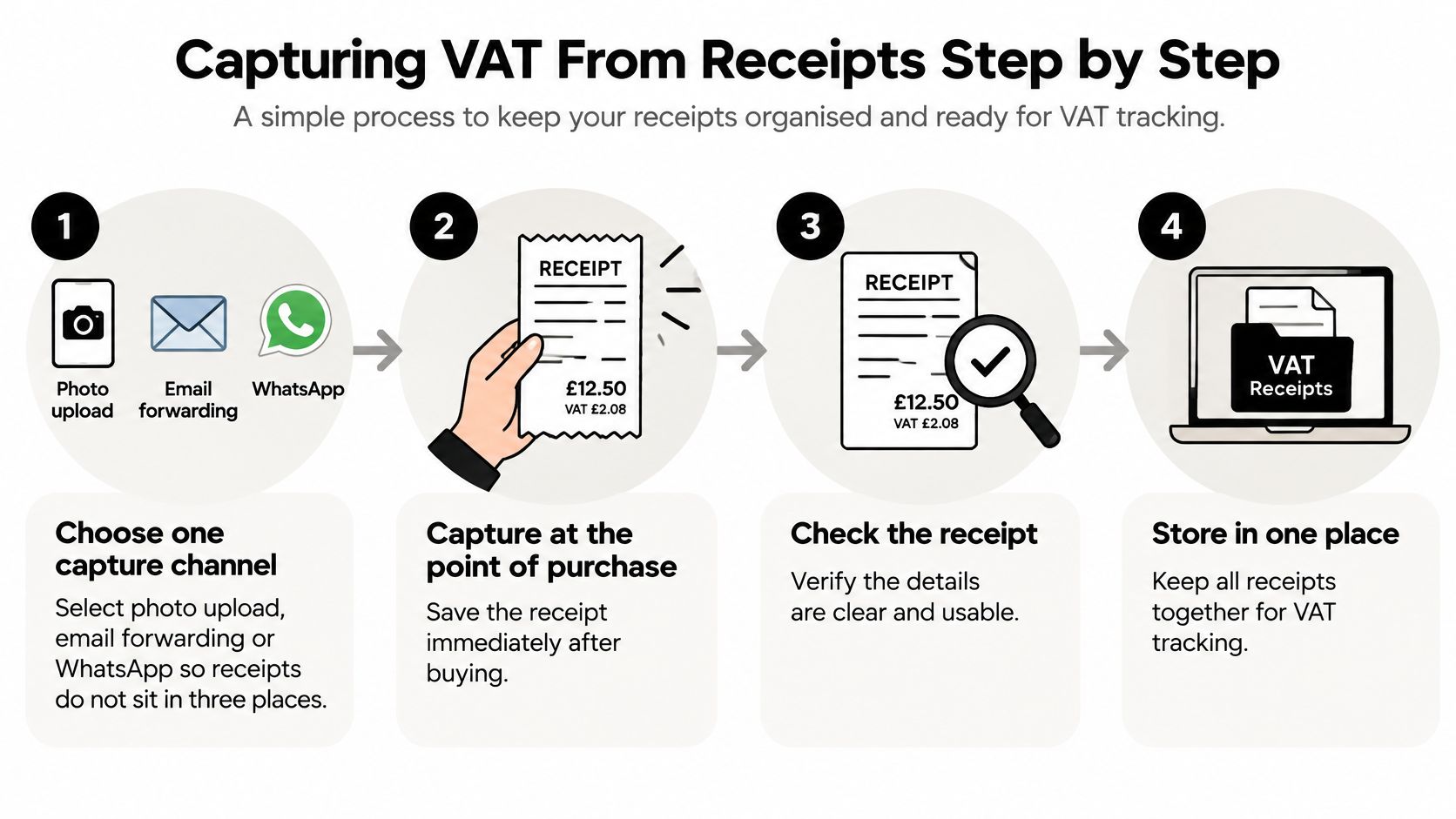
The seven steps
- Choose one capture channel: Pick photo upload, email forwarding or WhatsApp as the default for the business, so receipts don't sit in three places and get missed at period end.
- Capture at purchase: Save the receipt immediately and check the supplier, date, VAT amount and VAT number are legible, because a missing or unreadable receipt can't support an input VAT reclaim.
- Assign the VAT treatment: Mark the item as standard, reduced, zero-rated, exempt or outside scope, and flag reverse-charge purchases, because the treatment decides whether VAT is reclaimable at all.
- Match to bank and ledger: Link the receipt to the bank transaction and accounting entry, which stops the same spend being counted twice.
- Review exceptions: Pull out missing VAT receipts, mixed-rate invoices, foreign-currency items and claims above the business's normal pattern, because these are where automatic extraction is most likely to misread the position.
- Approve and sync: Approve the checked entry and sync it to Xero or QuickBooks, so approval happens before the figure reaches the ledger, not after.
- Archive by VAT period: Store the source document against the period it belongs to, so a later query starts from the return and lands on the evidence.
Our breakdown of receipt management for small businesses covers the filing habits that make step seven work in practice.
Say a café owner buys milk, cleaning products and equipment servicing on one supplier invoice. The lines don't share one VAT treatment. Capture software that assigns a single rate to the whole document creates a confident, wrong reclaim. Line-level treatment feels slower. It's the step that makes the figure defensible.
The most common slip is approving before checking the VAT amount. Extraction can read the total correctly and still pick up the wrong tax figure, especially on faded thermal receipts. Build the review queue around amounts and treatments, not around whether a document exists. Existence is filing. Accuracy is control.
Seeing Cash Flow Alongside Compliance
A correct VAT return and enough cash to pay it are separate controls. HMRC research found that 19% of VAT-registered businesses reported difficulty submitting returns on time and 22% reported difficulty paying VAT on time. Reported causes included cash-flow pressure, limited administrative capacity and competing priorities. The research also found low awareness and uptake of the appeals process among small businesses. (HMRC's quantitative research on VAT penalty reform)
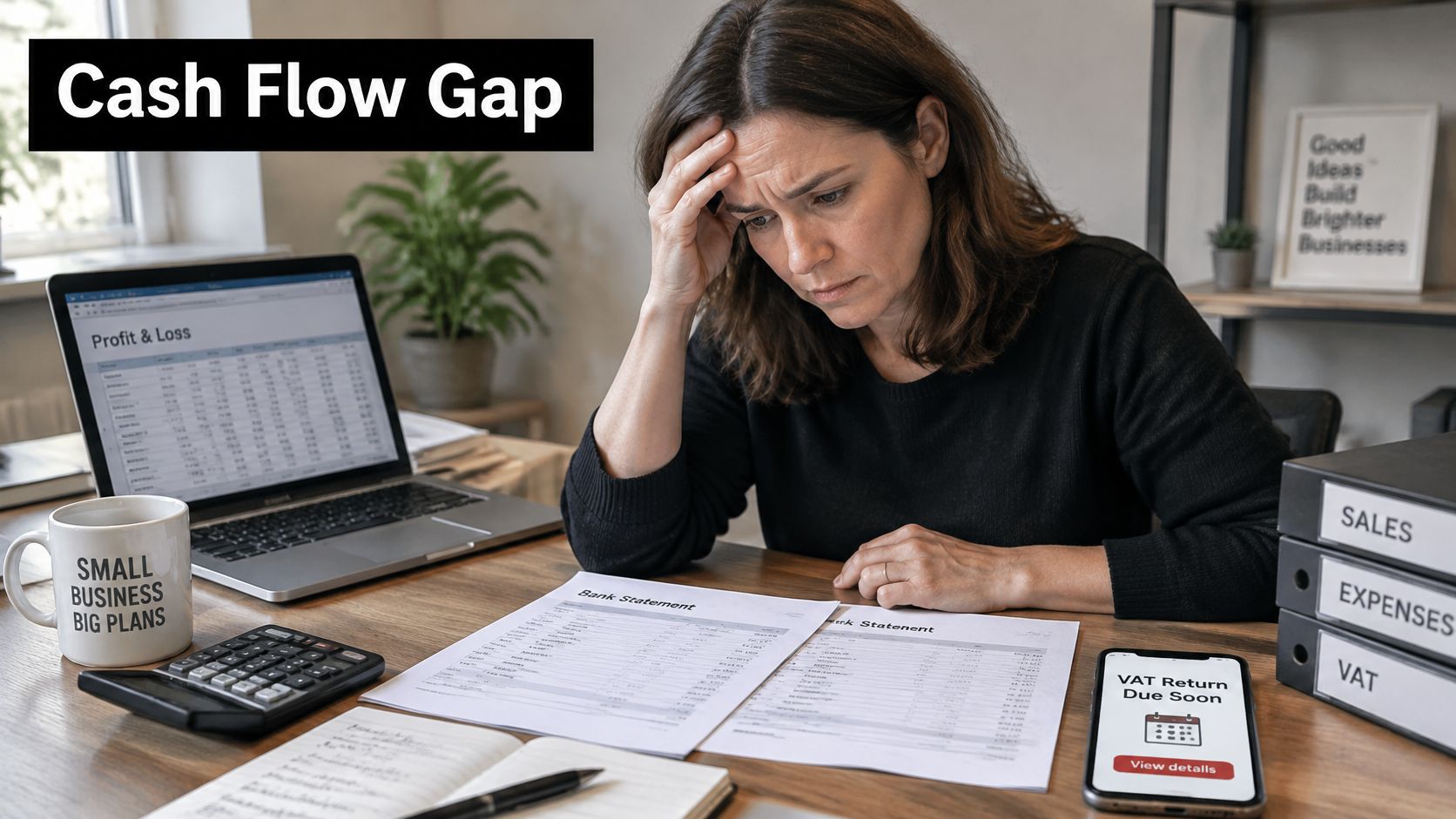
The minimum dashboard
A sole trader or owner-manager needs six figures to connect the VAT position with the cash available to meet it:
- VAT collected: Output VAT on sales so far in the period.
- Input VAT potentially reclaimable: Amounts supported by evidence, kept separate from claims still awaiting proof. The guide to input VAT and output VAT explains how these figures combine.
- Unreconciled receipts: Recorded spending without valid VAT evidence attached.
- Current liability: The running amount due if the period closed today.
- Filing deadline: The next return deadline, with alerts early enough to act.
- Payment buffer: Cash set aside for the liability, rather than the full bank balance.
Payment timing affects the cash available. For service businesses that invoice in arrears, steps to get paid faster as a tutoring business can support VAT planning as well as invoicing. Under standard accounting, output VAT is due when the invoice is raised, so a late customer payment does not reduce the VAT owed. Businesses using the cash accounting scheme account for VAT when payment arrives.
Receipt capture provides an early-warning signal. It helps reveal missing evidence before the deadline and keeps the liability estimate current as records come in. It cannot show whether the business has enough cash to pay. That requires comparing the expected liability with the payment buffer, so a shortfall is visible before the due date rather than after submission.
Matching Software to Your Business Type
The same product can be a strong fit for an accountant and a poor fit for a contractor. Start from your risk, not from the vendor's headline feature.
| Business type | Top priority | Must-have check | Watch for |
|---|---|---|---|
| VAT-registered freelancers and sole traders | Income Tax MTD separation | Separate VAT and income-tax records | Mixed-rate expenses without VAT receipts |
| Owner-managed small companies | Cash visibility | VAT liability view and payment buffer | Late payment from cash pressure |
| Accountants and bookkeepers | Client-by-client exception review | Multi-client dashboard and exportable audit log | Unaudited corrections across clients |
| Contractors and field service professionals | Receipt capture on the move | Mobile photo capture and email or WhatsApp forwarding | Missing receipts for cash spending |
| Finance teams in growing companies | Approval workflow | Role-based approvals and ledger integration | Reverse-charge and cross-border VAT errors |
The separation test for sole traders
HMRC analysis of the wider economic benefit of Making Tax Digital notes that from 6 April 2026 qualifying sole traders and landlords also need compatible software for digital income and expense records and quarterly updates, and HMRC states that the penalty-point systems for VAT and Making Tax Digital for Income Tax are separate. One receipt can affect VAT evidence, income-tax records and reconciliation, but one submission doesn't satisfy both regimes.
Run four questions in the demo. Can the system distinguish VAT records from Income Tax MTD records? How are corrections preserved? What happens when a receipt has no recoverable VAT? What must the owner or accountant still review? Vague answers here mean automation is concealing complexity, not removing it.
The other groups in brief
Owner-managed companies should test the liability view with real trading data and check the payment buffer updates as sales land. Accountants need exception queues that sort by client and by risk, plus audit logs they can export without vendor help. Contractors should test capture with gloves on, in poor light, on a faded fuel receipt. That's their real working condition. Growing finance teams should push a reverse-charge supplier invoice through approvals and confirm role permissions stop the same person entering and approving it.
Comparing Total Cost Before You Shortlist
Headline monthly fees hide the costs that decide value. Build one cost sheet and use the same columns for every candidate.
Six lines for the cost sheet
- Base subscription: Whether pricing is per business, per user or per client.
- Accounting connection: Any charge for the Xero or QuickBooks link, and whether that accounting subscription is needed separately. Compare this bundled-versus-add-on pattern with how pricing for managed ecommerce stores separates core platform fees from extras, because the structure matters more than the starting figure.
- Receipt volume limits: The monthly cap and what happens to receipts above it in a busy month. Are they queued, charged or rejected?
- MTD submission: Whether submission is included or sold as an add-on.
- Trial length: Whether the trial covers a full VAT quarter with real receipts, including a submission or a realistic test of one.
- Cost of exceptions: Staff time needed to clear unreconciled items each period, priced at the rate of the person who'll do it.
Mark any figure you can't confirm from the vendor as a demo question rather than estimating it. A cheap tool that needs a paid add-on for submission, plus a monthly manual clear-up, can cost more than a higher-priced tool that submits directly and matches receipts automatically. The subscription is the visible cost. Exceptions are the recurring one.
Confirm the Setup Before You Commit
Use this decision rule. Choose the tool that meets the minimum on MTD submission, digital links and audit trail first, then optimise for receipt capture and workflow. Convenience never compensates for a compliance gap.
A short verdict by situation
A sole trader with a few receipts a month needs MTD submission and mobile capture, and little else. An accountant with many clients needs exception queues and audit exports. A growing company needs approvals and reverse-charge handling across suppliers. If a product serves your situation well but fails another group's test, that's fine. Fit is the point.
Test two or three candidates with the same ten receipts. Include one mixed-rate invoice and one receipt with no VAT evidence. Then check the submission receipt and the Xero or QuickBooks link. Identical inputs expose differences that separate demos hide.
Where receipt capture is the bottleneck, Snyp is one option to include in that test. It ingests receipts from WhatsApp, email forwarding or upload in JPEG, PNG or PDF, extracts merchant, amount, date, tax, currency and category, and syncs results to Xero and QuickBooks, from £19 a month with a trial. Before buying, confirm whether it submits returns directly or passes data to your MTD software, and how it handles VAT review. That answer decides where it sits in your stack.
Put your next ten receipts through a proper test instead of trusting a demo, including the mixed-rate invoice and the one with no VAT evidence. Snyp captures receipts from WhatsApp, email or upload, extracts the VAT and transaction fields, and syncs checked entries to Xero or QuickBooks, so you can judge it on evidence quality within your own VAT workflow. Start the trial, run the ten-receipt test, and keep it only if the audit trail and liability view hold up.