




VAT Receipt Requirements for UK Businesses in 2026
Every purchase in your books has a receipt attached, and it still might not be enough. HMRC doesn't treat a receipt as proof of input VAT. It treats it as an acknowledgement of payment, which is a different thing, and it will only accept one where the document carries the information the relevant invoice category requires and is authenticated where the rules demand it.
That gap between proof of payment and proof of a taxable supply is where claims come undone. A business reclaims VAT on a till slip or a pro-forma, a review lands two years later, and the tax has to be repaid because the paperwork never supported it in the first place.
The work involved isn't scanning. It's matching each purchase to the document HMRC accepts, checking that document against a fixed list of fields, and holding it for as long as the law requires. Get that right at the point of purchase and the filing, the reconciliation and the return all fall into line.
VAT Receipt Requirements at a Glance
Start with the document in your hand. A till receipt proves you paid. A VAT invoice records the taxable supply and gives you the figures to reclaim. HMRC accepts only the second as the basis of an input-tax claim, so a box of receipts can leave a business with nothing it can use.
Who has to issue what depends on the transaction and on the VAT status of both parties, as the HMRC VAT registration manual sets out. Only VAT-registered businesses can issue VAT invoices, and a VAT-registered supplier normally must issue one when it supplies standard-rate or reduced-rate goods or services to another VAT-registered person, within 30 days of the date of supply. Turnover decides who sits inside that regime: registration is required above £90,000 of taxable turnover, and a business below £88,000 may normally apply to cancel, subject to conditions. The annual threshold was £5,000 when VAT started on 1 April 1973, which says something about how many more small businesses now live inside the record-keeping rules than did at the beginning.
| Document | Who can issue it | When it is used | Detail required |
|---|---|---|---|
| Receipt | Any seller | Proof of payment only | Not sufficient alone for input VAT |
| Full VAT invoice | VAT-registered supplier | Standard or reduced-rate supply to a VAT-registered customer, or when requested | All mandatory fields, including customer name and address |
| Simplified VAT invoice | VAT-registered supplier | Supplies of £250 or less where conditions are met | Reduced fields, including total payable for each VAT rate |
| Modified VAT invoice | VAT-registered supplier | Supplies over £250 where a full invoice is not required | VAT-inclusive values instead of VAT-exclusive values |
| Pro-forma or delivery note | Not a VAT invoice | Not used for input-tax claims | Does not support an input-tax claim |
Three questions that identify the document you hold
- Who issued it? A supplier's own invoice or signed receipt can support a claim. Your purchase order, a bank statement or a delivery note can't, whatever the amount on it.
- Is the supplier VAT-registered? No VAT number means no VAT invoice. If the supplier isn't registered, it shouldn't be charging VAT at all, and there's nothing to reclaim.
- Does the value and the customer type call for a full invoice? Above the simplified limit, or whenever a full invoice has been requested, you should be holding more than a till slip.
If those answers leave you with a receipt, a statement or a delivery note, treat the purchase as unevidenced and ask the supplier to reissue. That request is the whole fix in most cases.
Mandatory Fields on a Full VAT Invoice
A full VAT invoice is a specification, not a courtesy. Every field answers a question a reviewer will eventually ask, and a document missing one of them is a document you'll be explaining later.
| Field | What it must show | Why it matters |
|---|---|---|
| Unique invoice number | Sequential and unique to the supplier | Prevents duplicate claims |
| Supply date or tax point | Date the goods or services were supplied | Fixes the VAT period |
| Invoice date | Only where different from the supply date | Shows when the document was issued |
| Supplier name and address | Full details of the supplier | Identifies who made the supply |
| Supplier VAT number | VAT registration number of the supplier | Confirms the supplier can issue a VAT invoice |
| Customer name and address | Full details of the customer | Ties the claim to the business |
| Description | Enough to identify the goods or services | Supports the claim if reviewed |
| Quantity or extent | Quantity supplied or extent of the service | Shows what the VAT relates to |
| VAT rate | Rate applied to each supply | Confirms the rate charged |
| Net amount | Value before VAT | Separates the taxable value from the VAT |
| VAT amount | VAT charged | The figure actually reclaimed |
| Gross total | Total payable including VAT | Must reconcile to net plus VAT |
| Cash discount terms | Terms where a cash discount is offered | Affects the VAT value |
Why the VAT split matters more than the total
The most common error is treating the amount paid as the amount reclaimable. It isn't. The VAT element is a fraction of the gross that depends on the rate applied to each line, and on a mixed purchase those rates can differ. Hold net value, VAT rate, VAT amount and gross as four separate fields so the arithmetic can be checked, and so a partly exempt purchase doesn't get claimed in full by accident.
The other fields exist for control. A unique sequential invoice number is how you spot a document entered twice. The tax point fixes which return the claim belongs to, which matters when an invoice arrives in one period for a supply made in another. Customer details are what separate a full invoice from a simplified one, and they tie the purchase to your business rather than to whoever happened to pay.
Practical rule: if net plus VAT doesn't reconcile to the gross, the document isn't ready to file, however clean the scan looks.
Flag missing fields instead of trusting a clean scan
Extraction software will read a document whether or not it's valid. High confidence means the characters were recognised, not that the document is a VAT invoice. The safe design is a rule that blocks approval when a mandatory field is empty and routes the item to a person instead.
HMRC may consider alternative evidence, but only at its discretion, so a missing field is a prompt to request a corrected document from the supplier. It is not a reason to hope the review never comes. Before filing anything, walk the thirteen rows above. It takes thirty seconds and catches almost every defective document before it reaches a return, as the HMRC invoicing guidance makes clear.
Simplified Invoices for Supplies Up to £250
The £250 line decides how much detail a supplier has to put on the document. For supplies of £250 or less, a supplier may issue a simplified VAT invoice where the applicable conditions are met, under HMRC's VAT guide, Notice 700. It must show the supplier's name, address and VAT registration number, the tax point, a description of the goods or services, the total amount payable including VAT for each VAT rate, and the applicable VAT rate.
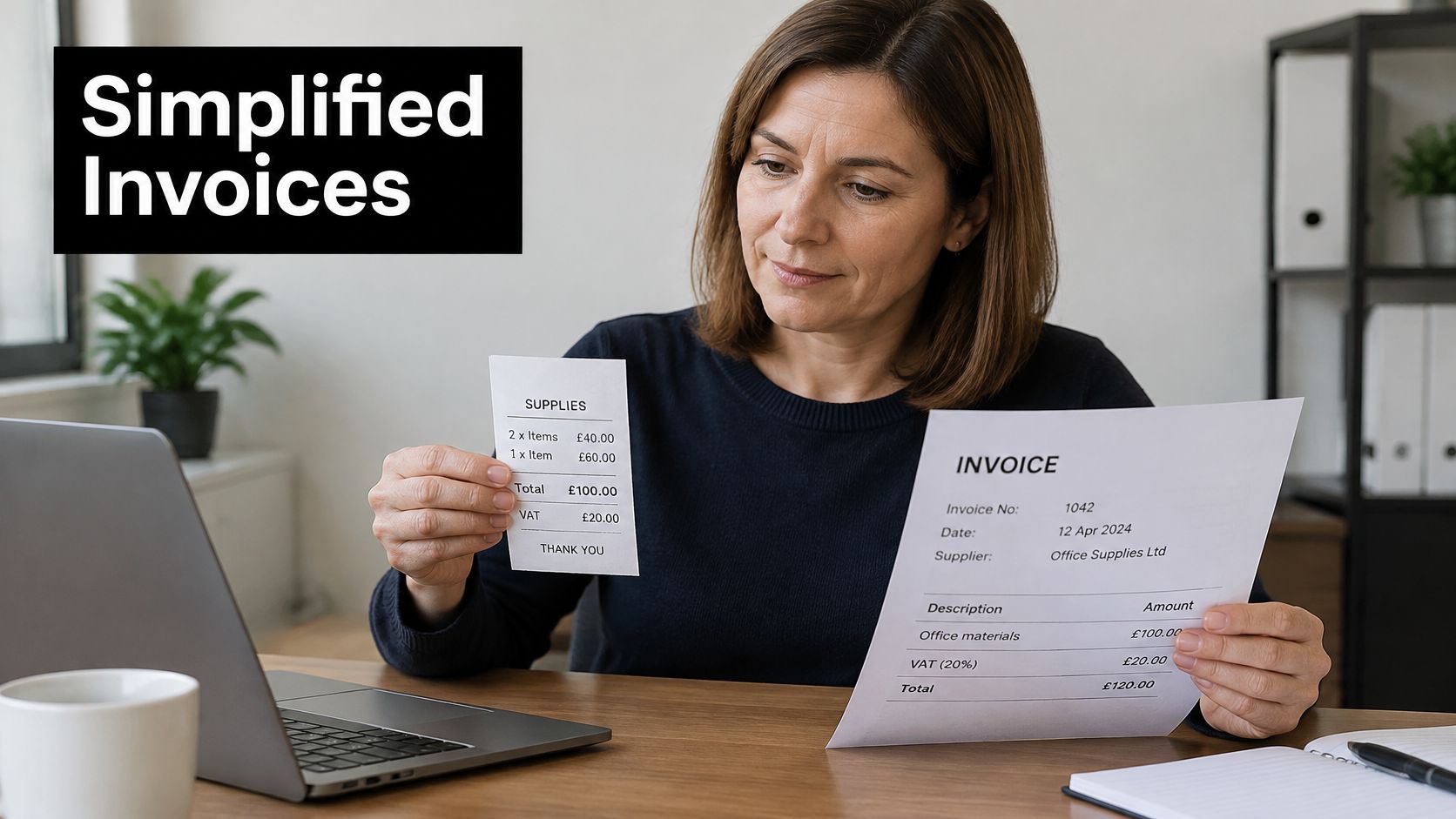
Your business name and address aren't required on a simplified invoice, and that's the first thing to notice when a small purchase arrives with a scrappy printout. The document can be perfectly valid without them. What it can't do is leave out the supplier's VAT number, because without that there's nothing tying the VAT charged to a registered business.
Above £250, HMRC guidance requires a full or modified invoice when you ask for one. A modified invoice shows VAT-inclusive rather than VAT-exclusive values, which suits retail-style suppliers who quote gross prices. Either version supports the claim. A quotation does not.
The difference between the formats is easier to see side by side than to read about.
Say a sole trader pays £240 for a repair. If the paperwork shows the supplier's name, address, VAT number, the tax point, a description of the work and the rate applied, it can function as a simplified invoice and it supports the claim. A £600 equipment purchase is a different document entirely. Ask for a full invoice carrying your business name and address, because a slip with a total on it won't hold the fields you need.
Check before you file: compare the total with the £250 line, then confirm whether a full invoice has been requested.
When a Receipt Can Stand In for a VAT Invoice
A claim-ready file separates two jobs: record the VAT digitally, and keep the source evidence that proves it. Capture is only the first step. A receipt supports input VAT when it carries the details required for its invoice category, is authenticated where the rules require a supplier signature, and no normal VAT invoice or self-billed document exists for the same supply.
Self-billing is the exception to keep in view. Under a self-billing agreement, the customer issues the invoice, and that document becomes the VAT evidence instead of the supplier's version.
The three-way decision
- Supplier issued a VAT invoice. File it and check it against the mandatory fields. Nothing further is needed.
- No invoice, but a receipt signed by the supplier with the required details. Confirm the signature and the fields before you claim, because both conditions have to hold.
- Neither exists. Hold the item as pending and request a VAT invoice from the supplier.
A £180 receipt for building supplies, unsigned, with no VAT number on it, supports nothing. If the supplier signs it and adds its registration number, it may. Until then the claim waits, and the wait costs nothing beyond a follow-up email.
If part of your sales begin as pledges, set up VAT in your pledge manager so the invoice data feeding your records is configured rather than reconstructed later.
A missing signature on a receipt that requires one is a reason to ask for a corrected document. Treat it as evidence still short of the standard.
Who Must Keep VAT Records and for How Long
Every VAT-registered business sits inside the record-keeping regime, including traders whose sales are zero-rated, reduced-rate or exempt. HMRC expects a file that can explain each figure on the return: what was bought and sold, which invoices were issued, which invoices were received, and how credits, debit notes and self-billed documents connect back to them.
A working archive usually holds six things:
- Sales and purchase ledgers covering every transaction in the period.
- Invoices issued, one copy each, matching the sequence numbers.
- Invoices received, including the defective ones queried with suppliers.
- Credit and debit notes, linked to the invoice they adjust.
- Self-billed documents where an agreement puts invoicing on the buyer.
- Signed receipts accepted as evidence when an invoice is absent.
Format matters less than traceability. Paper originals can satisfy retention, and electronic copies can too, provided an inspector can move from a return line to the source document and see the VAT treatment behind it. Treat the digital transaction record and the source evidence as two layers with different jobs: one feeds the return, the other proves it.
The general retention period is at least six years, and a longer ten-year period applies to businesses using, or that have previously used, the VAT One Stop Shop or VAT Mini One Stop Shop schemes, under HMRC's keeping VAT records guidance.
Purchase invoices often arrive by email, so part of the evidence base may live in inboxes that change when staff or accountants change. Sickle tips for multi-account inbox cleanup can help keep older mail retrievable. For the wider filing structure, see how HMRC record keeping fits together.
Set the rule before year end: confirm registration status, keep records for at least six years, and extend to ten where an OSS scheme is or was in play.
Whether to Scan Every Receipt Under Making Tax Digital
The answer is no, and the belief that every paper receipt must be digitised is the single most expensive misunderstanding in this area. Making Tax Digital requires VAT-registered businesses to keep specified transaction data digitally, and HMRC's guidance on keeping VAT records for MTD confirms that paper invoices and receipts do not all have to be scanned. What has to be digital is the data, not the paper.
Two layers, one record
The confusion comes from collapsing two things into one. The digital transaction record is what your software holds and what the return is built from: supplies received, the tax point, value excluding VAT, VAT charged, and any adjustments. The source evidence is the invoice or receipt behind it, which may stay on paper or sit in a folder as a PDF. Neither layer replaces the other, and the failure runs in both directions. A scanned image on its own does not satisfy the digital record requirement, and a tidy spreadsheet of totals does not satisfy the need for evidence.
Keep both, but be clear about which one your return is built from. The return is built from the data.
The practical standard is straightforward. Keep the original electronic file, keep an audit trail linking extracted data back to that file, and use supplier, invoice number, date and amount as keys so a duplicate cannot slip through. A workable routine runs in four steps: photograph or upload the receipt, let AI extraction pull the details, review and confirm the data, then sync the approved record to Xero or QuickBooks. That is the sequence Snyp runs, and it is also the sequence to demand from any tool you use.
Scanning on its own does not make a record compliant. If the extracted fields are incomplete, or the image is attached to the wrong transaction, you have digitised a defect and given it a filing date. Files should be findable by invoice date and supplier name, because that is how a reviewer asks for them.
The software side carries its own risk. A business filing VAT returns without functional compatible software can attract HMRC penalties, which makes the choice of tool a compliance decision rather than a convenience one. For the wider picture on digital records and compatible software, the guide to Making Tax Digital compliance sets out what the record has to contain. The scanning habit then shrinks to its proper size: capture what supports a claim, record the required fields digitally, and let the rest of the paper stay paper.
Handling Missing or Defective Receipts
Most defective documents fail in one of a small number of ways, which is good news, because a known defect has a known fix.
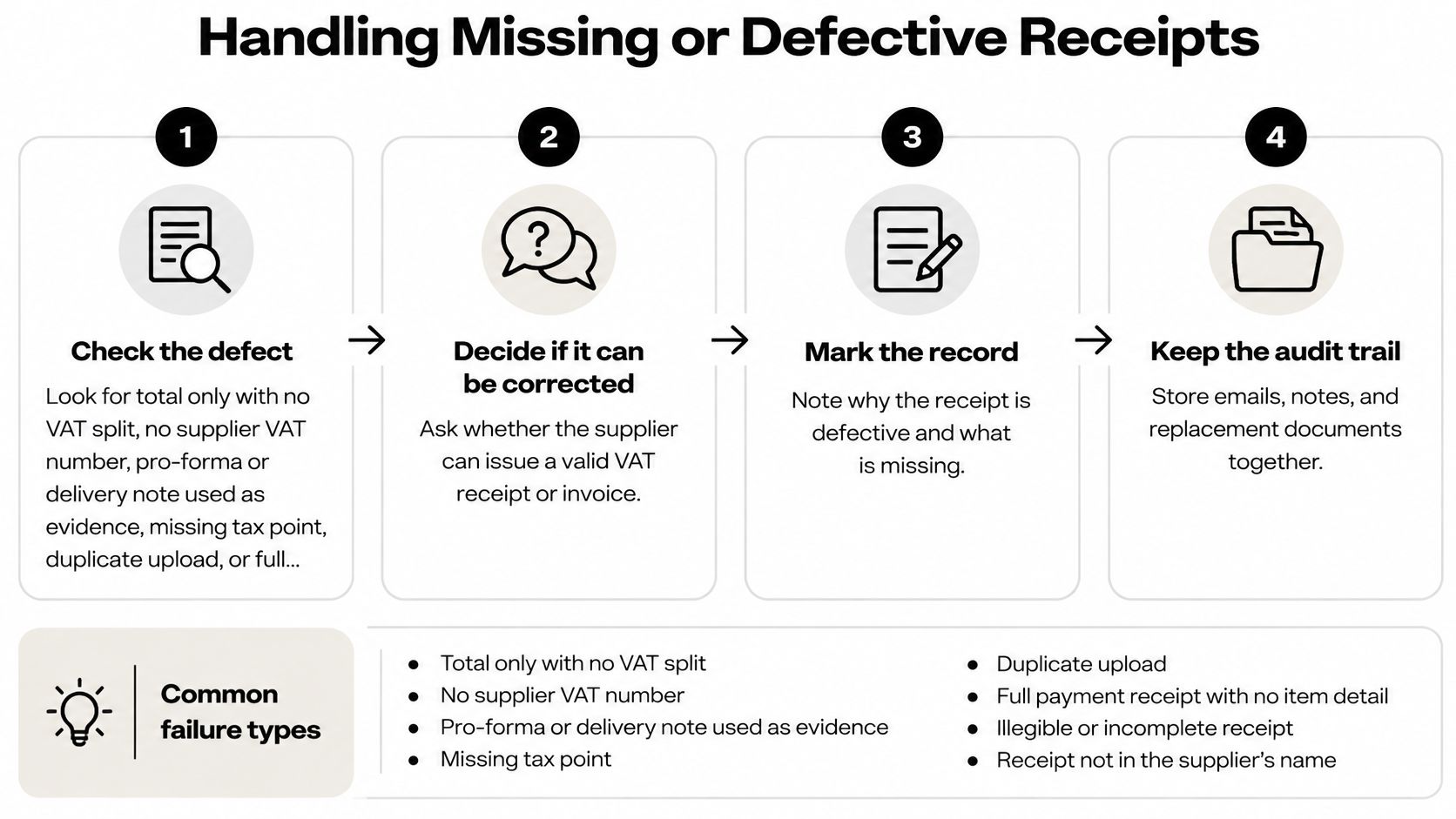
| Defect | Why it fails | Fix |
|---|---|---|
| Total only, no VAT split | Cannot evidence the VAT amount claimed | Request an invoice showing net, VAT rate, VAT and gross |
| No supplier VAT number | Not a valid VAT invoice | Ask the supplier to reissue with its VAT number |
| Pro-forma or delivery note | Does not support an input-tax claim | Request a VAT invoice after payment |
| Missing tax point | Cannot establish the date of supply | Ask the supplier to add the supply date |
| Duplicate upload | Risk of claiming VAT twice | Match supplier, invoice number, date and amount before filing |
| Full invoice without customer details | Mandatory field absent | Request a corrected invoice with your business details |
| Unreadable photo | Fields cannot be verified | Re-upload the original PDF or a clearer image |
The recovery procedure
- Check the document against every mandatory field. A plausible-looking total isn't enough for input VAT, and the gap is usually the VAT number, the tax point or the net amount.
- If you hold no VAT invoice, ask the supplier before claiming anything. Not after the return, not next quarter.
- Confirm the supplier is VAT-registered and check the number against the registration rather than the letterhead.
- Record the date you asked and any reference number. Your own follow-up isn't evidence of VAT, but it is evidence that the missing document isn't a habit.
- Hold the item as pending rather than claiming input VAT. A pending item is honest; a claimed one is a liability.
- If the supplier can't provide a compliant invoice, record the position and any alternative evidence. HMRC may accept other evidence, but only at its discretion, and it can refuse if you rely on that route routinely.
That fifth step is where people drift. Claiming on a pro-forma and assuming it'll be replaced later is the most common slip in the whole process, because the replacement rarely arrives once the money has moved and the order has closed. Keep the defective document alongside the request you made for a proper one, so the file tells a coherent story.
A defective document you've queried is worth more than a perfect one you've lost, but only if the query is on file.
Fix in order of consequence. Defects that block the claim come first, then defects that damage the integrity of the records, then presentation issues that only annoy a reviewer. Finish with every item either linked to a compliant invoice or sitting in a documented pending state, and never with a claim resting on a card slip. If the supplier never sends anything at all, the guide to claiming an expense without a receipt explains how to document your position.
Run a Last-Month Receipt Sweep
Before the next return goes in, empty last month's folder into three buckets and stop guessing at what's claimable.
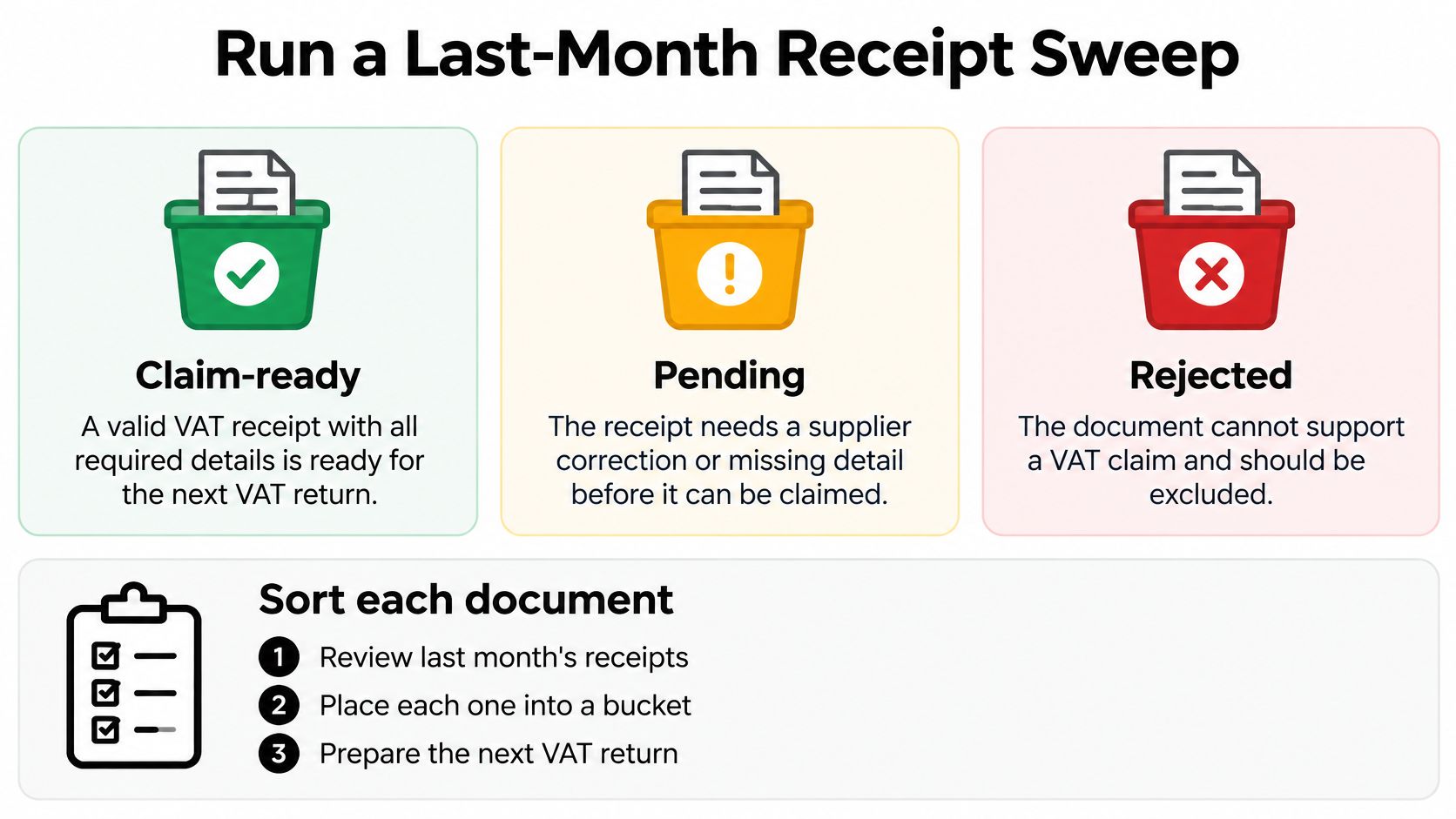
- Claim-ready. A £95 invoice from a software supplier that carries the supplier's name, address, VAT number, tax point, description and rate is a valid simplified invoice. File it and move on.
- Pending. A £1,200 laptop backed only by a card slip needs a full invoice with your business name and address on it. Request it, and leave the item out of the claim until it lands.
- Rejected. A delivery note with no VAT line evidences nothing for VAT purposes. It belongs in the pending pile with a request attached, not in the claim.
Once the sorting is done, confirm each digital record links to its source file, and that a reviewer has checked the net, rate, VAT and gross split before approval. Approved receipts sync to Xero or QuickBooks, where the data is categorised and formatted for reconciliation, and that categorisation should follow UK expense categories and VAT rules rather than memory.
Reconcile each bucket's total to the VAT return before submission. Pending items get chased this week, rejected items get a note explaining why, and the sweep gets run again before you file.
Snyp turns that sweep into a few minutes of work rather than an afternoon of sorting: send receipt photos by WhatsApp, forward email invoices, or drag PDFs into the dashboard, and AI extraction pulls the vendor, date, line items, VAT breakdown and total for you to review. Approve the record and it syncs to Xero or QuickBooks already categorised against UK expense categories and VAT rules, with the original image stored alongside it. Visit Snyp to see how the four-step flow, snap, extract, review, sync, keeps your VAT evidence claim-ready before the next return.