




8 Tips on Bookkeeping for Small Businesses

You're staring at a folder of receipts, a crowded inbox and a bank balance that doesn't quite match what you think the business has earned. Tax work is approaching, but you can't remember which fuel purchase belonged to a client visit, whether an invoice has been paid, or where the supplier bill from last month ended up. That's how bookkeeping becomes a rescue job.
Reliable books come from small decisions made throughout the month, not a frantic clean-up at the end of the year. These tips on bookkeeping follow a complete workflow: separate personal and business finances, capture evidence at the point of purchase, categorise transactions consistently, review them frequently, reconcile accounts reliably, and connect expense records with tax and cash-flow decisions. Automation can remove repetitive entry, but it shouldn't remove human review or professional tax advice.
The same principles apply whether you're a freelancer, contractor, small retailer or property operator looking for bookkeeping help for Airbnb hosts. Start with the first point where financial information enters your business, then make every later step easier.
1. Capture Receipts Immediately at Point of Purchase
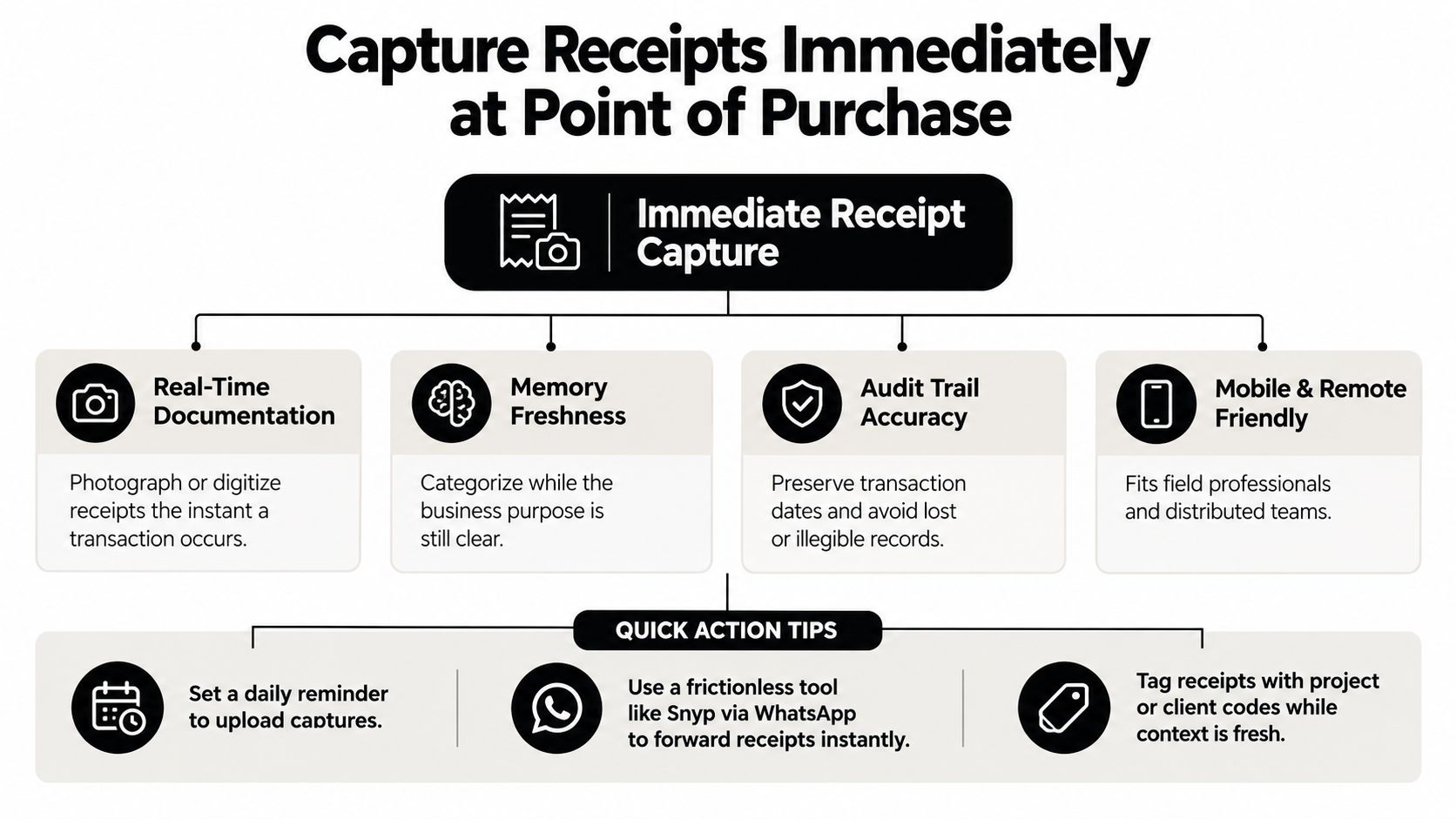
A receipt is easiest to understand when you still remember the transaction. Photographing it immediately preserves the merchant, date, amount and context before the paper fades, gets lost in a vehicle, or disappears into a coat pocket. It also gives you a contemporaneous record that's easier to match to a bank or card transaction later.
A delivery driver might photograph a fuel receipt beside the van after a job. A freelance consultant can capture a meal receipt while the client meeting is still fresh. A contractor working on several sites might forward a vendor invoice through WhatsApp instead of waiting until the evening to sort through messages and paperwork.
Practical rule: Capture the document first, explain its business purpose while you still remember it, and categorise it during review.
The image needs to be usable. Take it straight on, include the full receipt, avoid glare, and use enough light for the text to remain clear. If there's a handwritten note about a project, client or business purpose, photograph that as well rather than relying on memory.
A lightweight routine works better than a complicated filing system:
- Capture at purchase: Take the photo before leaving the shop, site or meeting.
- Add context: Tag the receipt with a project or client code while the reason is obvious.
- Review daily: Set a reminder to check pending captures and correct anything unclear.
- Use familiar channels: Snyp's guide to scanning receipts explains how digital capture can fit into a mobile workflow, including forwarding documents through WhatsApp.
Immediate capture doesn't mean every item is automatically correct. It means the evidence is available for a deliberate review, instead of forcing you to reconstruct the transaction weeks later.
2. Implement a Consistent Chart of Accounts Structure
Your chart of accounts determines how raw transactions become useful business information. If one software subscription is coded as office costs, another as technology and a third as miscellaneous, your reports may be technically populated but practically confusing. Consistent categories make it easier to understand spending, prepare tax information and compare activity over time.
Keep the top level simple. A consulting business may need separate categories for client travel, software subscriptions and contractor fees. A service business operating across different locations might use tracking categories or sub-accounts for each site, rather than creating a completely different expense account for every small variation.
Create rules people can follow
The best chart of accounts is not the most detailed one. It's the one you and anyone helping with the books can apply consistently. Start with an industry-appropriate template in Xero or QuickBooks, then adapt it to the transactions your business makes.
Write a short internal guide covering decisions that commonly cause uncertainty:
- Software subscriptions: Decide whether recurring digital tools share one category or need separate project tracking.
- Mixed-use costs: Record the business portion consistently and retain an explanation for the allocation.
- Supplier invoices: Separate materials, subcontractor costs and general overhead when the detail matters for reporting.
- New activities: Add a category when the business changes, but avoid creating accounts for isolated transactions.
Review the structure periodically, especially after adding a new service line, location or currency. A multi-currency business may need a clear process for recording the original transaction, exchange treatment and any resulting difference. The accounting system should show enough detail to support decisions without turning every report into an unreadable list.
Assign one person responsibility for resolving unclear coding, even if several people submit receipts. Automation can suggest categories, but a documented rule and consistent approval process matter more than a clever guess.
3. Reconcile Bank and Credit Card Statements Monthly
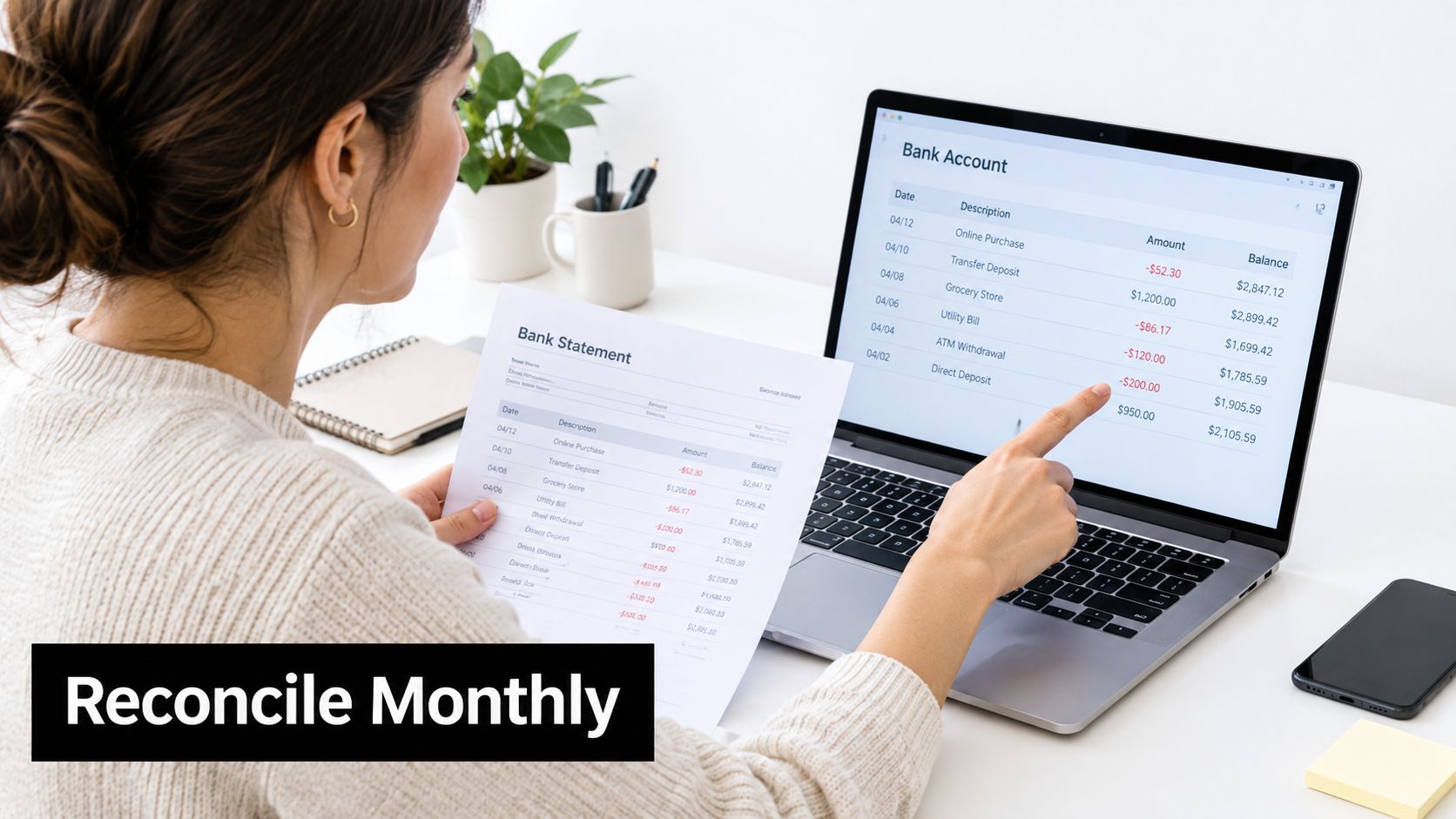
A clean ledger can still contain errors. Monthly reconciliation checks recorded transactions against the activity in every business bank and credit card account. Match payments, receipts, transfers and fees with statement entries, then investigate anything missing, duplicated or unexplained.
Start with the accounts that are easiest to overlook. A freelancer may need to reconcile a PayPal business account as well as the bank. A small business owner should compare corporate card purchases with receipt records. Payment processors often create settlement timing differences or separate fee entries, so review the full flow instead of accepting an automatic match without checking it.
Complete the review soon after month-end, while supplier payments, refunds and transfers are still familiar. Downloadable statement data speeds up matching, while invoices, receipts and processor reports provide the evidence behind each entry.
Use this working sequence:
- Match receipts and payments: Check that the merchant, amount and date agree with the statement.
- Check transfers: Confirm that movements between accounts are not classified as income or expenses.
- Review processor deposits: Compare each net deposit with the related sales, fees and settlement records.
- Resolve exceptions: Add a brief note for every difference, including the next action and owner.
- Record sign-off: Note which account and period were reviewed, and who completed the check.
The guide on how bank statement reconciliation works can help you configure the routine in your accounting software. Snyp can reduce repetitive transaction entry and matching, but human review still decides whether a suggested match reflects the underlying receipt or settlement.
The practical trade-off is speed versus investigation. Accepting every automated suggestion finishes the reconciliation sooner, but it can carry an error into future reports. A short exception list, reviewed before closing the period, usually offers a better balance.
A reconciled account gives you a more reliable cash position and a clearer record for tax decisions, cash-flow planning and questions from your accountant. Keep the supporting documents with the reconciliation rather than treating the bank statement as the complete explanation.
4. Separate Personal and Business Finances Completely
A personal grocery purchase and a business software charge can appear beside each other in one bank feed. Each mixed transaction then needs an explanation, a category, and a decision about whether it belongs in the books. Separate accounts prevent that cleanup before it starts.
Set up a business current account and card before collecting payments or making regular purchases. Route client receipts through business payment accounts, such as PayPal or Stripe, and reserve the business card for business costs. This gives you cleaner records and a more dependable view of available cash.
Use a simple exception process for unavoidable overlap:
- You paid personally: Keep the receipt, record the business expense, and document reimbursement or the owner transaction.
- The business paid personally: Mark the charge and remove it from business expenses.
- A service is shared: Define the business-use basis and retain the supporting explanation.
- Several payment channels are active: Assign each channel a clear purpose and include all of them in your bookkeeping review.
Correct mistakes promptly. Waiting until year-end makes it harder to remember why a charge occurred and increases the chance of misclassifying it. A short weekly check can identify personal charges, missing receipts, and transfers while the details are still available.
Keep insurance, subscriptions, and payment accounts separate where practical. The aim is a record that explains itself, not a larger administrative burden. Consistent categories and evidence captured at the time of purchase also make tax treatment and cash-flow planning easier to assess.
Automation can reduce repetitive entry, but it should not decide whether a personal charge belongs in the business records. Snyp can help capture and organise transaction information, while a human reviews unusual items, confirms the business purpose, and approves the final treatment.
Separate balances also improve cash decisions. A combined account balance can make the business appear to have more spendable money than it really does. Distinct accounts show what belongs to the business before you prepare reports or plan upcoming payments.
5. Use Digital Receipt Storage and OCR Extraction
Paper storage fails in predictable ways. Receipts fade, folders become incomplete and manual typing introduces errors into merchant names, dates, tax values and totals. Digital capture with optical character recognition, or OCR, turns an image into structured information that can move into your bookkeeping system for review.
For a mobile business, the capture method matters as much as the accounting platform. A freelancer can photograph fuel or meal receipts on site. An accountant can receive client documents through WhatsApp. A multi-location company can forward PDF invoices by email into one central pipeline instead of asking each location to rename and upload files manually.
The capture should include enough quality and context for a person to verify it. Straight-on photos with even lighting generally make text easier to read. A receipt that includes VAT, currency, supplier details or a project reference needs to remain legible, not just technically present as an image.
Keep automation inside a controlled review process
Snyp can extract details such as the merchant, amount, date, tax, currency and suggested category from receipts and related documents. It can receive files through WhatsApp, email forwarding or direct upload, then send structured information to platforms such as Xero and QuickBooks for reconciliation and approval. Its overview of OCR for accounting describes the role of extraction in reducing repetitive entry.
Automation is most useful when it removes typing, not judgement. Review unusual amounts, mixed business and personal costs, unclear VAT treatment and unfamiliar suppliers before approval. Forwarding an invoice automatically is efficient, but the person responsible still needs to confirm that the document belongs to the business and has been categorised appropriately.
Watch the receipt capture workflow to see how a digital process can fit around existing habits.
A digital archive also makes retrieval easier during VAT review, tax preparation or an enquiry. HMRC requires businesses to keep evidence for expenses, including what was bought, when, how much it cost and why it was for the business. The normal retention period is typically at least 5 years for sole traders and partnerships, and at least 6 years for limited companies and VAT-registered businesses, according to UK guidance on expense record keeping. If HMRC opens an enquiry, connected records should be retained until the matter is resolved, even if that extends beyond the normal period.
6. Track Mileage and Vehicle Expenses Separately
Record mileage and vehicle spending as separate parts of the same workflow. A mileage log shows where a business journey went and why. Fuel, servicing, insurance and other running costs show what the vehicle cost to operate. Keeping both records current gives you the evidence needed to choose and apply the appropriate HMRC treatment.
Log each journey at the point of travel. A contractor visiting several client sites should record the route and business purpose that day. A delivery driver can enter journeys as they happen instead of rebuilding them later from memory. Periodic odometer photographs add useful support when the vehicle is used for both business and personal trips.
Make every journey explainable
A mileage app can reduce forgotten entries, and Snyp can remove repetitive receipt entry for related vehicle costs. Neither replaces review. Confirm that automatically recorded journeys are classified correctly, delete personal errands, and add the business purpose while the details remain clear.
Keep the record focused:
- Date and route: Record the start point, destination and return details.
- Business purpose: Name the client visit, delivery, site inspection or other reason.
- Vehicle identity: Identify the vehicle when the business uses more than one.
- Supporting evidence: Keep relevant receipts, appointments, work orders and odometer records together.
- Method selected: If you use a simplified mileage approach or actual vehicle costs, apply that method consistently and follow current HMRC guidance.
Commuting is generally treated differently from travel to temporary work locations. If a journey is unclear, ask a qualified adviser before claiming it. The right method also depends on the business facts and how the vehicle is used, so choosing the option that appears simplest can produce the wrong result.
Review vehicle records during routine bookkeeping, then connect approved expenses with tax preparation and cash-flow planning. A mileage total without a destination or purpose is difficult to support. A short log completed after each trip is easier to reconcile, review and defend.
7. Schedule Regular Weekly or Bi-Weekly Bookkeeping Reviews
A short weekly review prevents bookkeeping from becoming a large, unpleasant project. The work is easier when receipts, invoices and transactions are still familiar, and questions can be resolved before they affect a report or tax submission. Waiting until year-end often turns simple categorisation into memory work.
Choose a fixed appointment and protect it. A freelancer might review receipts every Friday afternoon. A business owner may process the previous week's transactions on Monday morning before other meetings. A bookkeeper handling several clients can use a recurring review cycle so that approvals and missing documents don't accumulate unnoticed.
Small, regular reviews beat heroic clean-ups.
Use the same sequence each time, but keep it short enough to complete:
- Review new captures: Check that receipts and invoices are readable and attached to the right transaction.
- Verify categories: Resolve obvious coding mistakes and flag uncertain items.
- Check approvals: Ask the relevant person about unusual or incomplete expenses.
- Review unpaid invoices: Update payment status and identify customers needing contact.
- Prepare questions: Keep a running list for the accountant instead of interrupting the workflow for every uncertainty.
A weekly review doesn't replace monthly reconciliation. It prepares the records so reconciliation takes less effort and exceptions are easier to understand. It also gives you a more current view of spending and money owed, which supports decisions about purchasing, hiring and cash reserves.
For UK businesses, the routine should also reflect the move towards digital tax processes. Guidance on tax record keeping requirements can help you check what documents need to be retained, but current HMRC requirements and professional advice should take priority. A digest or notification system can remind you about pending approvals, while the final review remains with a responsible person.
8. Maintain Detailed Invoicing Records and Follow Up on Overdue Payments
A completed project can still create a cash-flow problem if the invoice is delayed, misfiled or left without follow-up. Keep an invoice register showing the invoice number, customer, issue date, due date, agreed terms, amount, payment status and any related dispute. This record connects work completed with money expected, rather than treating receivables as an afterthought.
Send the invoice when the work or agreed milestone is complete. Record the invoice in the same bookkeeping system used for bank activity, and check that the customer, tax treatment and amount match the underlying agreement. Tools such as Snyp can reduce repetitive entry when invoice or expense evidence is captured, but a person should still review unusual amounts, missing details and disputed charges.
Give receivables a clear operating rhythm
Use a simple follow-up sequence. Confirm the invoice reached the right contact, restate the due date and ask whether anything is preventing payment. Record each message, promise to pay and dispute against the invoice. If the customer challenges a charge, attach the contract, delivery evidence or approved timesheet so the balance does not remain an unexplained overdue amount.
Build the following decisions into the register:
- Terms: State the deadline and accepted payment methods on every invoice.
- Timing: Bill on the day work or an approved milestone is completed.
- Status: Use clear labels such as pending, paid, disputed or overdue.
- Priority: Review older and larger balances first.
- Escalation: Set a point for pausing further work or proposing a payment plan.
Automated reminders reduce routine chasing, provided the wording reflects the account history. A customer who has raised a valid query needs a response, not another generic demand. If an old balance remains unresolved, decide deliberately whether to continue work, request part payment or pause delivery. Apply the policy consistently, while allowing for the contract and the customer relationship.
Review unpaid invoices alongside expenses, tax obligations and upcoming supplier payments. Profit shown in the accounts does not guarantee enough cash in the bank. A reliable receivables record helps decide when to delay purchases, reserve tax money or contact a customer before the shortfall becomes urgent.
8 Bookkeeping Tips Comparison
| Practice | Implementation Complexity 🔄 | Resource Requirements ⚡ | Expected Outcomes ⭐📊 | Ideal Use Cases 💡 | Key Advantages |
|---|---|---|---|---|---|
| Capture Receipts Immediately at Point of Purchase | Low–Moderate, habit-building & mobile use 🔄 | Smartphone, camera, reminders; minimal tooling ⚡ | High accuracy; fewer lost/aged receipts ⭐📊 | Mobile-first teams, field staff, freelancers 💡 | Real-time records; better audit trail; easier categorization |
| Implement a Consistent Chart of Accounts Structure | Moderate–High, planning, taxonomy design, training 🔄 | Accounting software, templates, staff time ⚡ | Consistent reporting & cleaner financials ⭐📊 | Growing businesses, multi-entity or multi-department firms 💡 | Simplifies reporting; reduces categorization errors; tax alignment |
| Reconcile Bank and Credit Card Statements Monthly | Moderate, regular monthly process and review 🔄 | Bank access, reconciliation tools, dedicated time ⚡ | Accurate books; early error/fraud detection ⭐📊 | Any business with regular transactions; bookkeepers 💡 | Ensures cash accuracy; simplifies audits and month-end close |
| Separate Personal and Business Finances Completely | Low–Moderate, setup plus ongoing discipline 🔄 | Separate bank accounts/cards, bookkeeping processes ⚡ | Clear tax records; reduced audit/compliance risk ⭐📊 | Sole traders, small businesses, startups managing liability 💡 | Protects personal assets; simplifies accounting and audits |
| Use Digital Receipt Storage and OCR Extraction | Moderate, vendor setup and image-quality management 🔄 | OCR platform, integrations (Xero/QuickBooks), good images ⚡ | Large time savings; fewer entry errors; fast sync ⭐📊 | High receipt-volume teams, accountants, remote workers 💡 | Automation of data capture; centralized archive; faster reconciliation |
| Track Mileage and Vehicle Expenses Separately | Moderate, consistent logging and method selection 🔄 | Mileage app or logbook, fuel/maintenance receipts ⚡ | Maximized, substantiated tax deductions; compliance ⭐📊 | Delivery drivers, consultants, contractors with travel-heavy roles 💡 | Clear deduction records; improved pricing decisions; HMRC compliance |
| Schedule Regular (Weekly or Bi-Weekly) Bookkeeping Reviews | Low–Moderate, calendar discipline and brief sessions 🔄 | 30–60 min time blocks, access to transactions & receipts ⚡ | Up-to-date visibility; fewer month-end backlogs ⭐📊 | Small businesses, freelancers, bookkeeping teams 💡 | Prevents end-of-month panic; early error detection; continuous control |
| Maintain Detailed Invoicing Records & Follow Up on Overdue Payments | Moderate, process + credit control effort 🔄 | Invoicing software, aging reports, follow-up time ⚡ | More predictable cash flow; fewer outstanding receivables ⭐📊 | B2B firms, service providers, freelancers relying on invoicing 💡 | Improves cashflow; professional billing; easier dispute resolution |
Make the Next Bookkeeping Session Easier
Good bookkeeping is a connected routine, not a collection of isolated tips. Start by separating business finances so that transactions enter the system with a clear purpose. Capture every receipt when you buy, apply consistent categories, review new records weekly, and reconcile each bank and card account monthly. Keep mileage evidence alongside vehicle records, and maintain an up-to-date invoicing register so that unpaid work doesn't disappear from your cash-flow view.
The sequence matters. If you skip capture, categorisation becomes guesswork. If you categorise inconsistently, reports become difficult to trust. If you don't reconcile, the records may not match the cash in the bank. If you don't review invoices, the business can look busy while money remains outstanding.
Choose one quick win today. Open or confirm a dedicated business account, create a short categorisation guide, or forward the next receipt through Snyp while the transaction is still fresh. Then put a recurring review appointment in your calendar and use it to check the document, the category and the business purpose.
Digital tools can reduce manual entry and keep documents together. Snyp can receive receipts and invoices through WhatsApp, email forwarding or file upload, extract key expense details and send structured records to Xero or QuickBooks for review and reconciliation. That automation supports a sound process, but it doesn't replace judgement. You still need to check unclear documents, apply the correct tax treatment and seek professional advice where the rules are complex.
HMRC's record-keeping requirements make the evidence trail part of the bookkeeping job, not an optional extra. Keeping the original or digital evidence, retaining connected records when an enquiry is open and reviewing transactions routinely gives you a stronger foundation for Self Assessment, VAT work, expense claims and everyday cash decisions.
The most effective workflow is the one you'll maintain during a busy week. Keep the capture step quick, make categories understandable, review in small batches and investigate exceptions before they become a backlog. That turns bookkeeping from a rescue task into a dependable operating habit.
Snyp helps small businesses, freelancers and accountants capture receipts and invoices through WhatsApp, email forwarding or direct upload, then extract structured expense details for review and sync with Xero or QuickBooks. Visit Snyp to see how it can reduce manual entry and keep your bookkeeping evidence moving through one organised workflow.