




How to Reconcile in Accounting: A Step-by-Step UK Guide
Your bank feed is up to date, most receipts are uploaded, and the balance in Xero or QuickBooks looks plausible. Then you open the bank statement and find a difference, or everything agrees but you still can't explain a payment. That's the point where bookkeeping needs more than another automated match.
To reconcile in accounting, you compare independent records, explain the differences and preserve evidence of what you checked. For a UK small business, the bank reconciliation is a practical starting point. But the bank can confirm that money moved without proving that an expense belongs to the business or that its VAT treatment is right.
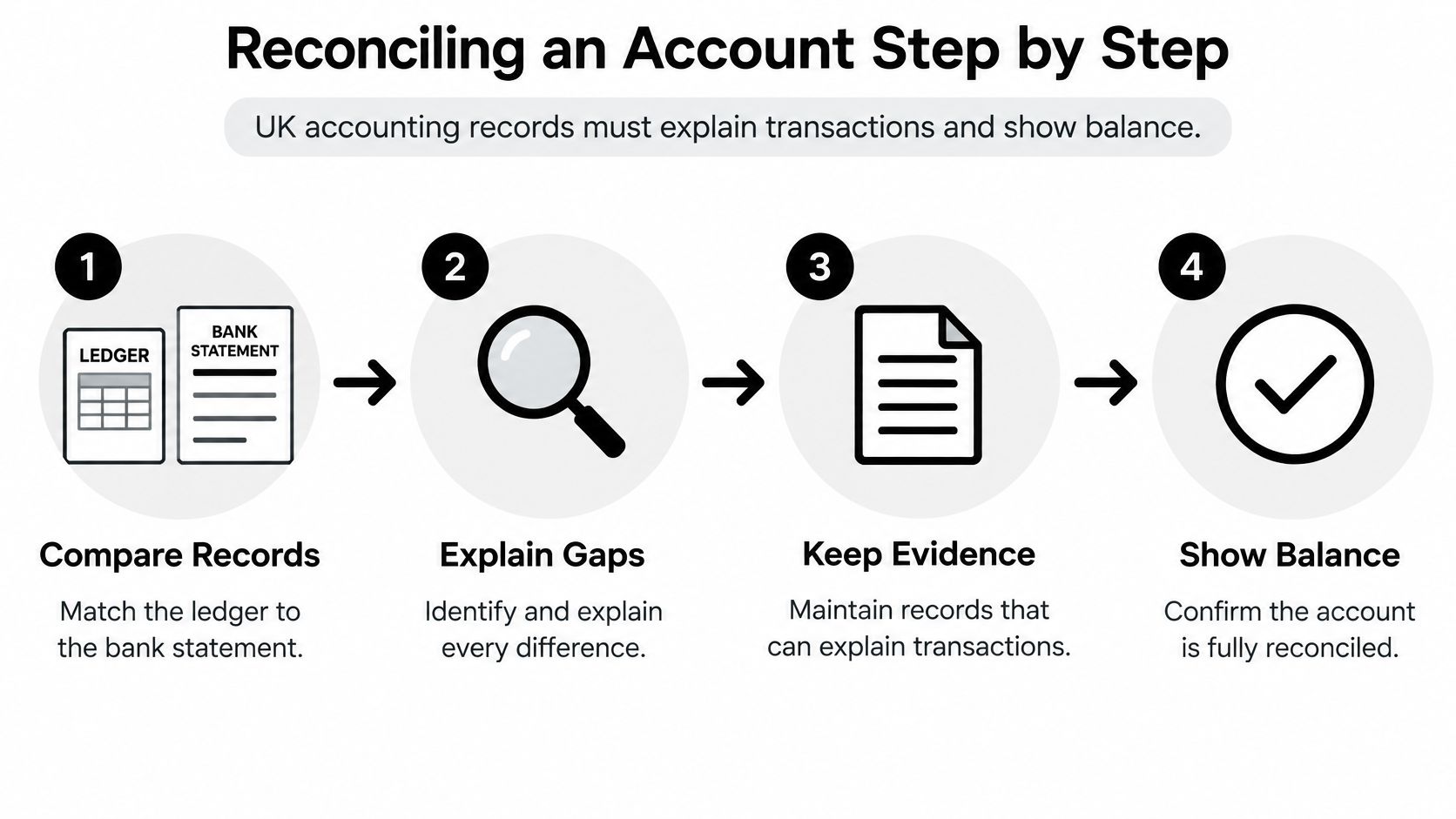
Reconciling an Account Step by Step
Reconciling an account means comparing the ledger with an independent statement and explaining every difference at the same cut-off date. Keep the statement, ledger report and previous signed reconciliation open together, rather than switching between unrelated dashboard balances.
Get the statement for the exact cut-off. Use the closing balance on the statement, not today's online banking balance. A later balance includes activity outside the period you're checking.
Agree the opening balance. It should connect to the previous signed reconciliation, including its outstanding items. If it doesn't, investigate earlier edits before tackling current transactions.
Match the activity. Compare deposits, payments, direct debits, standing orders, fees and transfers with ledger entries. Check references as well as amounts so you don't pair unrelated payments.
Investigate unmatched lines. Establish whether each is a timing difference, an omission or an error before changing anything. An unticked transaction isn't automatically wrong.
Post evidenced corrections only. Add missing charges or correct duplicates with supporting documentation and an explanation. Never create an invented journal just to eliminate the difference.
Calculate the adjusted balances. Correct the ledger for genuine bookkeeping errors and show legitimate outstanding items on the reconciliation. Don't post a second transaction for something already recorded.
Arrange independent review. Give another person the statement, reconciliation and exception list. They need enough evidence to challenge your conclusions, not just approve a green tick.
The underlying process is straightforward, even when individual exceptions take time.
A worked balance agreement
Suppose your ledger shows £4,035, while the bank statement shows £4,180. Investigation identifies a £60 cheque already recorded but not presented, plus an £85 customer receipt received by the bank but missing from the ledger.
Add the receipt to the ledger: £4,035 + £85 = £4,120. Deduct the outstanding cheque from the statement balance for reconciliation purposes: £4,180 − £60 = £4,120. Both adjusted balances agree, with the cheque separately listed and explained.
If you're recruiting someone to own this process, Virtustant Jobs' resource on bookkeeping positions with remote flexibility offers context for the role. Regardless of location, require documented preparation, evidence and review rather than transaction entry alone.
Which Bank Items Clear and When
A frequent timing mistake is treating a scheduled payment as though the bank has already processed it. The due date, bookkeeping date and clearing date aren't interchangeable. Check the statement before marking anything cleared.
I recommend reconciling every bank and credit-card account at least monthly. The Charity Commission's financial-controls guidance explicitly recommends monthly reconciliation and second-person review for charities, a useful control model for a small business too.
Timing rules by bank item type
| Item | When to record it | Treatment in the reconciliation |
|---|---|---|
| Direct debit | On the date it clears the bank | Match to the statement line; never mark cleared earlier |
| Standing order | On the date it clears the bank | Match to the statement line |
| Electronic payment | Include only if scheduled on or before the reconciliation date | Show as a reconciling item if recorded but not yet cleared |
| Cheque issued | Record the issue in the books; mark cleared when presented | Outstanding until it clears; list as a reconciling item |
| Unpaid supplier invoice | Not in the bank reconciliation | Keep in the creditors ledger only |
| Bank charges and interest | When the bank statement shows them | Post to the appropriate expense or interest account, then match |
| Card transaction | Match when the card statement shows it | Reconcile in the credit-card account |
The cheque distinction matters: waiting until presentation to record an issued cheque would leave you without a useful record of outstanding commitments. Similarly, a supplier invoice can belong in your accounts without belonging among bank payments.
Check the cut-off, not just the amount
Say a direct debit of £42.99 is due on 30 June but clears on 2 July. For this hypothetical reconciliation, it's July bank activity, not a cleared June payment. Any June expense accrual is a separate accounting decision.
For each item, locate the statement line, confirm its date and decide whether it's cleared or remains outstanding. This explanation of what a bank transaction means helps distinguish bank activity from the documents behind it.
For companies, section 386 of the Companies Act 2006 requires adequate records that explain transactions and disclose the financial position with reasonable accuracy. It doesn't prescribe a reconciliation frequency.
Practical rule: Capturing an invoice establishes documentary evidence. It doesn't establish that the bank has paid it.
Matching Receipts to Bank Transactions
Suppose you have an £86.40 train receipt and an £86.40 card payment posted two days later under a shortened merchant name. That's a plausible match, not an automatic one. Confirm the journey date, card used and merchant details before accepting it.
Keep the receipt visible beside the transaction while you check.

Start with the amount, then examine the date window and merchant identity. A trading name may differ from the legal supplier name, while a card processor may appear instead of the shop. Where several purchases share an amount, use the receipt reference and payment method to distinguish them.
Handle grouped payments and reversals deliberately
- Several receipts, one payment. Add the supporting documents together and attach them to the settlement. Don't create an additional bank payment for each receipt.
- A supplier refund. Link the credit to the original purchase and obtain the credit note where appropriate. Don't classify the incoming money as new sales income.
- One payment across invoices. Allocate the payment against each relevant invoice, leaving any unpaid balance open. A remittance advice helps explain the split.
- Personal spending. Move a sole trader's private purchase to drawings. For a company director, use the appropriate director's loan treatment, subject to the circumstances, rather than leaving it as a business expense.
Matching sometimes requires evidence outside the bank statement. In healthcare billing, for example, Happy Billing explains how to check payer payments against contracted rates. That's a specialist example of the same discipline: the amount received doesn't, by itself, establish that the underlying settlement is correct.
For a visual companion to the matching process, use the walkthrough below.
Preserve the evidence behind the match
Alongside direct uploads in Xero or QuickBooks, Snyp is an option for capturing receipts through WhatsApp, email forwarding or file upload. It extracts merchant, amount, date, tax, currency and category, then syncs structured records to those accounting platforms. Keep captured documents in a review workflow that distinguishes proposed matches from bank-cleared transactions.
For forwarded documents, knowing how to read an email receipt helps you separate the purchase details from delivery notices or order acknowledgements. Preserve the receipt, linked transaction, category, VAT decision and subsequent amendments.
If no corresponding payment appears within a reasonable window, ask who paid and from which account. It may be an employee reimbursement, a private-card purchase or an unpaid order, not missing bank activity.
Classifying and Clearing Discrepancies
A bank-feed import and a manually entered expense can leave you with the same payment recorded twice. The tempting fix is to delete whichever entry looks inconvenient. The safer approach is to identify which record carries the invoice allocation, attachment and approval history before reversing the duplicate.
Treat reconciliation as exception control, not a race to match every line. Each unresolved item needs a named owner, specified evidence, a correction date and a reviewer.
Discrepancy types, actions and evidence
| Exception | Typical cause | Action | Evidence needed |
|---|---|---|---|
| Timing difference | Cheque or payment not yet cleared | Hold until it clears, then close | Bank confirmation of clearance date |
| Duplicate entry | Bank feed and manual entry both recorded | Reverse the duplicate | Original bank line and reversal note |
| Missing transaction | Payment or receipt not yet entered | Post with its source document | Invoice, receipt or remittance advice |
| Coding or VAT error | Wrong nominal code or VAT rate | Reclassify and record the correction | Corrected invoice or VAT rate reference |
| Bank charge | Fee or interest taken by the bank | Post to the appropriate charges or interest account | Bank statement line |
| Transfer between own accounts | Money moved between accounts | Match both sides; no income or expense | Both account statements |
| Unexplained or aged item | No evidence after previous reconciliation periods | Escalate to the reviewer | Written explanation or write-off approval |
| Possible fraud indicator | Unknown payee or unusual amount | Stop, investigate and escalate | Payee details and approval trail |
Choose the action that resolves the cause
A genuine timing difference doesn't need a corrective journal. Keep it outstanding and verify subsequent clearance. If it remains unresolved, contact the payment owner or bank rather than carrying it forward indefinitely.
For missing transactions, distinguish evidence of cash movement from evidence of its purpose. A statement supports recording that money left the account, but an unknown payment may need temporary suspense treatment while you obtain documentation. Don't invent an expense category or VAT claim.
Transfers need particular care when both accounts have feeds. Match the outgoing and incoming sides to the same transfer rather than allowing software to create an expense in one account and income in the other.
HMRC's Making Tax Digital for VAT research found that 67% of businesses believed MTD reduced the potential for mistakes in at least one record-keeping or VAT-return activity. That's a finding about perceived error potential, not a reconciliation accuracy benchmark.
An unexplained difference needs an investigation, not a convenient nominal code.
Keep correction history reviewable
Record who changed the entry, why, and what supported the decision. Preserve original and amended values, and keep VAT adjustments separately identifiable so the reviewer can reconstruct the treatment.
If a finance team is developing automated exception handling, SourceX's resource on reconciliation data licensing for finance teams is relevant to evaluating training-data inputs. That's a separate procurement question from approving live bookkeeping corrections.
High-value, unusual, duplicate and VAT-sensitive items deserve independent review. For suspected fraud, preserve the evidence and escalate promptly rather than recoding the payment.
Completing the Reconciliation in Your Software
In Xero or QuickBooks, begin by confirming the account and statement period. A correct transaction list against the wrong statement date still produces an unreliable reconciliation. Screen names differ, so use the statement reconciliation or reconciliation report appropriate to your software.
Keep the source statement beside the software throughout the check.
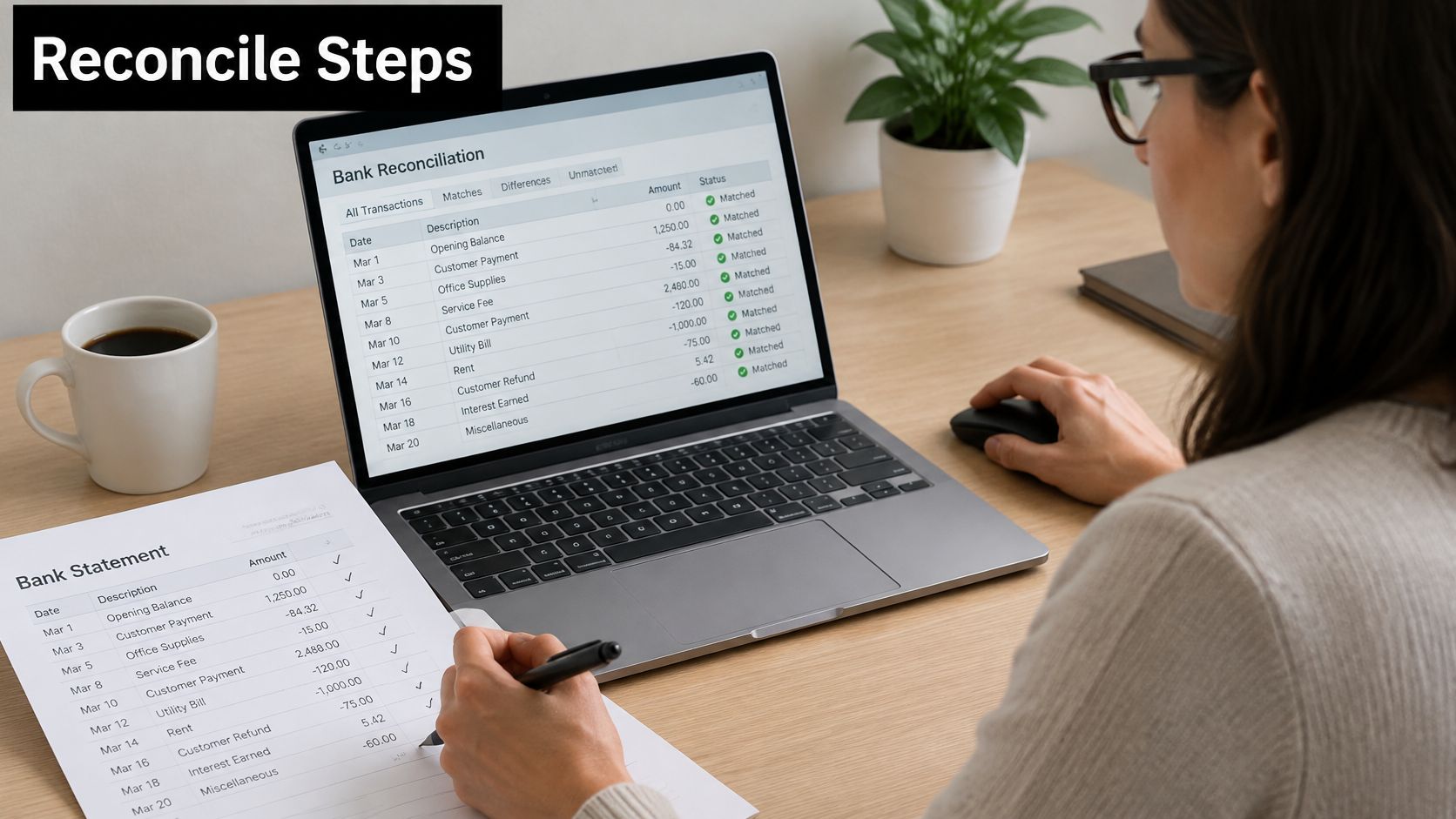
- Open the correct bank account's reconciliation workflow. Check the account identifier, especially where names are similar.
- Enter or verify the statement end date and closing balance.
- Confirm matched activity and check that the reconciliation has no unexplained difference.
- Review remaining entries and document each outstanding item.
- Complete the available reconciliation process and save the statement, report and supporting notes.
A feed imports activity; it doesn't replace the external statement check. Understanding how Xero bank feeds work helps you distinguish imported lines from ledger postings and completed reconciliation.
Maintain digital links between systems
HMRC's digital-record guidance explains that records held across products must be digitally linked where required, using mechanisms such as linked spreadsheet cells, CSV or XML transfers, automated transfers or APIs. The timetable summarised below distinguishes established VAT requirements from scheduled Income Tax obligations.
Digital record-keeping obligations by start date
| Obligation | Who it applies to | Start |
|---|---|---|
| VAT digital record-keeping | All VAT-registered businesses | Since April 2022 |
| Income Tax MTD | Qualifying self-employed people, gross income above £50,000 | From 6 April 2026 |
| Income Tax MTD | Qualifying self-employed people, gross income above £30,000 | Scheduled from 2027 |
| Income Tax MTD | Qualifying self-employed people, gross income above £20,000 | Scheduled from 2028 |
Bridging software can support a compliant workflow, but check the handoffs. Exporting a file and importing it preserves a digital transfer; manually re-keying totals between systems isn't an equivalent digital link. Fully functional software can reduce handoffs, although it still needs review.
Retain the complete chain:
- Source document: Receipt, invoice or credit note.
- Cash evidence: Linked bank or card statement line.
- Accounting decision: Category and VAT treatment.
- Correction history: Amendments, reasons and approvals.
- Submission connection: Records supporting the relevant return or quarterly update.
Sign Off the Balance and Set Your Next Date
A balanced account is not yet a correct one. Reconciliation establishes balance agreement; review tests whether the underlying treatment is supportable. A misclassified expense, unsupported VAT claim or private purchase can survive a perfectly balanced reconciliation.
In HMRC's final Making Tax Digital for VAT evaluation, only 15% of businesses reported using automatic bank reconciliation as an additional feature. Software ownership and a completed review aren't the same thing.
Require a complete sign-off pack
- Statement attached, with the account and period clearly identified.
- Opening balance agreed to the previous signed reconciliation.
- No unexplained reconciliation difference.
- Every exception assigned an owner and correction date.
- VAT adjustments separately evidenced.
- Approval recorded by someone who didn't prepare the reconciliation.
If you work alone, arrange periodic review with your bookkeeper or accountant rather than treating self-approval as independent scrutiny.
Sort unresolved work by the decision required. Timing exceptions need documented clearance checks. Data-quality exceptions need investigation and reversal where duplicated. Classification exceptions need corrected accounting treatment. Compliance exceptions need supporting evidence and tax review before the relevant claim or return.
Sign-off should identify what remains open, not conceal it behind an approved balance.
- Keep separate files: Maintain a reconciliation pack for each account.
- Use a recurring date: Reserve the same working day each month.
- Reject plug figures: Never post an unsupported balancing adjustment.
- Challenge aged items: Review anything carried from the previous period.
Before closing the file, put next month's reconciliation in the diary and assign the outstanding actions. Then ask: which reconciled items still need human evidence and tax review before the return is filed?
Snyp captures receipts from WhatsApp, forwarded emails and uploads, then sends structured expense information to Xero or QuickBooks for reconciliation and review. Visit Snyp to bring scattered receipts into a consistent workflow, while keeping bank-clearance checks and tax decisions under human review.