




Expense Report Template: A Practical UK Guide for 2026
The receipts are in the glovebox, the client lunch went on a personal card, and the bank app shows a payment in March you can't place. That's the ordinary state of a small business's paperwork in February, and it's exactly why an expense report template is worth setting up properly rather than downloading and abandoning.
Most templates fail at the same point. They record how much left the account and stop there. They don't record why the money left, what paid for it, or where the supporting document lives. Six months later, that missing sentence is the difference between a claim you can defend and one you write off.
What works is boring: one row per payment, a purpose written the same day, and a filing convention an accountant can follow without ringing you.
Why a UK Expense Report Template Is a Tax Record
A letter from HMRC lands in mid-February, asking a sole trader in Leeds for the records behind her last Self Assessment. Her spreadsheet lists every payment by date, supplier and amount. What it can't show is which costs carry VAT she can reclaim, which she paid out of her own pocket, or which documents would prove any of it. The totals add up. The evidence doesn't.
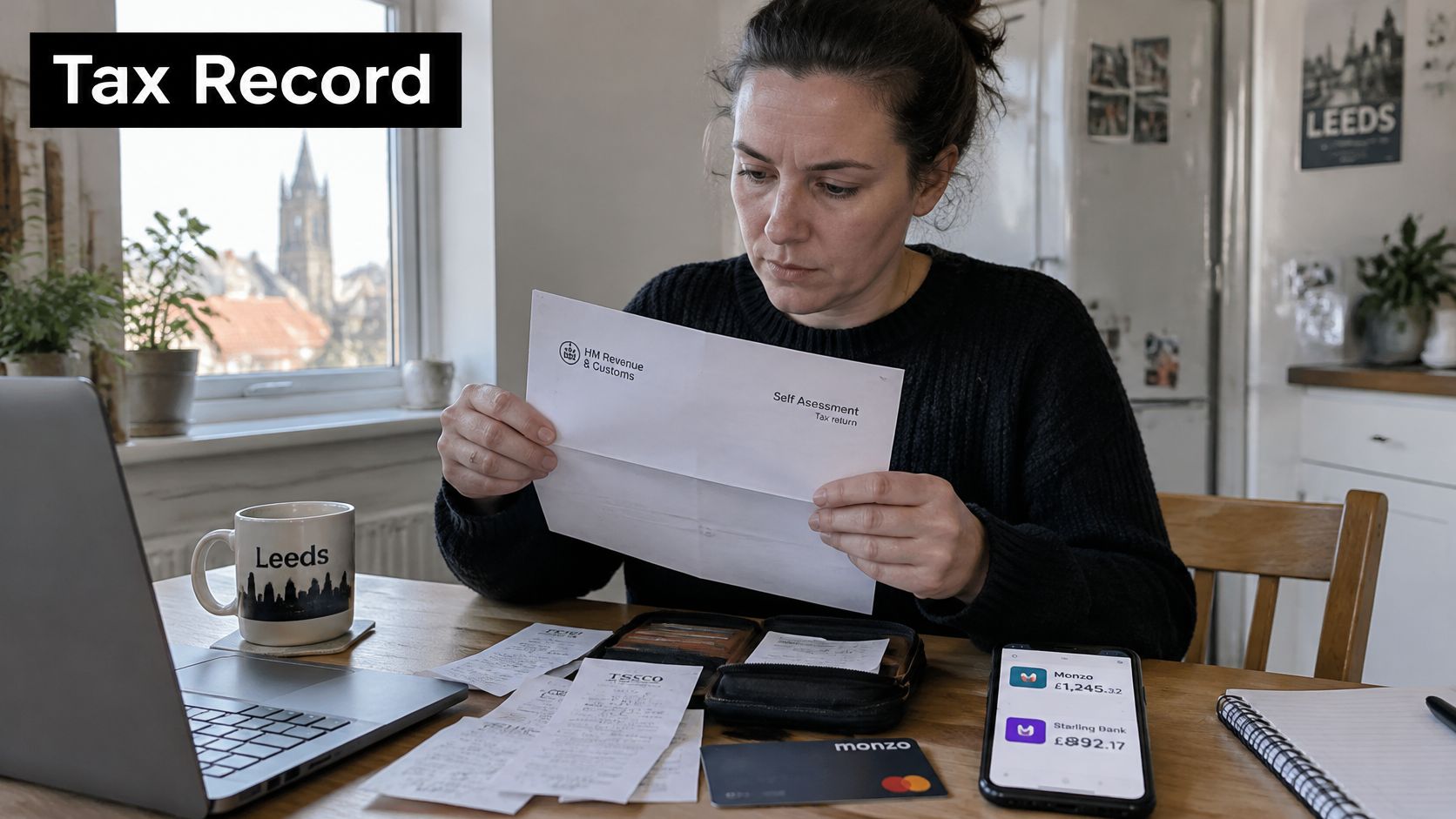
That gap is what a template closes. A UK expense report template is a record for calculating taxable profit, not an internal reimbursement form. HMRC requires self-employed people, sole traders and business partners included, to keep records of all business income and expenses for Self Assessment, and the tax year generally runs from 6 April to 5 April, so the fields you choose have to stay consistent across that whole span (HMRC on claiming expenses if you're self-employed).
Each row is really an answer to three questions a check will ask: what was bought, why it counts as a business cost, and where the proof sits. A tidy total answers the first question on its own.
The evidence HMRC accepts runs wider than receipts: bank statements, chequebook stubs, sales invoices, till rolls and bank slips all count. None of it is sent with the return, and all of it must be produced if an officer asks to see it, so every row needs a pointer to its document alongside the figures.
Cash basis or traditional accounting
Timing decides which tax year a cost lands in. Under the cash basis, an expense counts when it's paid; under traditional accounting, when the business is billed. A record carrying a single date can't support both, and the method you file under should be visible in the record itself. The same discipline applies to mixed costs: a phone bill split between trade and home needs the business share stated, and every row should show whether the cost was wholly and exclusively for the business.
Reconciliation is where the hours go. In 2025, 85% of UK business travellers surveyed said they struggled to reconcile trip expenses, in a OnePoll survey of 1,000 UK business travellers commissioned by Perk. The same year, 49% of UK employees surveyed said they'd used personal funds for business purchases before submitting a claim, according to an ExpenseIn survey of 500 UK employees. Personal spending is routine, so each row has to show who paid as well as what was paid.
The digital side sits on top of all this. If you're moving from paper to software, the guide to MTD for small businesses explains how the Making Tax Digital rules apply and which common beliefs about them are wrong. Whatever system you land on, the rows it produces still have to stand up as tax records.
The one-minute test for any row: could you explain the amount, its purpose and where the evidence sits, out loud, in under a minute? If not, the row isn't finished.
The Columns Every Expense Report Template Needs
Set these twelve fields up in this order and the rest of the process falls in behind them.
| Field | What to enter | Why it matters |
|---|---|---|
| Transaction date | Date the money left your account or card | Sets the tax year and cash-basis timing |
| Receipt date | Date printed on the receipt, if different | Explains late or delayed receipts |
| Supplier | Trading name as it appears on the receipt | Matches bank lines and flags duplicates |
| Business purpose | One line on why the cost was incurred | Shows the cost was wholly and exclusively business |
| Cost category | Category from your chart of accounts | Feeds the tax calculation |
| Payment method | Card, cash, bank transfer or personal funds | Links the row to bank statement evidence |
| Gross amount | Total paid, including VAT | Matches the bank statement |
| VAT amount | VAT shown on the receipt, blank if none | Needed for VAT reporting |
| Net amount | Gross minus VAT | Basis for the expense figure |
| Business-use percentage | The business share of the cost, such as 60% of a phone bill | Splits mixed personal and business costs |
| Evidence status | Attached, bank-only, mileage calculation or needs review | Shows what is still missing |
| Receipt reference | File name or link to the stored document | Lets an accountant trace the entry |
Dates and identity fields
The transaction date is the one that decides the tax year, so take it from the bank or card line rather than the top of the receipt. Keep the receipt date in its own column when it differs, because a card payment that posts a day later is the classic reason a row lands in the wrong month. The supplier name should match the till slip exactly, spelling included. That's what lets you spot the same charge entered twice, and it's what lets a bookkeeper tie the row to a bank line in seconds.
The money fields that make VAT work
Gross, VAT and net have to be three separate columns, even when you're not VAT registered, because combining them costs you the ability to report later without rebuilding the sheet. The business-use percentage handles the mixed items that cause the most arguments: a phone bill, home broadband, a supermarket run that covered printer paper and lunch. Write down how you reached the split in the purpose column. An estimated percentage with no reasoning is the first thing a reviewer questions.
Choosing the right cost category matters as much as the amount, and the trade-offs between granular and tidy categories are worth reading before you build the list: how to structure expense report categories.
The control fields that prove evidence
The evidence status column is the one most templates leave out, and it's the one that separates two very different problems. A missing receipt is a gap in the file. A receipt that exists but says nothing about why the cost was incurred is a gap in the reasoning. Marking a row needs review keeps both visible instead of burying them under a category called misc.
Sample row: 12 May | 12 May | Stationery supplier | Printer paper for client invoices | Stationery | Card | 24.00 | 4.00 | 20.00 | 100% | Attached | 2025-05-12_Stationery.pdf. The VAT is one-sixth of the gross at 20%, so the net is the gross minus the VAT.
Quarterly updates are easier to file from transaction-level rows than from monthly totals. HMRC's SA103F notes for 2026 set out digital record-keeping and quarterly-update obligations for groups entering Making Tax Digital for Income Tax from April 2026, which is a projection worth building the sheet around now.
If staff claim through the same workbook, add claimant, approver and reimbursement date as separate columns on the right. Keeping them apart from the business-level fields means you can filter approvals without disturbing the columns that feed the tax calculation. Then freeze the header row, add drop-downs for category and evidence status, and hold the line on one row per receipt.
How to Fill In Each Row Step by Step
A row is either evidence or it's a note to yourself. HMRC's employer record-keeping guidance asks for the date and details of every expense, information supporting year-end reporting and any employee contributions, and for reimbursed travel it wants to know when and why someone travelled, with receipts where possible. Travel records may be electronic, but the original receipt and signed expense form should normally be kept for at least three years after the end of the relevant tax year.
The sequence below is the one that survives a later check.
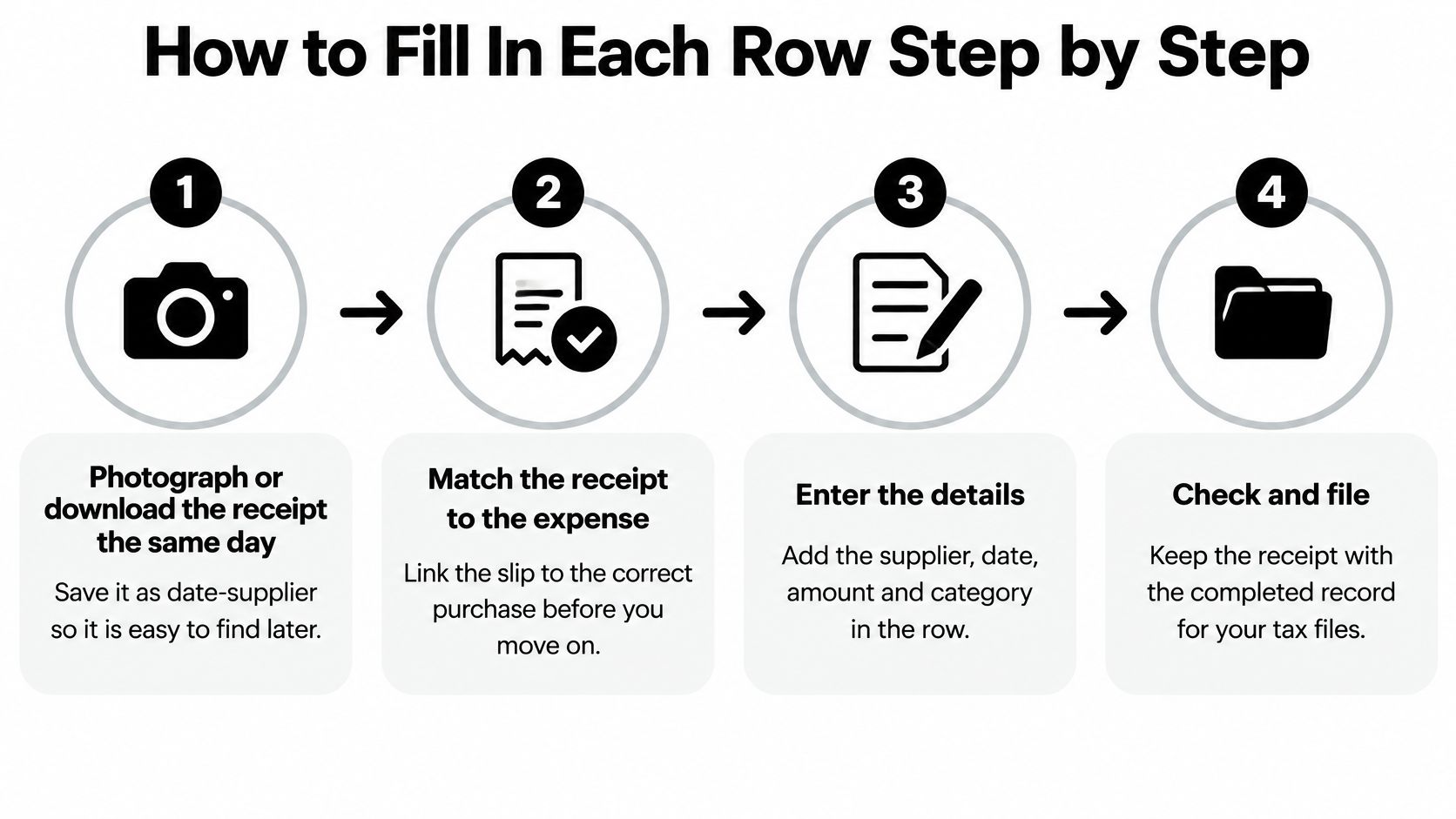
- Capture the document the same day. Photograph or download it and save it as date-supplier. The slip you photograph from the glovebox three months later is the same piece of paper, but you'll spend ten minutes working out what it was.
- Take the transaction date from the bank line. Use the receipt date only in its own column when the two differ, because a payment posting a day late moves the row into the previous month.
- Write a purpose a stranger could follow. "Train to Manchester client site, survey visit" survives six months in a way that "travel" never does.
- Split gross into VAT and net, or leave VAT blank when none is shown. Keying a gross total into the net column overstates the expense and breaks the VAT return.
- Set the business-use percentage and note how you reached it. A supermarket receipt covering both printer paper and groceries needs the split written down, not estimated in April.
- Choose the category and payment method, then match the row to its bank line. A purchase made from personal funds won't have a business bank line, so flag it for reimbursement instead.
- Set the evidence status, and mark needs review when a receipt is faded, cut off or handwritten. Guessing an amount and marking the row attached is how a small gap turns into a finding.
- At month end, total the rows and check them against the statement. If the two agree only because one receipt went in twice, the totals are wrong in a way that hides itself.
Retention Periods and Evidence You Must Keep
How long each row has to survive is a design decision, not an afterthought. Here's the floor.
| Record type | Minimum retention | Basis |
|---|---|---|
| Self-employed digital records | 5 years after the 31 January submission deadline for the tax year | HMRC digital records guidance |
| Purchase invoices, copy sales invoices, credit notes, authenticated receipts | 4 years | HMRC record-keeping manual for VAT-registered businesses |
| Bank statements and annual accounts | 5 years | HMRC record-keeping manual for VAT-registered businesses |
| Records containing the VAT account | 6 years | HMRC record-keeping manual for VAT-registered businesses |
The rule that settles the awkward cases
Where a document fits more than one category, the longer period applies. A purchase invoice that also feeds the VAT account therefore keeps six years, not four. Self-employed digital records must generally be kept for at least five years after the 31 January submission deadline for the relevant tax year, as set out in HMRC's guidance on creating digital records for Making Tax Digital.
That has a direct effect on what each row stores. A monthly total can't be reconstructed five years later. A transaction-level row with the original document reference, the VAT split and the payment method can.
Storage that survives five years
Add a retention-end date column so the first batch due for destruction is visible without opening a spreadsheet and doing date arithmetic. Keep originals in one folder per tax year, named consistently, and scan thermal receipts before they fade to a grey rectangle.
Practical rule: enter the row when the payment happens, not at year end. HMRC asks for digital records created as close to the transaction date as possible, and a row written in June is more accurate than fifty written in January.
Choose a file format and a storage location you'll still be able to open in five years. Then check the whole habit against HMRC's expectations with this guide to HMRC record keeping.
Mileage and Travel Lines Done Properly
Sam drives 84 business miles to a client in Bristol and pays £6.50 for parking on arrival. A template that folds that parking into the mileage figure loses the evidence for both. A journey-level log keeps them separate and auditable.
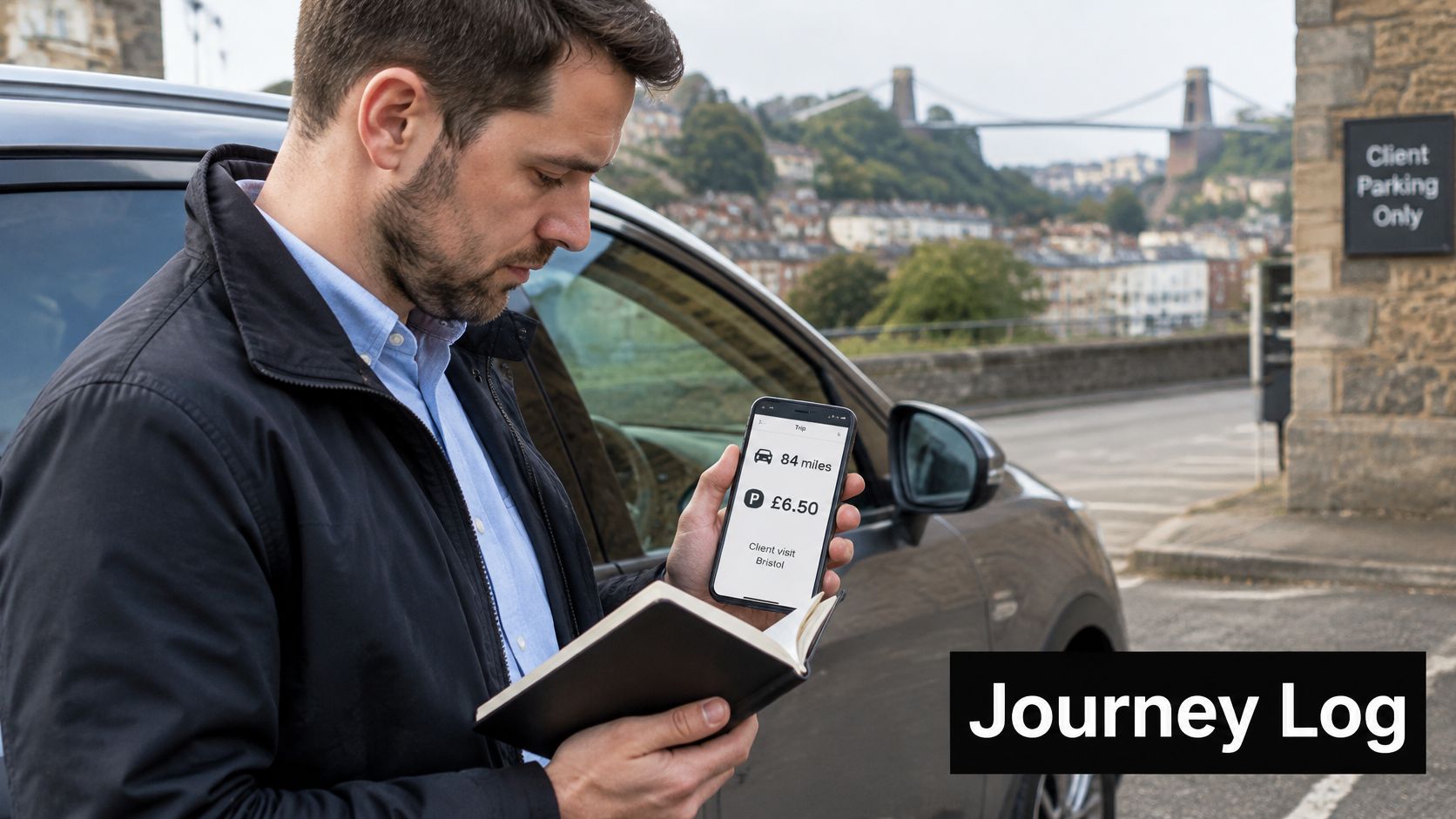
Each journey row carries the journey date, origin, destination, business reason, business miles, vehicle type, a business or private flag, the rate applied and the calculated allowance. Parking and tolls get their own columns with their receipts attached, never a footnote in the mileage cell.
The calculation should be deterministic rather than typed. At the approved rate for the first 10,000 business miles in a car or van, Sam's 84 miles come to £37.80, and with £6.50 of parking the claim is £44.30 (HMRC's advisory fuel rates and mileage guidance booklet). Payments up to the approved mileage rates aren't subject to PAYE or Class 1 NIC deductions, while anything above the rate needs reporting and NIC treatment. Where a member of staff is paid less than the approved amount, tax relief may be available for the shortfall.
The controls, in order
- Check the journey qualifies first. A temporary workplace or genuine business trip counts. Ordinary home-to-permanent-workplace commuting doesn't.
- Test the miles against something. A route planner or a diary entry, not memory.
- Let the sheet do the arithmetic. Type the rate once in a fixed cell and reference it, so a rate change updates every row.
- Approve parking, tolls and subsistence separately. They're different costs with different evidence.
- Escalate anything that doesn't fit the pattern. A monthly figure with no trips behind it is the signal to look closer.
Reimbursing travel that was never incurred is the arrangement that can make the whole payment taxable, so the log has to show a real journey, not a rounded monthly estimate. A consistent routine makes the rest straightforward: how to track business mileage.
Common Template Mistakes and Quick Fixes
| Mistake | Why it causes trouble | Fix |
|---|---|---|
| Business purpose left blank | Cost cannot be shown as wholly and exclusively business | Add a one-line purpose before saving the row |
| Several receipts entered as one total | VAT and categories cannot be matched to each item | Enter each receipt on its own row |
| VAT treatment not recorded | Blocks VAT reporting and reconciliation | Record the VAT amount or mark none |
| Screenshot accepted without supplier or payment proof | Weak evidence if HMRC asks | Store the full receipt or bank line with the row |
| Private and business miles mixed in one total | Overstates the business claim | Log each journey with a business or private flag |
| Only monthly totals kept | Hard to map into digital records | Keep one transaction-level row per payment |
| Template treated as compliance on its own | Gaps in evidence go unnoticed | Use the evidence status column and a needs review flag |
A tidy spreadsheet is not compliance. HMRC places the responsibility for accurate supporting records on you, and proof doesn't go in with the Self Assessment return but must be produced if requested (HMRC on self-employed records). A well-formatted sheet whose files are missing fails at exactly the point that matters.
A free-text misc category is the weakest choice on any template, because it hides two different failures at once. You can't tell from a row in misc whether the receipt is missing or whether it exists but nobody wrote down why the cost was incurred. Those need different fixes, which is why the evidence status field exists.
Do this monthly: pick three random rows, open their stored evidence, and confirm the purpose, VAT treatment and payment method can all be verified from the file alone.
If a row fails the spot check, fix the row and the habit that produced it. Then note the fix in the sheet with a date, so the next person to review it can see the improvement rather than repeating the same question.
Pick Your Template and Set a Monthly Close
Match the tool to your volume rather than your ambitions. A spreadsheet built on the twelve columns suits a sole trader logging a few dozen receipts a month. A business with hundreds of receipts, several cards and staff claims will spend more time keying rows than it saves.
| Option | Best when | How rows get made |
|---|---|---|
| Spreadsheet template | Sole trader logging a few dozen receipts a month | You enter every row and attach files yourself |
| Capture tool such as Snyp | Many receipts, several cards or staff claims | Receipts sent by WhatsApp, email or upload, categorised from your chart of accounts and synced to Xero or QuickBooks |
Then take four steps this month:
- Copy the twelve columns into a fresh sheet and delete the ones you'll never use.
- Add data validation drop-downs for cost category and evidence status.
- Log the next five receipts row by row, each with a purpose and its evidence reference.
- At month end, check the float of totals against the bank statement and the evidence folder.
Set a fixed close date in your diary, the same day every month, and treat it as a real appointment. Two hours on the fifth beats a lost weekend in January, and it keeps the sheet close enough to the transactions that you still remember the client lunch in Birmingham.
Snyp takes the row-building off your hands: send a receipt by WhatsApp, forward it to your unique email address or upload a file, and its AI assigns the most appropriate category from your chart of accounts, extracting vendor, date, VAT and total as it goes. Approved receipts then sync to Xero or QuickBooks, categorised and formatted for reconciliation. If the twelve columns above look like a job you'd rather not do by hand every month, visit Snyp and see what a month of receipts looks like when it arrives already structured.