




Expense Report Categories: The UK Business Guide
UK expense report categories must satisfy three conditions at the same time: they must describe the operational purpose, show whether the cost is tax-deductible, and record whether VAT is recoverable. Get one of those decisions wrong and you may lose a legitimate claim or create the kind of inconsistency that invites an HMRC query.
You're probably familiar with the practical version of the problem. A receipt arrives in your inbox, another is buried in a coat pocket, and a third is sitting in a phone photo beside several personal purchases. You know they relate to work, but “business expense” isn't a category that tells your bookkeeping system enough.
A train fare, hotel booking, meal and parking charge may all belong to one business journey, yet they shouldn't automatically be posted to one broad travel account. The right answer depends on what you bought, why you bought it, which part was private, and what evidence the receipt contains.
The Hidden Complexity Behind Expense Categories
A freelance designer can spend a normal working week moving between very different financial situations. One day might involve travelling to a client, paying for software, buying materials for a presentation and working from home. At the end of the week, those receipts can look like an untidy pile of unrelated transactions.
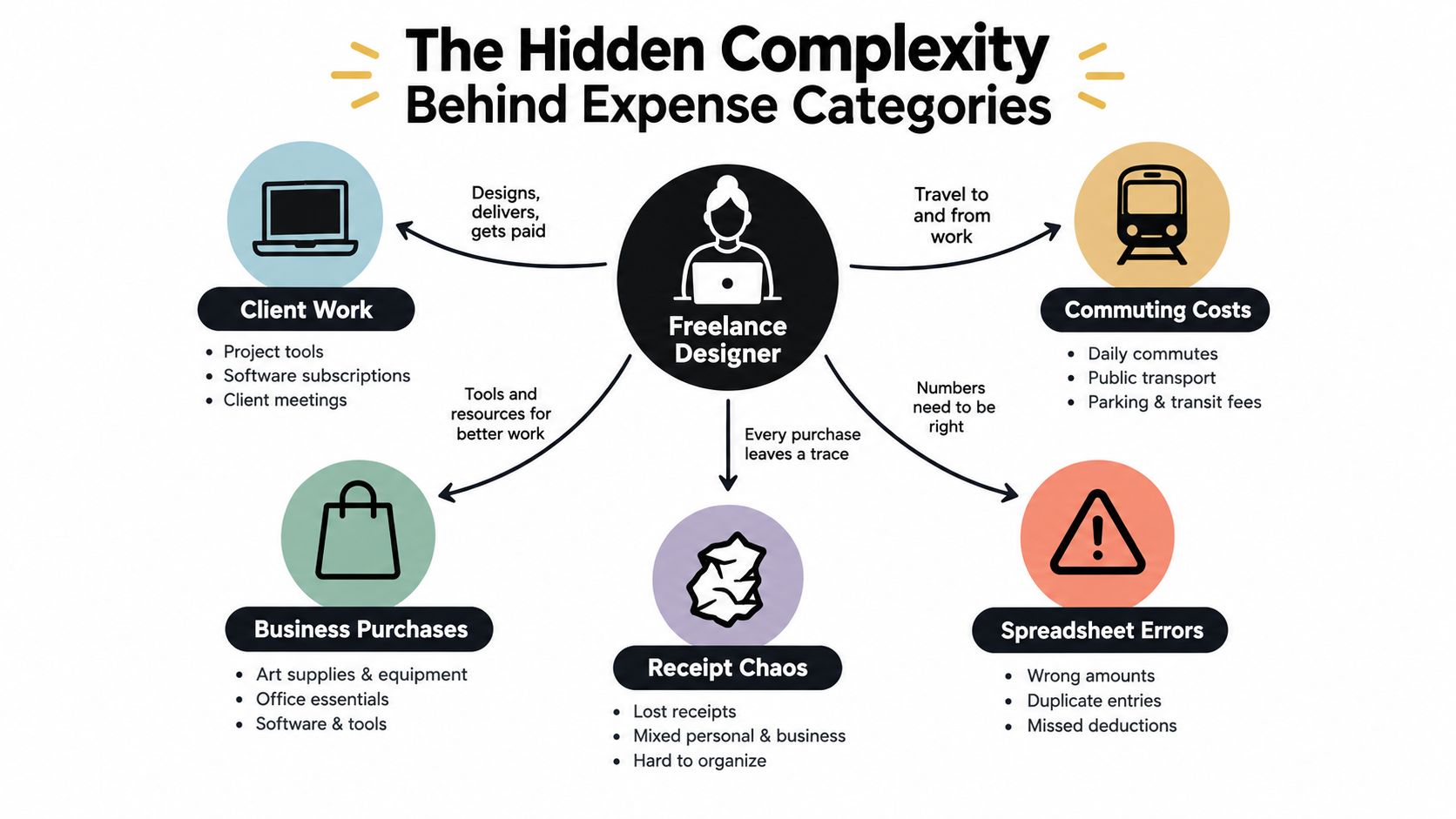
The first instinct is often to sort each purchase by merchant. A railway company becomes “travel”, a stationery shop becomes “office supplies”, and a restaurant becomes “meals”. That's a useful starting point, but it doesn't finish the job. A restaurant receipt might relate to subsistence during business travel, a meeting with a client, a personal meal or a mixed group of attendees. The receipt alone may not explain the treatment.
One purchase creates several decisions
Good expense report categories work across three connected dimensions:
- Operational purpose: What did the business buy? This might be a travel fare, accommodation, office cost, insurance payment, vehicle repair or professional service.
- Tax treatment: Is the cost incurred wholly and exclusively for business purposes, and is it a revenue expense or a capital expense?
- VAT treatment: Is there suitable VAT evidence, and is the VAT recoverable, non-recoverable or uncertain?
That three-part test prevents a common mistake, treating a category as if it were the tax conclusion. “Travel” describes the activity. It doesn't automatically establish that every related cost is allowable or that the VAT can be reclaimed.
UK guidance distinguishes revenue expenses, which are day-to-day operating costs, from capital expenses, which relate to assets or investments with longer-term value. It also treats business travel as a distinct area that can include rail, air, taxi, hotel accommodation and meals connected with an overnight stay, while ordinary commuting between home and a permanent workplace is usually excluded. The UK guidance on allowable business expenses for self-employed people explains why business purpose and classification matter.
Practical rule: Categorise what happened, record why it happened, then assess the tax and VAT treatment separately.
Context matters more than the merchant name
Consider a hotel receipt. If you stay overnight while travelling to a temporary business location, it may sit within business travel and accommodation. If the same booking includes private days, you may need to allocate the business and private elements rather than post the full amount as a deductible cost.
The same principle applies to transport. A journey can contain a fare, mileage, parking and subsistence. Those are related, but they aren't interchangeable. A broad “travel” label may hide useful information that your accountant needs when preparing tax adjustments or reviewing evidence.
For a sole trader, a workable set of categories may include travel, accommodation, subsistence, insurance, repairs, road tax, fuel, leasing and office-related costs. Simplified expense methods can also exist alongside actual-cost records for business mileage, working from home and living at business premises. The important point is to make the method visible in your records instead of blending it into an ordinary purchase category.
If you're building a process from scratch, a practical guide to founder expense tracking automation can help you think beyond receipt storage and towards a repeatable workflow. Automation is useful, but it should support the three decisions above rather than replace judgement where the context is unclear.
Building Your Category Framework Step by Step
Start with a category structure that answers a simple operational question: what did the business pay for? HMRC's principal areas include cost of goods or materials, subcontractor payments, staff costs, car and van costs, travel, premises costs, rent, rates, power, insurance, and professional or financial charges.
Those headings give you the first layer of your chart of accounts. They don't, by themselves, tell you whether the expense is allowable or whether VAT can be recovered.
Begin with purpose
Create categories that reflect how your business spends money and how you review performance. A freelancer may need software, professional services, office costs, travel, accommodation, subsistence and motoring. A small firm with employees may also need staff costs, subcontractors, materials and premises accounts.
Keep related items separate when their treatment or review process differs. For example:
| Operational area | Useful separation |
|---|---|
| Travel | Fares, accommodation and subsistence |
| Motoring | Fuel, insurance, repairs, servicing and licensing |
| People | Staff costs and owner drawings |
| Production | Resale inputs or materials and general office supplies |
| Technology | Recurring software and equipment purchases |
This structure makes reports easier to read without forcing every receipt into an excessively narrow account.
Add tax status as metadata
The category should be accompanied by a business-purpose indicator and an allowability status. That could mean fields such as business, private, mixed-use, allowable, non-allowable or review required.
This separation matters because HMRC states that not all business expenses are allowable. Any non-allowable amount must be added back when taxable profit is calculated, so a tidy merchant label shouldn't post an uncertain transaction directly to deductible operating costs.
Mixed-use purchases need allocation. A vehicle, service or item used for both private and business purposes generally shouldn't be treated as fully deductible without assessing the relevant business proportion. The same principle applies when one receipt contains personal and business items.
Allocate multi-element receipts
A single receipt may need several lines. A business journey could contain a train fare, hotel accommodation and meals, while a vehicle receipt may combine fuel with other items. Entering the whole document under one account loses the detail needed for review.
HMRC's examples place train, bus, air, taxi and hotel costs within travel. Vehicle insurance, repairs, servicing, fuel, hire charges, licensing and roadside-assistance membership sit within motoring expenses. That distinction helps you avoid absorbing every cost of a journey into mileage or every vehicle-related payment into general travel.
A category should describe the purchase. A note or field should explain the business reason. A tax and VAT status should show what happens next.
This layered model also gives automation a safer instruction set. Instead of asking software to guess from a merchant name, you can require it to suggest an operational category, identify mixed use, and flag transactions where allowability or evidence needs human review.
Tax Deductibility and VAT Recovery Decoded
Tax deductibility and VAT recovery are related, but they aren't the same decision. A purchase can be relevant to the business while its VAT evidence is incomplete, or a receipt can contain a mixture of business and private elements that requires allocation.
That's why a category total isn't enough for a VAT-registered business. The underlying invoice needs to remain connected to the transaction and retain the information required for reconciliation.
Preserve the invoice record
HMRC says a full VAT invoice must contain a unique sequential number, tax point, issue date, supplier identity and VAT number, customer details, a sufficiently specific description, quantities or service extent, VAT rate, net amount and total VAT. The VAT total must be expressed in sterling. These requirements are set out in HMRC's VAT invoice record guidance.
Your expense record should therefore retain:
- Supplier and document reference: Keep the supplier identity, invoice reference and original document together.
- Dates: Record the issue date and tax point where shown.
- Amounts: Store the gross amount, net amount and VAT amount separately.
- VAT detail: Capture the VAT rate and whether the amount is recoverable, non-recoverable or uncertain.
- Line information: Preserve separate lines where one receipt contains multiple rates, products or operational categories.
A system that stores only “restaurant, total amount” may produce a neat report, but it can't reliably support input-tax recovery or a proper reconciliation.
Separate the three outcomes
Suppose a receipt relates to a business journey. First, identify the operational components. A fare belongs with travel, accommodation belongs with accommodation, and a meal may require a subsistence assessment based on the circumstances.
Next, decide whether the business purpose supports tax treatment. Ordinary commuting to a permanent workplace is generally excluded, while business travel can include relevant transport, accommodation and connected meals. Finally, assess the VAT evidence and recoverability using the invoice fields, the nature of the purchase and any applicable restriction.
That sequence stops the gross amount from being treated automatically as the deductible expense. HMRC guidance for self-employed businesses says a VAT-registered user may use the net expense where VAT is recoverable. Where VAT-inclusive treatment applies, the VAT payment to HMRC needs to be handled separately.
Flag uncertainty instead of hiding it
A missing VAT number, unclear description, mixed-rate receipt or uncertain business purpose shouldn't disappear into a default category. Mark it for review. The review queue is a control, not a failure of the system.
The same approach helps with mixed purchases. Split the business and private portions where the evidence supports an allocation, and send unclear cases to your accountant rather than applying a blanket treatment.
For a focused explanation of how input VAT and output VAT relate within the wider VAT process, see this guide to VAT input and VAT output. It's useful context when designing fields that keep expense records separate from the VAT return itself.
Manual Tracking vs Automated Categorisation Tools
Manual tracking feels manageable at first. You photograph receipts, type the merchant and amount into a spreadsheet, then add a category when you have time. The friction appears later, when a receipt is missing, a transaction has been duplicated or a broad category makes it difficult to explain the original business purpose.
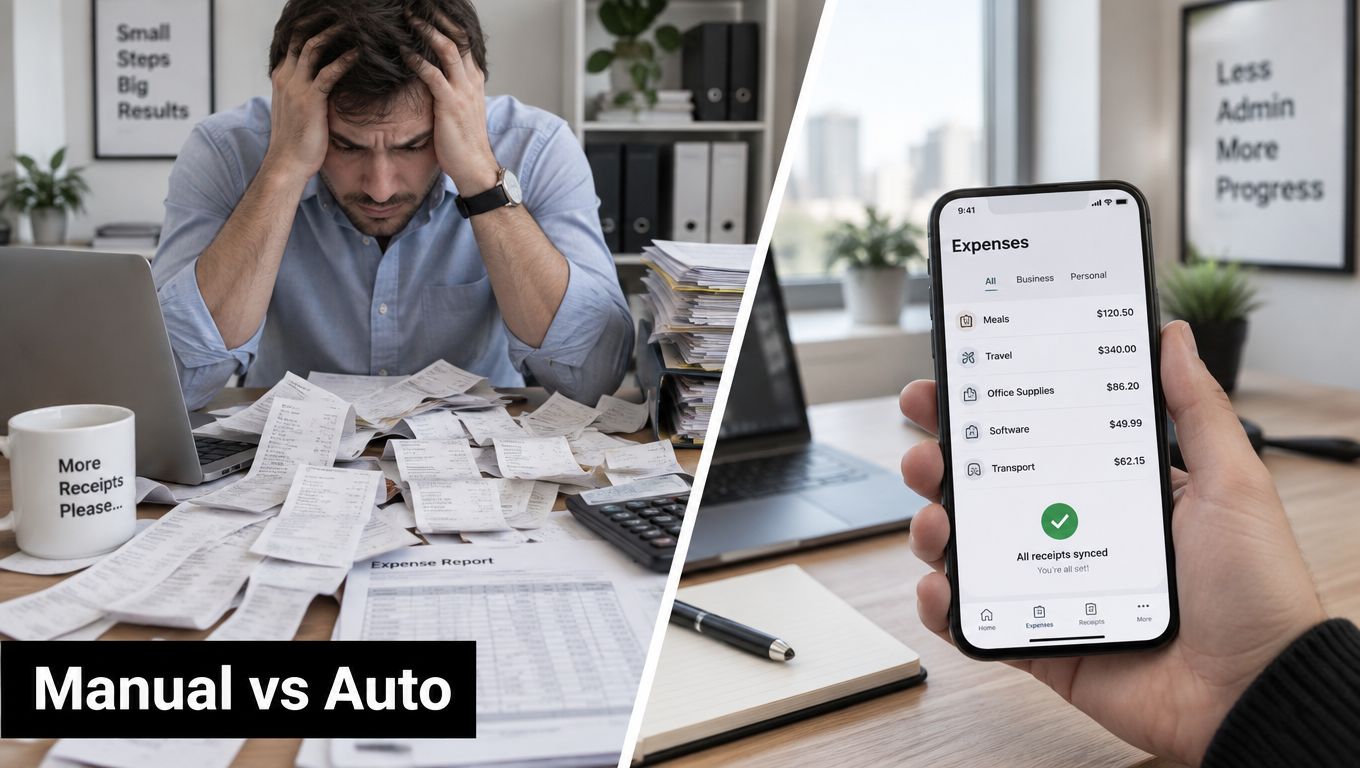
A spreadsheet can record what you tell it. It usually can't question whether a hotel should be split from a meal, whether private mileage is included or whether a VAT field is missing. You remain responsible for remembering the context and applying the rules consistently.
What manual processes handle well
Manual entry still has a place. It can work for a small volume of straightforward transactions, especially when the person entering the data understands the business and reviews the source document immediately.
Its weaknesses become more obvious when receipts arrive through different channels. Email attachments, paper receipts, bank transactions and phone photos can create separate queues. Each queue increases the chance that the document, transaction and explanation won't be connected by the time the accounts are reviewed.
A sensible spreadsheet should include more than a category column. Add the supplier, date, gross amount, net amount, VAT amount, business purpose, tax status, VAT status and a link to the supporting document. That makes the sheet more useful, but it also makes manual maintenance heavier.
What automation can handle
Receipt automation can extract information from documents, suggest categories and send structured records to accounting software. The useful distinction is between simple OCR and context-aware categorisation. OCR may read a merchant and total, while a stronger workflow can also capture line items, tax information and a suggested operational purpose.
Automation should not decide every tax question. It should apply known rules consistently, remember approved corrections where appropriate and route ambiguous receipts for review. That balance reduces repetitive entry without pretending that a merchant name contains the full business context.
Businesses comparing workflows can explore how to streamline expense reporting with AI, particularly where receipts come from several sources and need to reach an accounting platform in an organised form.
A useful receipt workflow looks like this:
- Capture: Receive the document from email, a phone photo or an upload.
- Extract: Read the supplier, date, amounts, VAT fields and line details.
- Suggest: Map the purchase to an operational category and identify possible mixed use.
- Review: Confirm the business purpose, allowability and VAT status where needed.
- Sync: Send the approved record to the accounting system with its evidence attached.
This auto-extraction systems guide provides further context on the data-capture side of that process.
The video below offers another visual introduction to digital expense workflows.
The best setup isn't the one that removes every review. It's the one that reserves human attention for the receipts where purpose, allocation or evidence matter most.
Setting Up Categories in Xero and QuickBooks
A good accounting platform won't rescue a weak chart of accounts. Before connecting an automated receipt workflow, decide what each category means and what information must accompany it.
Start by creating operational accounts that match your business. Separate travel fares and accommodation from vehicle running costs. Keep staff expenditure apart from owner drawings, and distinguish resale inputs from general office supplies. Add software, insurance, professional charges, premises costs and other categories only where they reflect real spending or a useful reporting need.
Configure the supporting fields
For each transaction, make room for:
- Business purpose: A short explanation of the work-related reason.
- Tax status: Allowable, non-allowable, mixed-use or review required.
- VAT status: Recoverable, non-recoverable or uncertain.
- Allocation: The business proportion where a purchase has private use.
- Evidence: The original receipt or invoice connected to the entry.
Use the VAT code that matches the invoice and your accountant's policy. Don't choose a code solely because the supplier looks familiar. The document needs to support the treatment, particularly where the receipt has multiple rates or lacks required information.
For Xero users, Xero tracking categories can help add dimensions such as project, client or location without multiplying general ledger accounts. QuickBooks users can apply the same principle through the fields and classes available in their configuration. The exact menu names may differ, but the accounting logic remains the same.
Connect capture to review
Once the chart of accounts is ready, connect the receipt workflow and test representative transactions. Use a travel receipt with separate components, a mixed-use purchase, a vehicle cost and an office purchase. Check that the suggested account, VAT treatment, evidence attachment and review status all arrive as expected.
Don't start by allowing every suggestion to post automatically. Approve a sample, correct the mapping when necessary and document the rule for future entries. The objective is a clean audit trail, not merely faster data entry.
For VAT-registered businesses, retain the required VAT records and digital links between systems. HMRC guidance says VAT records must be kept for at least six years, so your setup should preserve documents and transaction history rather than storing only the final category total.
From Confusion to Confidence in Expense Reporting
Expense report categories are decisions, not labels. Start with the operational purpose, add the tax-deductibility status, then record the VAT position and evidence. That framework handles ordinary office costs as well as the difficult receipts involving travel, mixed use, private elements or incomplete invoices.
Keep your chart of accounts practical. Separate categories where the treatment differs, use fields for context, and send uncertain transactions to review instead of forcing them into a convenient default. A receipt-capture workflow can handle repetitive extraction and syncing, while you retain control over the judgements that affect tax and VAT.
Review your rules when the business changes, and keep the source document attached to every important entry. With that discipline, your records become easier to reconcile, easier to explain and more useful when you speak with your accountant.
Use Snyp to capture receipts from familiar channels, extract the key transaction details and organise them for review in your accounting workflow. Set up your categories around purpose, tax treatment and VAT evidence, then let Snyp reduce the manual entry that keeps those records out of date.