




7 Best Expense Tracker Tools for UK Businesses

A freelancer forwards a receipt from a phone, a small team needs to control card spend, and an accountant is chasing documents before the books can be closed. They may all search for the best expense tracker, but they don't need the same workflow. The right choice depends on how evidence enters the system, how much review people must do, and whether clean data reaches Xero or QuickBooks without another round of admin.
This roundup compares those practical differences, alongside mobile usability, integrations, security, pricing context and organisational fit. Use the recommendations as workflow matches, not a feature leaderboard. Receipt-first tools suit people who already buy through email, WhatsApp or mobile photos. Card-led platforms fit teams that need budgets and approvals. Accounting-native options reduce app sprawl, while VAT-focused systems help organisations with more complex reclaim and approval requirements. If you're also looking for ways to track expenses in your nonprofit, the same principle applies: choose the capture process your people will follow.
1. Snyp
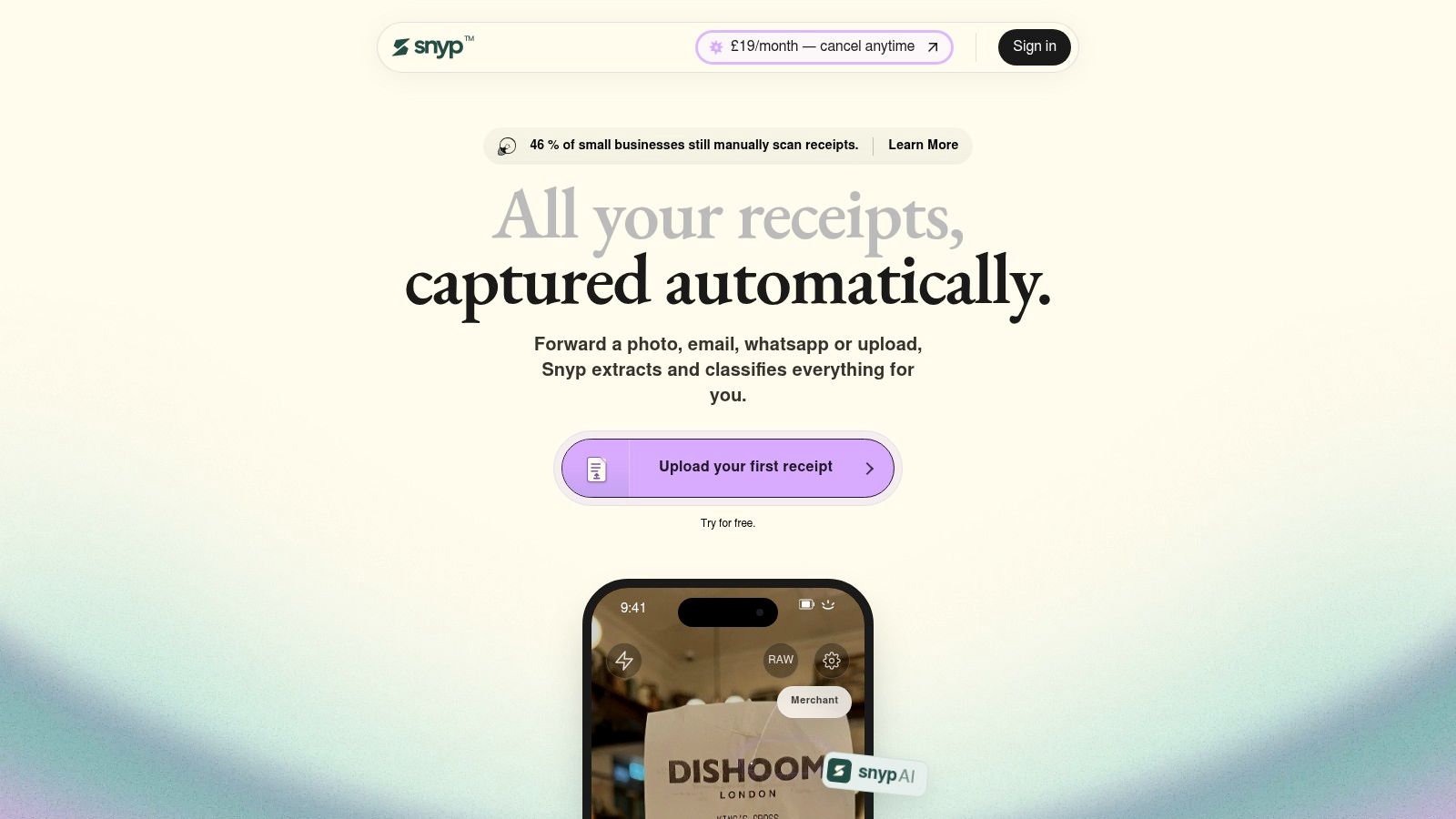
For a freelancer who receives a receipt in WhatsApp, an email or a camera roll, Snyp provides one route into the accounts. It accepts WhatsApp, email forwarding and direct upload, including JPEG, PNG and PDF files. That suits businesses where purchase evidence arrives through several channels and reduces the need to chase documents across inboxes and shared folders.
Snyp extracts the merchant, amount, date, tax, currency and category from each document. This goes beyond reading text. The resulting entry can be prepared for reconciliation, while a person reviews unusual, incomplete or unclear items before approval. Snyp then syncs the results with Xero or QuickBooks, so the workflow can continue into the ledger rather than ending in a receipt archive.
Why the workflow stands out
The product follows a clear sequence: capture a document through an existing habit, extract and categorise its details, then review entries that need attention. Machine learning can improve accuracy from corrections over time. Complex invoices and poor-quality scans may still require manual checks, which makes human review part of the operating model rather than an exception hidden behind automation.
Practical rule: The best capture channel is the one staff won't postpone. If a receipt arrives by email, forwarding it should be as natural as photographing it.
Security measures protect documents and account credentials. Snyp is aimed at freelancers, sole traders, contractors, bookkeepers and small finance teams, rather than organisations looking for a broad enterprise spend suite. Pricing starts from £19 per month, with a free trial and monthly cancellation, according to the supplied product information.
The main limitation is workflow scope. Businesses already using another accounting platform may find the native integration choice narrower, so they should confirm that Xero or QuickBooks matches the existing ledger. The Xero integration workflow is relevant to teams that want captured receipts to reach reconciliation with limited rekeying.
Best for: Freelancers, contractors, accountants and small businesses that want multi-channel receipt capture with minimal data entry.
Trade-off: Snyp focuses on receipt automation and the Xero or QuickBooks workflow. Companies that require card issuing, detailed spend controls or other native accounting connections may need a different type of tool.
2. Pleo
Pleo suits an organisation where the expense problem begins with who can spend, how much they can spend and whether evidence arrives with the transaction. It combines physical and virtual company cards with expense capture, reimbursements, mileage and accounts payable. That makes it more than a receipt repository. It creates a controlled path from payment to review.
Teams can apply custom limits and approval workflows to cards, while AI-supported review and categorisation help keep transactions moving. Receipts can enter through email and Fetch capture, and the platform connects with Xero, QuickBooks, NetSuite and other accounting systems. Its twice-daily Xero bank feed is useful for finance teams that want the ledger to reflect card activity without waiting for a month-end upload.

Where Pleo earns its place
The interface is clear enough for employees to adopt quickly, but the more important advantage is the combination of cards, policy enforcement and accounting connectivity. A business that only needs to collect receipts from existing personal cards could be paying for more control than it uses. A growing team issuing company cards, reimbursing staff and managing supplier payments has a stronger reason to consolidate those workflows.
Pleo also supports mileage and reimbursements, which can reduce the number of separate tools employees use. However, the pricing details deserve close review. Automatic VAT splitting is included only on the top plan, and per-payment or foreign-exchange fees can affect the total cost for high-volume payables, based on the supplied product information.
Best for: SMEs that want company cards, spend controls, reimbursements and accounting integrations in one platform.
Trade-off: It can be excessive for a sole trader who mainly needs a fast way to capture receipts, and higher-tier VAT functionality may make the plan decision more involved.
3. Soldo
Soldo is a card-led choice for businesses that need to ring-fence budgets before employees spend. Its prepaid and charge card structure, central wallets and project or team allocations give finance managers a direct way to separate funds. That makes it a better fit for controlled spending than for a freelancer who wants to forward an invoice.
The platform supports multi-wallet structures, multiple currencies, role-based permissions and approval workflows. Employees can capture receipts through the mobile app, while OCR helps turn those documents into expense records. Accounting exports and integrations then connect the controlled spend environment with downstream reporting and bookkeeping.
Control before capture
Soldo's main distinction is timing. A receipt-first tool begins after someone has made a purchase. Soldo can influence the purchase itself through card permissions, wallet limits and policy controls. For teams managing project budgets or recurring operational spending, that preventative layer may be more valuable than increasingly advanced receipt categorisation.
Its UK positioning and FCA authorisation for UK services provide relevant context for local buyers, although finance teams should still examine the exact service terms and permissions that apply to their account. The platform offers clear UK pricing tiers and a 30-day trial, according to the supplied product information. Some financial services, including card issuance and ATM use, can carry additional fees, while deeper automation and reporting require Plus or Unlimited tiers.
Best for: Companies issuing several cards and needing central wallets, project budgets and overspend controls.
Trade-off: It isn't the natural first choice for receipt-only tracking, and the cost and feature model becomes more important as teams add cards, services and advanced reporting.
4. Expensify
Expensify is designed for organisations where employees submit expenses from different locations and use more than one card issuer. Its SmartScan receipt capture, mileage tracking, VAT capture, approvals and corporate card feeds cover the operational path from purchase to reimbursement. The mature mobile app is an advantage for people who need to submit evidence while travelling or working away from a desk.
The platform's automation includes report workflows, real-time policy checks and card reconciliation. Two-way synchronisation with Xero and QuickBooks means finance teams can treat the accounting connection as part of the workflow rather than a final export step. That makes Expensify more suitable for distributed teams than a basic spreadsheet, particularly where managers need structured approvals.
The pricing decision needs attention
Expensify's flexibility can also create uncertainty. Its pricing model distinguishes between active members and included members, and the strongest discounts may depend on using the Expensify Card. Buyers should model their actual submitter, approver and card requirements rather than comparing a headline plan alone.
The most useful test is not whether SmartScan reads one ideal receipt. Send it the mixed documents your team actually receives, then check the resulting report and accounting entry.
The UK materials reference VAT capture and GBP pricing, which is helpful for local teams, but policy settings and accounting mappings still need validation before rollout. Expensify is a broad operational platform, so a very small business with a simple email-to-ledger process may find it heavier than necessary. A side-by-side view of Expensify and Snyp highlights that difference between a full expense and reimbursement environment and a receipt-first pipeline.
Best for: Distributed teams, reimbursements and organisations reconciling expenses from multiple card issuers.
Trade-off: The pricing structure can be difficult to compare, especially if using the Expensify Card is required to access the most attractive terms.
5. Zoho Expense
Zoho Expense is a sensible option for budget-conscious teams that still need more than receipt storage. It combines automated receipt capture with mileage, per-diem management, configurable approvals, VAT tracking and multi-currency handling. Its Autoscan allowances vary by tier, so the product can scale from a lighter workflow to a more automated one as requirements grow.
The platform supports Xero and QuickBooks Online, with auto-submission and approval rules that can reduce chasing. UK-specific VAT guidance and documentation are useful for teams that need to configure local tax treatment rather than rely on generic categories. The wider Zoho finance and analytics ecosystem is another reason to consider it, particularly where a business already uses Zoho products.
A good value choice with a boundary
Zoho Expense's value comes from breadth at a relatively accessible per-user structure, not from one unusually specialised capture channel. It can handle employees, mileage and policy workflows that a simple receipt automation product may not cover. The trade-off is that the most advanced scan caps and automation require Premium, and full accounting within the Zoho suite means adding Zoho Books.
That separation matters during selection. A business may like the expense tool but still need Xero or QuickBooks Online as its accounting system. Confirm whether the integration passes the fields, tax details, attachments and approval status your accountant expects, rather than assuming that a connector makes every workflow equivalent.
Best for: Small and growing teams that want broad expense features, VAT support and a path into a wider finance ecosystem.
Trade-off: Advanced automation sits behind higher tiers, and users wanting a complete Zoho accounting environment need Zoho Books as well.
6. Xero Expenses
Xero Expenses is the most logical starting point for an organisation already standardised on Xero. It provides native receipt scanning, data extraction, approvals and GPS-based mileage capture, with the resulting information feeding directly into the Xero ledger. There is no third-party connector to configure, and receipts can remain attached to the relevant accounting entries.
That native position simplifies the handoff between employee submission, manager approval and bookkeeping. It also gives existing Xero users a UK accounting context for VAT, Making Tax Digital and mileage workflows. HMRC's 2025/26 approved mileage rates are 45p per mile for cars and vans for the first 10,000 business miles, 25p thereafter, 24p for motorcycles and 20p for bicycles, as set out in HMRC-aligned UK mileage guidance. A mileage feature still needs sensible policy configuration, but the rates show why UK-specific handling matters.
Simplicity is both advantage and limitation
Xero Expenses reduces app sprawl and makes sense when the ledger is already the centre of the finance stack. It is less compelling for a company that needs card issuing, advanced pre-approval, wallet controls or a broader spend-management layer. Plan and usage limits can apply, and extra per-user costs may arise beyond included users, so check the current Xero subscription rather than assuming the expense capability is unlimited.
The decision is therefore less about whether Xero Expenses can capture a receipt and more about whether it covers the complete policy and approval workflow. If it does, native integration is difficult to beat. If it doesn't, adding a specialised tool may be more efficient than forcing every requirement into a simpler native module. This comparison of Xero expense claims is useful when weighing native capture against a separate receipt pipeline.
Best for: Businesses already using Xero that want straightforward receipt, mileage and approval flows inside the ledger.
Trade-off: It offers less depth than dedicated spend platforms for cards, pre-approval and wider financial controls.
7. Rydoo
Rydoo suits organisations where expense processing involves VAT complexity, approval hierarchies and multiple operating structures. Receipt OCR captures the initial data, while policy rules and configurable approvals determine what needs checking before submission. Its VAT functionality can accommodate multiple VAT rates on one expense, giving UK and European finance teams more control than a basic tracker built around totals and categories.
Rydoo connects with Xero and QuickBooks and supports detailed exports to accounting, HR and ERP systems. Finance teams can set routes by department, manager or organisational entity, rather than sending every claim through one approval path. That structure can reduce manual exceptions in mid-market organisations, but it also increases setup work. A sole trader may gain little from those controls.
Stronger where VAT needs more structure
Rydoo's value lies in the review workflow after receipt capture. A document with several tax rates may need to be split, checked and assigned according to company policy before accounting data is exported. That makes it better suited to teams where finance staff review claims, rather than individuals who only need quick personal tracking.
UK businesses still need an organised evidence process. Government guidance says records should include invoices, receipts, bank statements, bills and order confirmations, and should be updated weekly or monthly. It indicates that records for the 2025 to 2026 tax year will need to be retained until at least 31 January 2032, according to UK government record-keeping guidance.
Pricing may require a quote at higher tiers, which makes direct comparison harder. Assess Rydoo with real VAT examples, approval routes and Xero or QuickBooks exports, rather than judging it from the mobile interface alone.
Best for: UK and EU SMEs to mid-market teams with complex VAT treatment, layered approvals and accounting exports.
Trade-off: Its configuration may exceed the needs of very small businesses, while quote-based pricing can delay an early buying decision.
Top 7 Expense Trackers Comparison
| Product | Implementation complexity 🔄 | Resource requirements ⚡ | Expected outcomes ⭐📊 | Ideal use cases 💡 | Key advantages |
|---|---|---|---|---|---|
| Snyp | Low 🔄, set‑and‑forget; minimal IT work | Low ⚡, small‑team pricing, simple onboarding | High ⭐, reconciliation‑ready extraction; accuracy improves with use 📊 | Freelancers, sole traders, bookkeepers needing automated receipt capture | Multi‑channel capture; context‑aware extraction; Xero/QuickBooks sync |
| Pleo | Medium 🔄, card issuance + policy setup | Medium ⚡, cards to manage, potential FX/tx fees | Strong ⭐, real‑time controls reduce month‑end work 📊 | SMEs wanting company cards + automated expense capture | Physical/virtual cards, granular controls, deep accounting integrations |
| Soldo | Medium 🔄, wallet/cards provisioning and policy setup | Medium ⚡, many cards supported; some service fees | Good ⭐, budget ring‑fencing and clear reporting 📊 | Teams needing many cards, project wallets and UK‑centred controls | Multi‑wallets, role permissions, clear UK pricing and FCA coverage |
| Expensify | Low–Medium 🔄, app rollout and card feeds setup | Low–Medium ⚡, supports multiple card issuers; flexible plans | Mature ⭐, reduced admin and scalable for distributed teams 📊 | Distributed teams, multiple card issuers, companies needing SmartScan | SmartScan OCR, mileage/VAT capture, established mobile workflows |
| Zoho Expense | Low 🔄, simple onboarding, integrates with Zoho suite | Low ⚡, budget‑friendly per‑user pricing, generous scans | Cost‑effective ⭐, high scan allowances; scales into Zoho ecosystem 📊 | Price‑sensitive SMEs and organisations using Zoho products | AI Autoscan, VAT tracking guidance, strong value for money |
| Xero Expenses | Low 🔄, native if already on Xero; minimal connectors | Low ⚡, uses existing Xero users/accounts; per‑user limits apply | Seamless ⭐, direct ledger feeds, HMRC/MTD alignment 📊 | Organisations standardised on Xero wanting minimal app sprawl | Native Xero integration, HMRC‑aligned mileage/VAT handling |
| Rydoo | Medium–High 🔄, configurable for complex org structures | High ⚡, quote‑based pricing for larger tiers | Strong ⭐, advanced VAT reclaim and compliance features 📊 | SMEs/mid‑market with complex VAT and approval needs | Multi‑VAT support, detailed exports, configurable approvals |
Choose the Tool That Matches Your Expense Flow
The best expense tracker is the one that fits the moment a receipt appears and the point where finance needs the data. Start by mapping the actual route. Does a freelancer forward evidence by email? Does a field worker photograph it in WhatsApp? Does a finance manager need to stop spend before it happens? Does an accountant need a clean Xero or QuickBooks entry with a document attached?
Choose Snyp when low-friction, multi-channel receipt automation is the priority. It fits businesses that want to capture documents through WhatsApp, email or upload, review exceptions and send structured data into Xero or QuickBooks. Choose Pleo or Soldo when the central issue is card control, budgets, approvals and preventing overspend. Their value begins before reconciliation, because they shape how employees pay.
Expensify is the better match for distributed teams, reimbursements and several card issuers. Zoho Expense suits budget-conscious organisations that want mileage, VAT, approvals and a broader expense feature set. Xero Expenses is the cleanest route for organisations already committed to Xero and comfortable with a simpler native workflow. Rydoo earns consideration when UK or EU VAT handling and complex approval structures justify a more configurable platform.
Before committing, test the full capture-to-reconciliation path with ordinary documents, not only clean sample receipts. Confirm the required accounting integration, inspect how tax fields and attachments transfer, and review security, card, foreign-exchange and usage fees. Ask employees to use the mobile workflow themselves. If they delay capture, the most impressive feature list won't repair the evidence gap.
UK record-keeping makes this operational discipline important. HMRC guidance emphasises keeping records in one place, updating them regularly and checking them against bank statements, while receipts and invoices must be retained for the required period. A clear phone photo can be acceptable when it is legible and complete, so the strongest system is the one that makes immediate capture easy and later review reliable.
Snyp gives freelancers, small businesses and accountants a receipt-first workflow through WhatsApp, email forwarding and file upload, with extraction, categorisation and syncing to Xero or QuickBooks. If scattered documents and manual entry are slowing reconciliation, visit Snyp to see whether its low-friction capture process fits your everyday expense flow.