




Track Expenses Software: 10 Best Tools for 2026
It's March, you're looking at a shoebox of receipts, and your accountant's asking for expenses you know exist somewhere. By June it's a drawer of crumpled paper, faded fuel slips and email invoices buried under newer messages. At year-end, you're rekeying amounts, guessing categories and hoping nothing deductible has gone missing.
That's the cost of weak track expenses software. You lose deductions, build a reconciliation backlog, and spend hours fixing records instead of running the business. Good software doesn't just store pictures of paper. It captures the transaction once, extracts the details, and keeps your books current.
This roundup groups tools by workflow fit rather than a flat feature list. You'll find receipt-first capture for freelancers and receipt-heavy firms, card-led spend for teams issuing company cards, claim-and-approve systems for employee expenses, and accounting-bundled options for businesses that want everything in one ledger.
Check three things as you read:
- Pricing model: Flat monthly fees, per-user charges, document allowances and add-ons produce very different totals.
- Capture method: WhatsApp, email forwarding, mobile upload and card feeds suit different habits.
- Accounting integration: Your tool should feed Xero, QuickBooks or your existing ledger cleanly, not create a second set of books to maintain.
1. Snyp
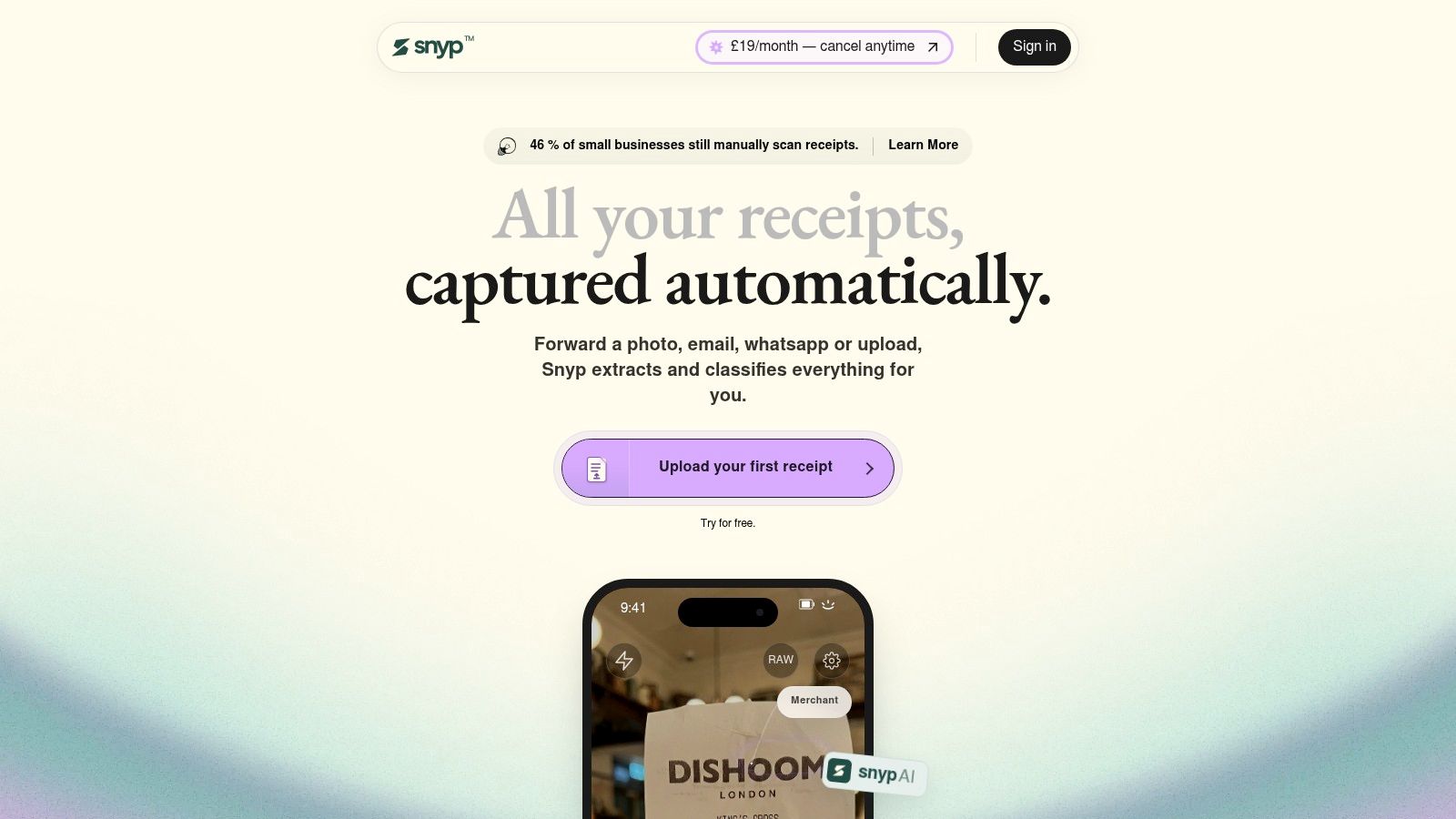
For a small business receiving receipts through several channels, the challenge is getting them into the books without rekeying each one. Snyp accepts receipts through WhatsApp, email forwarding, or direct upload of JPEG, PNG and PDF files. Its context-aware engine extracts merchant, amount, date, tax, currency and category, then syncs the details with Xero or QuickBooks for review and reconciliation.
In the HMRC final evaluation of Making Tax Digital for VAT, 76% of businesses agreed that MTD reduced the potential for error in at least one area, and 45% said MTD software had saved them time. For a receipt-first workflow, the practical aim is to get expense details into the accounting system promptly, while leaving room to check ambiguous entries.
Why It Works Differently
Snyp is built for small businesses, freelancers and accountants who want to capture receipts through channels they already use, rather than enter each detail by hand. Its context-aware engine extracts key expense fields, and the results can be reviewed before approval. That keeps automation in the capture and data-entry steps, with a person still responsible for checking unusual or unclear documents.
Where it falls short: Mixed personal and business purchases or unclear invoices still need careful review. The listed accounting integrations focus on Xero and QuickBooks, so businesses using another ledger should check compatibility before choosing it. Plans start from £19 per month, with a trial available.
2. Dext
Dext suits businesses and accounting practices that process more than casual receipts. It captures receipts, invoices and other financial documents, extracts the data, and sends it to accounting software including Xero and QuickBooks. You're keeping your existing ledger and using Dext to cut the bookkeeping data entry in front of it.
That integration-first approach fits how UK firms already work. UK government data shows accountancy software was the most widely adopted category at 82% among SMEs using technology or web-based software, according to the Longitudinal Small Business Survey 2025. Expense capture usually works best as a layer around that ledger, not a replacement for it.
Costs and Limits to Check
UK business pricing starts at £24.17 per month when billed annually for 250 documents and 5 users, excluding VAT. Optional tools cover line items, bank statements and supplier statements, plus expense submissions and approvals.
- Strength: It handles several document types, not just receipts, and offers a free trial.
- Weakness: Document limits and extra extraction tools can raise your total as volume grows.
- Boundary: It isn't a complete accounting or tax-filing system.
If you're weighing receipt-first simplicity against a broader document-processing platform, see the Snyp and Dext comparison before you commit. I recommend Dext when document volume and practice workflows matter more than capturing receipts through everyday channels like WhatsApp.
3. Zoho Expense
Teams that need policies, approvals and mileage alongside receipt scanning should look at Zoho Expense. It's a dedicated expense-management tool for expense reports, mileage tracking, approvals and policy rules. Paid plans add itemised receipt capture, card feeds and corporate-card management, with multi-currency support for travel-heavy teams.
The gap Zoho targets is real. A 2025 UK survey of 150 SME finance leaders found only 44% had expense processes that were mostly or fully automated, according to the OFX UK SMB Report. Digitising storage doesn't close that gap. You need capture, categorisation and reconciliation working together.
Value and Trade Offs
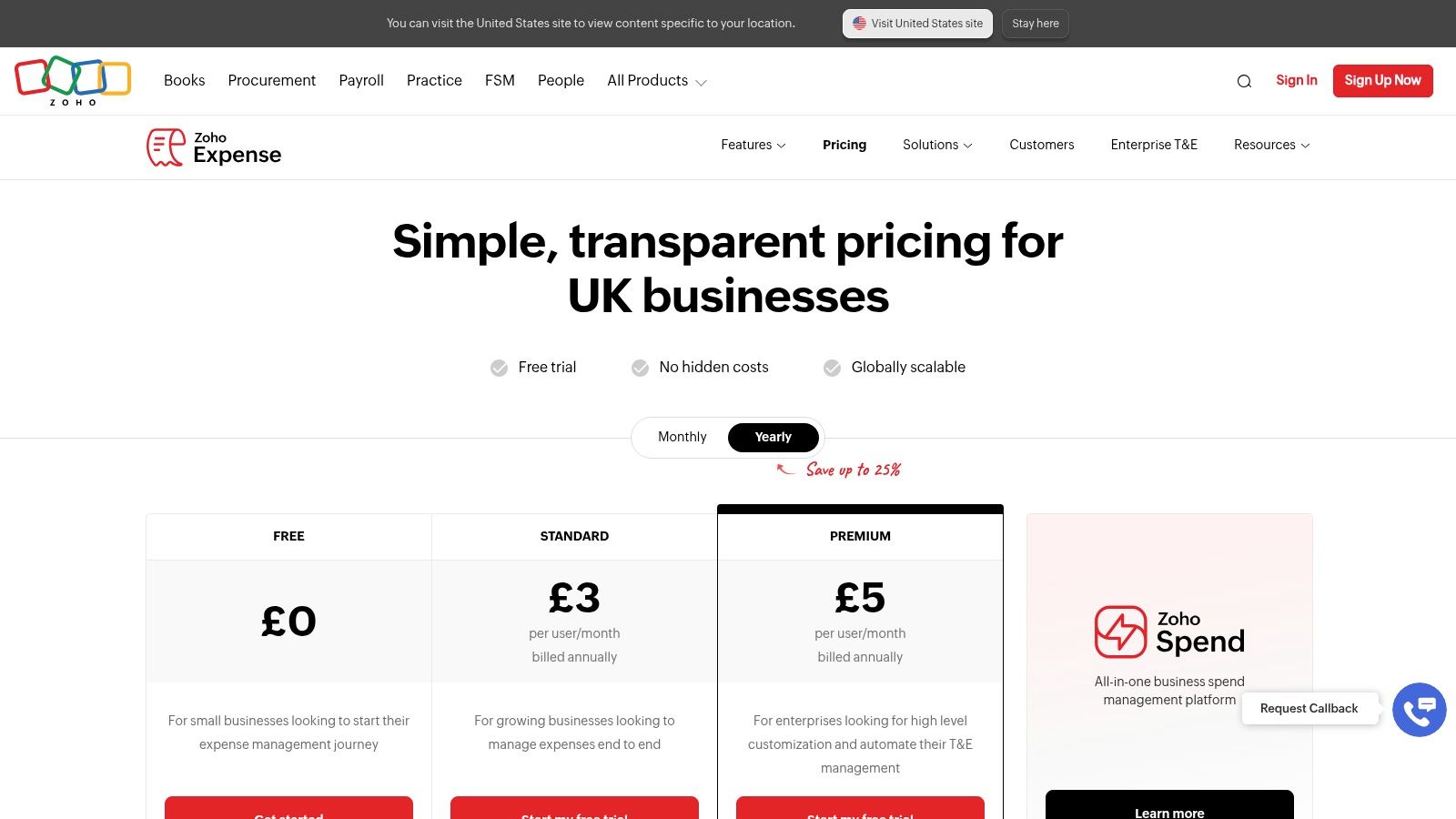
The free tier supports up to 3 users, and paid plans have published UK pricing with a 14-day free trial. For the price, the feature range is broad, especially if you need formal approval chains without buying an enterprise suite.
Watch the small print, though. Monthly receipt scans are capped, limits vary by plan, and paid plans have minimum user requirements that can inflate costs for very small teams. It also isn't a replacement for a full accounting system, so budget for your ledger separately. I recommend Zoho when you need claim-and-approve discipline on a modest budget, not when you just need fast receipt capture for one or two people.
4. Pleo
Pleo works best when spending starts with a company card. It combines physical and virtual cards with real-time expense tracking, receipt reminders, email receipt capture and automatic categorisation. Finance sees transactions as they happen instead of discovering them weeks later in a claim.
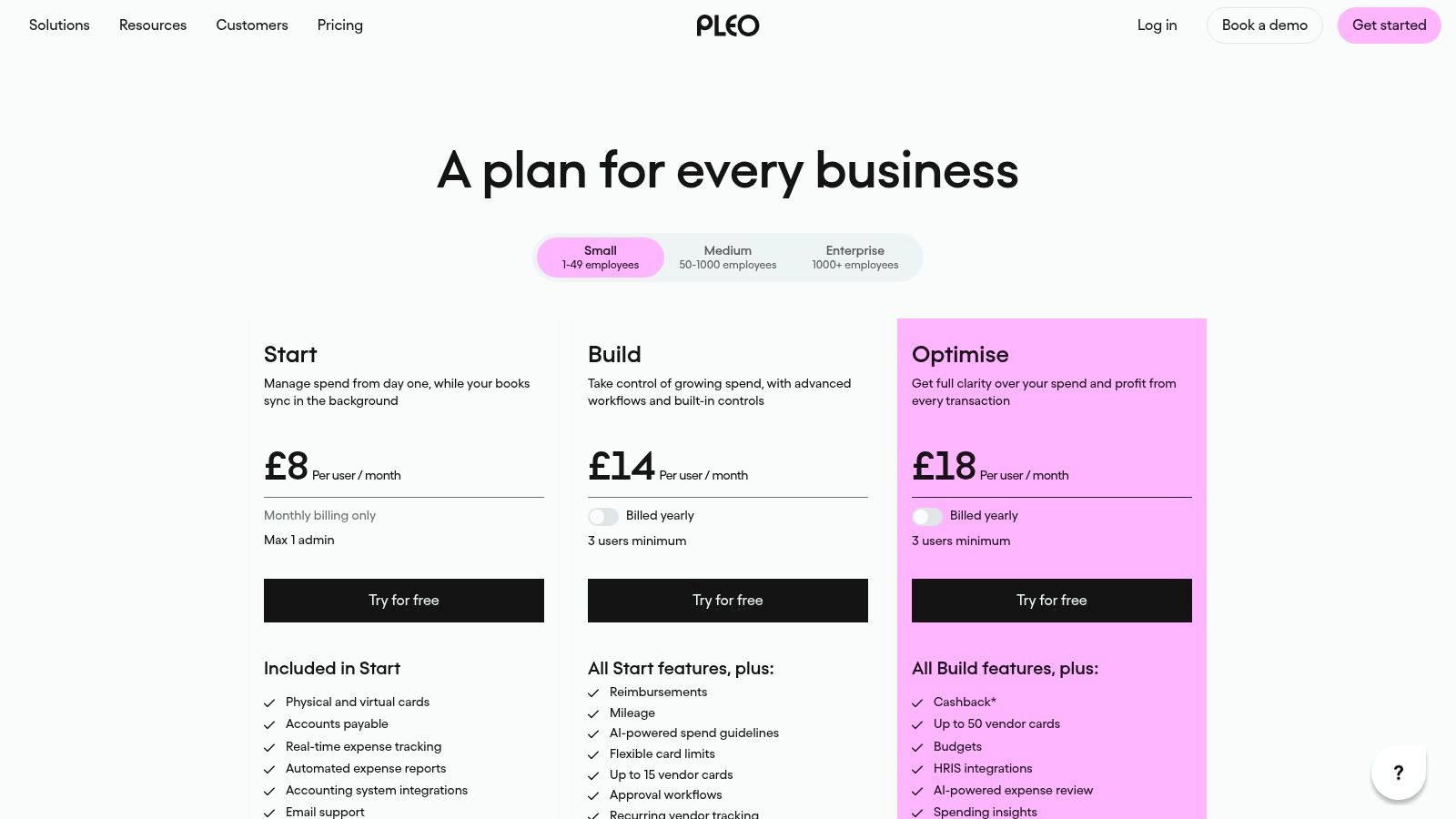
Listed UK plans start at £8 per user per month for Start, £14 for Build, and £18 for Optimise. Higher plans add reimbursements, mileage, approval workflows and advanced spend controls, so map your must-have features to the tier before you price the rollout.
Who Should Skip It
- Card-led teams: You get spending visibility and accounting integrations in one place.
- Receipt-only sole traders: You're paying for card infrastructure you may never issue.
- Cost-sensitive firms: Payment and foreign-exchange fees can sit on top of subscriptions.
Build and Optimise also have a three-user minimum and annual billing, which reduces flexibility for tiny teams. I recommend Pleo when employees buy regularly on behalf of the business and you want control before money leaves the account. If most costs arrive as supplier invoices or personal receipts, a capture-first tool will feel lighter and cheaper.
5. Expensify
Say your team travels, claims mileage and submits mixed personal-card spending every week. Expensify covers receipt scanning, expense reports, mileage, approvals and reimbursements in one structured workflow. Individuals can start on the free Submit plan, while UK Collect is listed at £5 per unique member per month.
Paid plans add card management and integrations with Xero and QuickBooks. The higher Control tier brings multiple approval flows, custom rules and budgeting for organisations that need tighter governance. Categories, tags and personal-card imports help when spending doesn't follow one neat pattern.
Where It Feels Heavy
Practical rule: Count active submitters, not total headcount, before you estimate per-member pricing. The difference changes the business case.
Some team and administration features require paid plans, and advanced Control pricing and billing terms can be less straightforward to compare. A solo freelancer who mainly needs receipts organised may find the report structure more than necessary.
If you're deciding between a full claims platform and a lighter capture pipeline, the Snyp and Expensify comparison lays out that trade-off directly. I recommend Expensify for small teams with regular travel and reimbursement volume. For simple receipt-to-ledger work, it'll often feel like buying a process you don't need yet.
6. Soldo
Soldo is a spend-management platform built around company money, cards, budgets and expenses. It brings card spending and out-of-pocket claims into one process, with user permissions, spending policies and real-time visibility for finance teams. Receipt capture and expense review sit alongside integrations including Xero and QuickBooks.
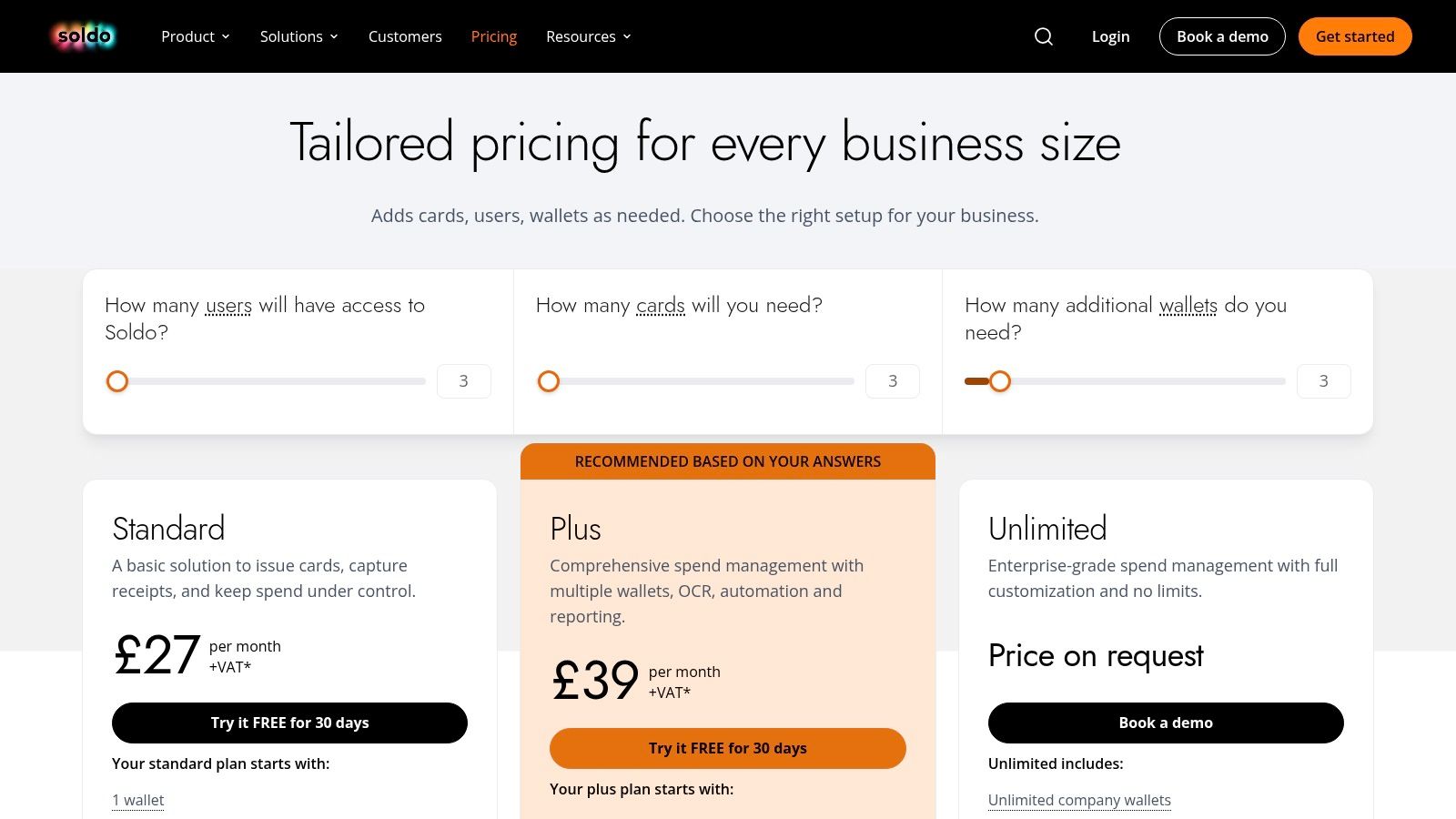
Standard starts at £21 per month plus VAT for 3 users, 3 cards and 1 wallet. Plus starts at £33 per month plus VAT for 3 users, 3 cards and 3 wallets. Both include a 30-day trial, which gives you time to test card controls with real spending rules.
The Eligibility Catch
Soldo currently serves incorporated businesses and isn't available to sole traders. That's a hard stop for freelancers, regardless of feature fit. Additional cards, users, wallets and financial services can also push the total well beyond the entry price.
Included wallets, users, cards and transfers are limited on Standard and Plus, so model your growth before signing. I recommend Soldo for limited companies that want budget control before month-end and need cards managed centrally. Sole traders and receipt-heavy microbusinesses should look elsewhere in this list.
7. ExpenseIn
Organisations with formal claim processes will find ExpenseIn more natural than a solo freelancer will. It offers mobile expense submission, receipt scanning and mileage recording alongside web-based administration. Expense policies and multi-stage approval workflows carry a claim from submission through reporting.
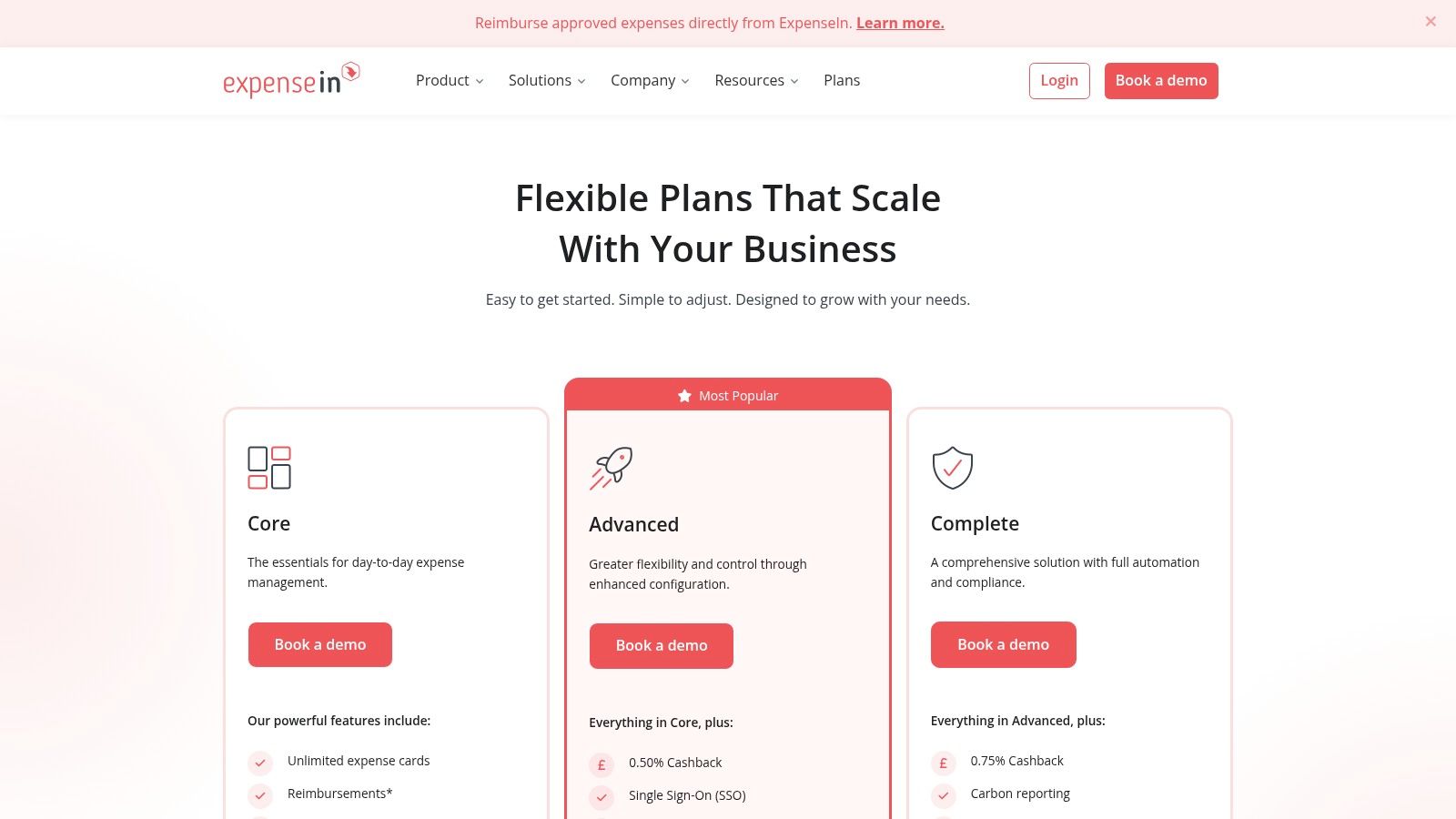
It accepts emailed receipts as well as mobile captures, supports card feeds, expense cards and reimbursements, and integrates with Xero, QuickBooks Online, Sage products and NetSuite. The vendor lists Core, Advanced and Complete plans for organisations with different process requirements.
What to Ask on the Demo
- Total price: Pricing isn't published on the plans page, so you must book a demo to get numbers.
- Reimbursement charges: Confirm whether repayments carry additional fees.
- Tier gaps: Multi-entity management, receipt verification and API access sit in higher tiers.
That sales-led pricing makes quick comparison harder, especially against tools with published rates. I recommend ExpenseIn when you have multiple approvers, policy exceptions and enough claim volume to justify a demo-led purchase. If you need a price today and a trial tomorrow, published-plan tools will serve you faster.
8. Xero Expenses
Already running Xero? Xero Expenses keeps claims inside the system you use for bookkeeping. Staff submit claims and receipts through the Xero Me app, managers review and approve them, and approved expenses flow into your Xero accounting records with receipt images stored against each claim.
Receipt photos use OCR-based capture, and the workflow covers mobile expense and mileage claims. Availability and user limits depend on your Xero plan, since this isn't a standalone receipt-capture subscription. If you're still choosing a ledger, the guide to Xero versus MYOB for small businesses helps frame that prior decision.
Strengths and Limits
The main strength is consolidation. You avoid maintaining a separate expense database, and your accountant works from one set of records.
The limits follow from that design. It's most useful to existing Xero customers, receipt recognition captures key fields you should still check, and changing ledger later means rethinking expenses too. I recommend Xero Expenses when your team already lives in Xero and claim volume is modest. High-volume receipt processing may still justify a dedicated capture tool feeding Xero.
9. FreeAgent
FreeAgent suits UK freelancers, contractors and small businesses that want expense tracking inside their accounting software. Its Smart Capture extracts receipt details such as date and amount, suggests categories, and can match receipts with bank transactions. You can also capture receipts on mobile alongside managing invoices and accounts.
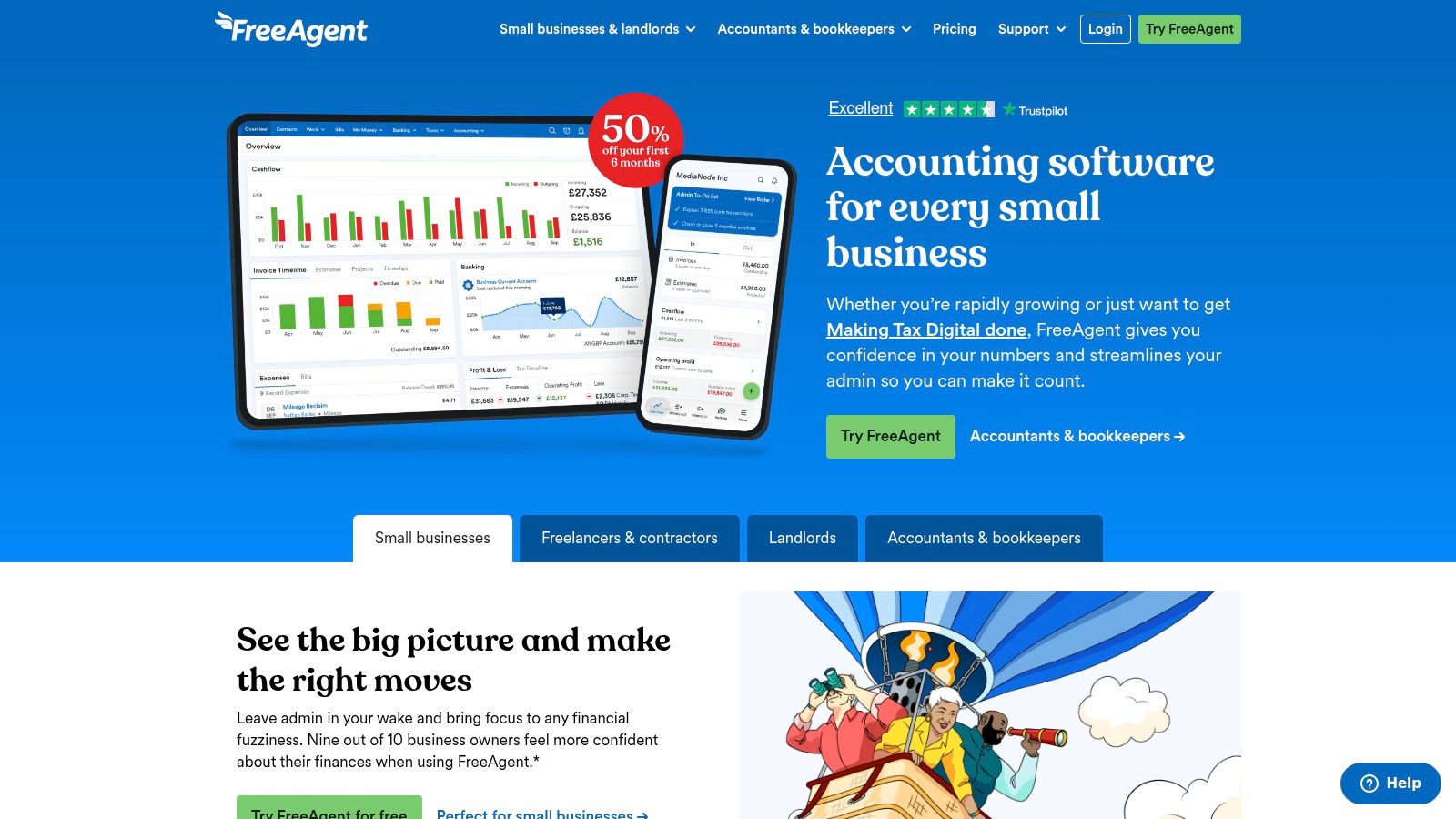
FreeAgent's UK pricing includes a business plan, with receipt and bill capture available as an add-on. Eligible bank customers may also qualify for a free account. Check FreeAgent's current pricing to compare the available options and see which offer applies to your business.
When Bundled Accounting Helps
A bundled ledger saves money only if you use its accounting features. A full finance product is a poor fit if you only need to capture receipts.
FreeAgent links captured documents to expenses, bills or bank transactions, keeping records together for solo operators. Smart Capture can extract information from receipts, but you may need to review or complete the details, particularly when a receipt is unclear.
Choose FreeAgent if you're a UK freelancer or contractor who wants accounting and expenses in one system and doesn't already use a ledger. If you're settled on another accounting platform, switching systems may be more disruptive than adding a capture tool that works with your existing setup.
10. QuickBooks Online
QuickBooks Online combines accounting with receipt capture and mileage tracking. You photograph receipts, categorise them, and keep expense records alongside bills and other bookkeeping. Shareable reports help when you need to show spending to a partner, lender or accountant.
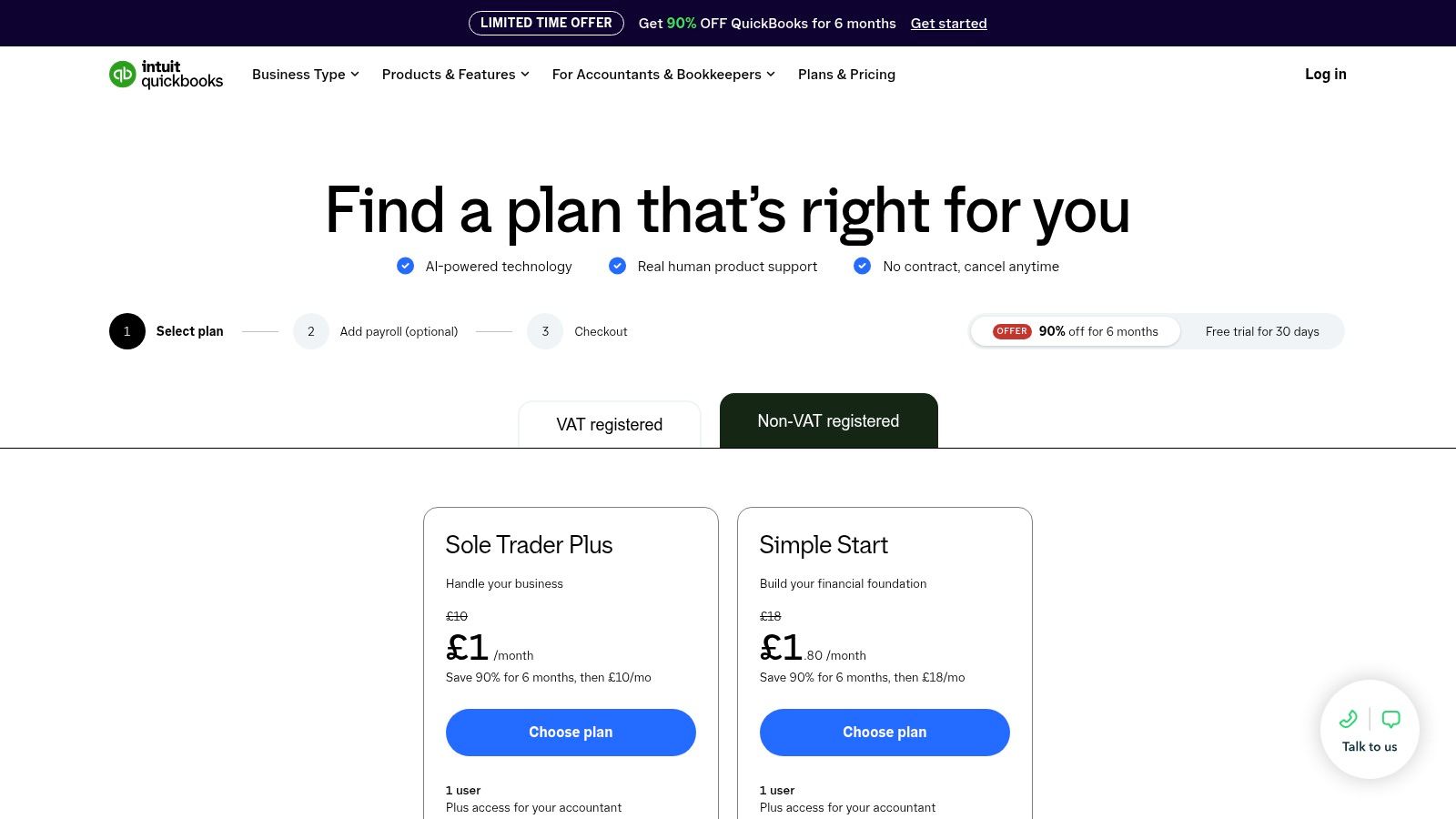
Features and usage limits vary by plan, so check the live plan comparison for current prices and entitlements before assuming the expense tools you need are included. Teams already using QuickBooks get the clearest benefit, since expenses sit in the same system as the business accounts. The Snyp QuickBooks integration shows how a dedicated capture tool can feed that same ledger if bundled capture isn't enough.
A Sensible Default With Boundaries
- Best for: Small businesses already bookkeeping in QuickBooks that want mileage and receipts in one place.
- Less ideal for: Firms needing specialist receipt-first capture through channels like WhatsApp.
- Check first: Your plan tier, usage limits and whether required capabilities are included.
I recommend QuickBooks Online as track expenses software when it's already your accounting home and expense volume is straightforward. Treat it as an accounting platform with useful expense tools, not a dedicated receipt-capture product, and you'll set the right expectations from day one.
Track expenses software at a glance
The right fit depends on how expenses enter your books: through receipts, company cards, employee claims, or an accounting platform. This comparison shows the listed starting prices and the workflow each tool suits.
| Item | Starting price (UK) | Free plan or trial | Xero / QuickBooks integration | Best for |
|---|---|---|---|---|
| Snyp | £19/month | Free trial; cancel anytime | Xero and QuickBooks | Receipt capture and reconciliation with minimal admin |
| Dext | £24.17/month, billed annually | Free trial | Xero and QuickBooks | Businesses and accountants processing bookkeeping documents |
| Zoho Expense | Pricing not stated | Free plan for up to 3 users; 14-day paid-plan trial | Accounting integrations available | Teams wanting expense reports, approvals, and policy controls |
| Pleo | £8 per user/month | Not stated | Integration availability noted | Teams combining company cards and expense controls |
| Expensify | £5 per unique member/month for Collect | Free Submit plan | Xero and QuickBooks on paid plans | Individuals or teams managing expense claims |
| Soldo | £21/month plus VAT | 30-day trial on Standard and Plus | Xero and QuickBooks | Incorporated businesses managing cards, budgets, and expenses |
| ExpenseIn | Pricing by demo enquiry | Not stated | Xero and QuickBooks Online | Organisations with employee claims and approval workflows |
| Xero Expenses | Included with eligible Xero plans; plan pricing varies | Depends on Xero plan | Built into Xero; no QuickBooks integration stated | Existing Xero customers managing expense claims |
| FreeAgent | £33/month; unlimited capture add-on £5/month | 30-day trial; some eligible bank customers may get free access | Integration not specified | UK freelancers and small businesses wanting accounting plus expenses |
| QuickBooks Online | Current plan pricing varies | Plan-specific | Built into QuickBooks; no Xero integration stated | Small businesses keeping expenses and accounting together |
How to Pick the Right Expense Tracker for Your Business
A freelancer forwarding receipts from an inbox has different needs from a team issuing company cards or routing employee claims for approval. Start with how money leaves the business, then shortlist tools by workflow: receipt-first capture points to Snyp or Dext; card-led spending to Pleo or Soldo; and claims with approval steps to Zoho Expense, Expensify or ExpenseIn. If accounting is already the centre of the process, compare the options bundled with Xero, FreeAgent or QuickBooks.
Among VAT-registered businesses, use of software or apps for record keeping rose from 72% before Making Tax Digital to 87% after its introduction, according to HMRC research on the impact of Making Tax Digital for VAT. Choose a process that keeps records organised and easy to pass into your accounts.
Check whether Making Tax Digital for Income Tax applies to your business. HMRC guidance sets the start date at 6 April 2026 for sole traders and landlords with qualifying income above £50,000, followed by those above £30,000 from 6 April 2027. See HMRC's guidance on using Making Tax Digital for Income Tax. Capturing a receipt, categorising it and submitting the required records are separate steps, so check which parts your chosen tool handles.
Run a Real Trial Before You Buy
Shortlist two tools and run them in parallel for two weeks using real receipts. Include faded paper slips, multi-page PDF invoices, foreign-currency purchases and mixed personal and business items. These cases show whether the workflow can handle the documents your team receives.
- Check every field: Review merchant, date, tax, currency and category before approving extracted data.
- Test the sync: Confirm records reach Xero, QuickBooks or your chosen accounting system in the form you expect.
- Count corrections: Record how many receipts need edits and how long review takes.
- Price the whole workflow: Include per-user fees, document limits, add-ons and reimbursement charges.
Trial standard: If staff will not submit a receipt within a minute of spending, the tool is unlikely to clear the backlog, however useful its reporting looks.
Have your accountant review the trial output before rollout. Category mapping, missing tax fields and gaps in the audit trail can affect reconciliation later. For another view on spend tools, see Spendkeep on SubmitMySaas.
Integration fit matters alongside workflow fit. A tool that does not work well with your ledger can create duplicate records and month-end disputes. Choose one your team will use and that feeds the accounts you already rely on.
You can try Snyp, with pricing from £19/month and a free trial. Send real receipts through WhatsApp, email or upload, then assess how often the extracted details need correction. That gives you a practical basis for comparing receipt capture with the other workflow types on this list.
Turn receipts scattered across drawers, inboxes and gloveboxes into organised records for your accountant. Snyp captures receipts through WhatsApp, email forwarding or upload, extracts their details and syncs them to Xero or QuickBooks from £19/month. Start the free trial and put your real receipts through the workflow before you pay.