




Small Business Application Guide for 2026

British small-business owners spend an average of 11 hours every week on administrative and finance-related work, equivalent to about six working days each month, while sales and business development take only 3.6 days. Admin therefore absorbs nearly twice as much time as growth activity, according to Startup Magazine's coverage of the 2026 industry survey. That's why choosing a small business application isn't an IT exercise. It's an operations decision that determines how much of the owner's week remains available for customers, selling and delivery.
The right stack doesn't mean buying software for every department. It means connecting the few applications that handle your essential flows, from lead to invoice and from receipt to reconciled expense. Receipt capture is the often-missed bridge between daily activity and reliable financial records.
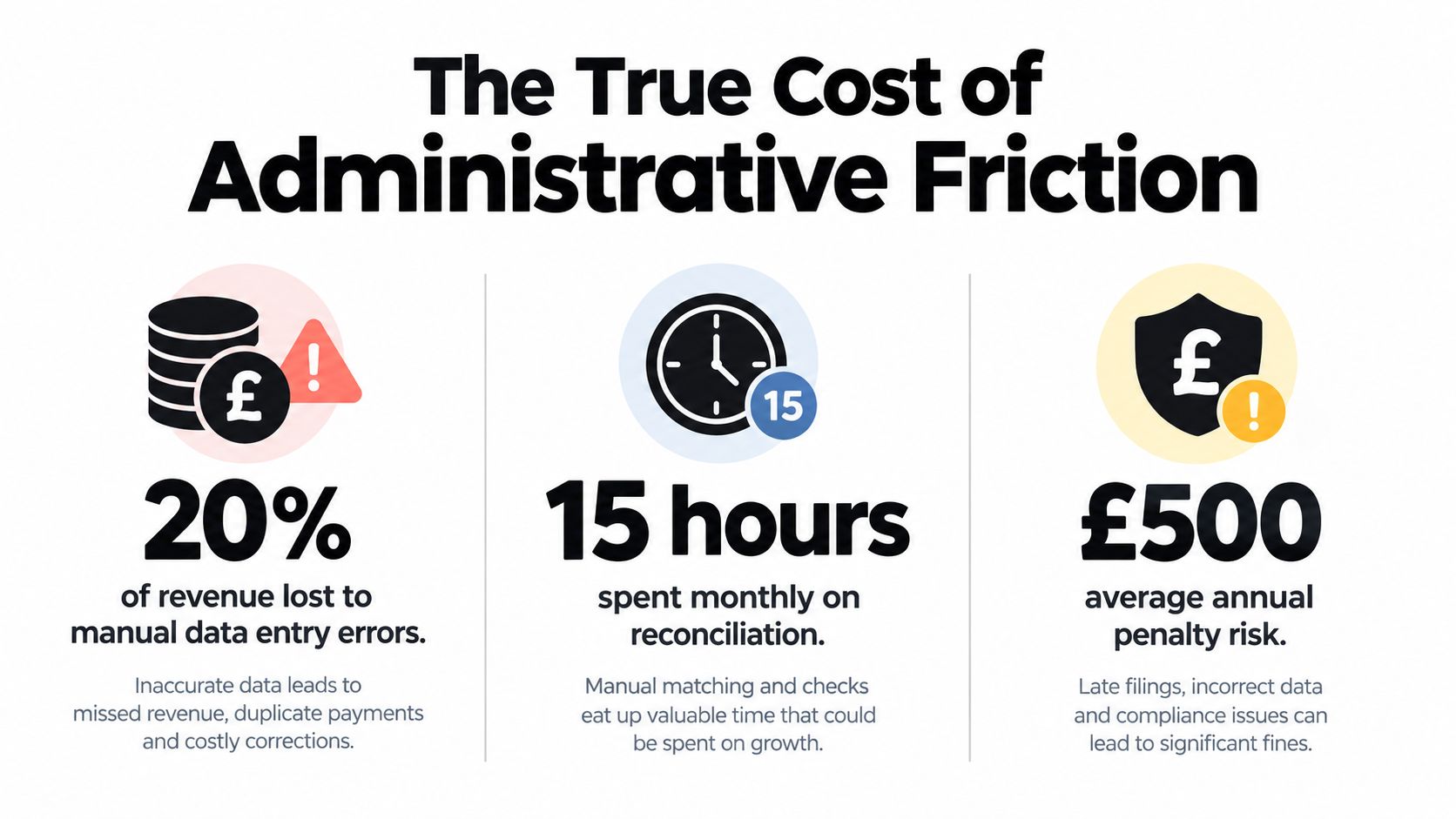
The True Cost of Administrative Friction
Administrative friction rarely arrives as one obvious failure. It appears as a receipt left in a van, an invoice copied from email, an expense entered twice, or a bank transaction with no clear supporting document. Each task seems small. Together, they take time away from winning work, serving customers, and collecting payment.
The UK comparison is difficult to ignore. Owners spend 11 hours per week on administration and finance tasks, compared with 3.6 days per month on sales and business development, according to Startup Magazine. For a freelancer or sole trader, the person recording expenses is often also answering enquiries, completing jobs, and chasing invoices. Administrative work therefore competes directly with revenue-producing activity.
Why disconnected work expands
A fragmented process forces the same information through several hands and systems. Someone receives a receipt, saves it on a phone, forwards it to an accountant, identifies the supplier, checks the tax treatment, assigns a category, and later matches the amount to a bank transaction. If a field is missing, the question returns to the owner after the original purchase has faded from memory.
The consequences are practical:
- Slower reconciliation: Accounts remain incomplete while someone reconstructs the supporting documents.
- Weaker visibility: The owner cannot confidently assess current spending or outstanding costs.
- Higher review effort: An accountant requests documents instead of concentrating on the financial results.
- Interrupted focus: The owner switches repeatedly between messaging, email, banking, and bookkeeping tools.
A small business application should reduce handling across the workflow. Receipt capture matters because it connects daily purchases with the financial record. It preserves the source document, supplies transaction context, and gives accounting software information it can reconcile. Without that bridge, separate applications may store fragments of the same activity without creating a reliable record.
Practical rule: Judge software by the manual hand-offs it removes, not by the features listed on its pricing page.
Treat time as a business asset
Administrative work can support financial control without creating business value by itself. Keep the controls, then make them continuous, traceable, and easy to review.
Begin with recurring tasks that require copying information between systems. Receipt entry, expense categorisation, invoice creation, payment follow-up, and project updates are strong automation candidates when the process follows consistent rules. Tasks requiring judgement, customer empathy, or commercial decisions still need human attention.
A connected stack gives the owner a dependable operating rhythm. Information enters once, reaches the right application, retains its supporting evidence, and becomes available for reconciliation or a decision. That structure reduces friction without forcing a growing business to adopt enterprise-level complexity.
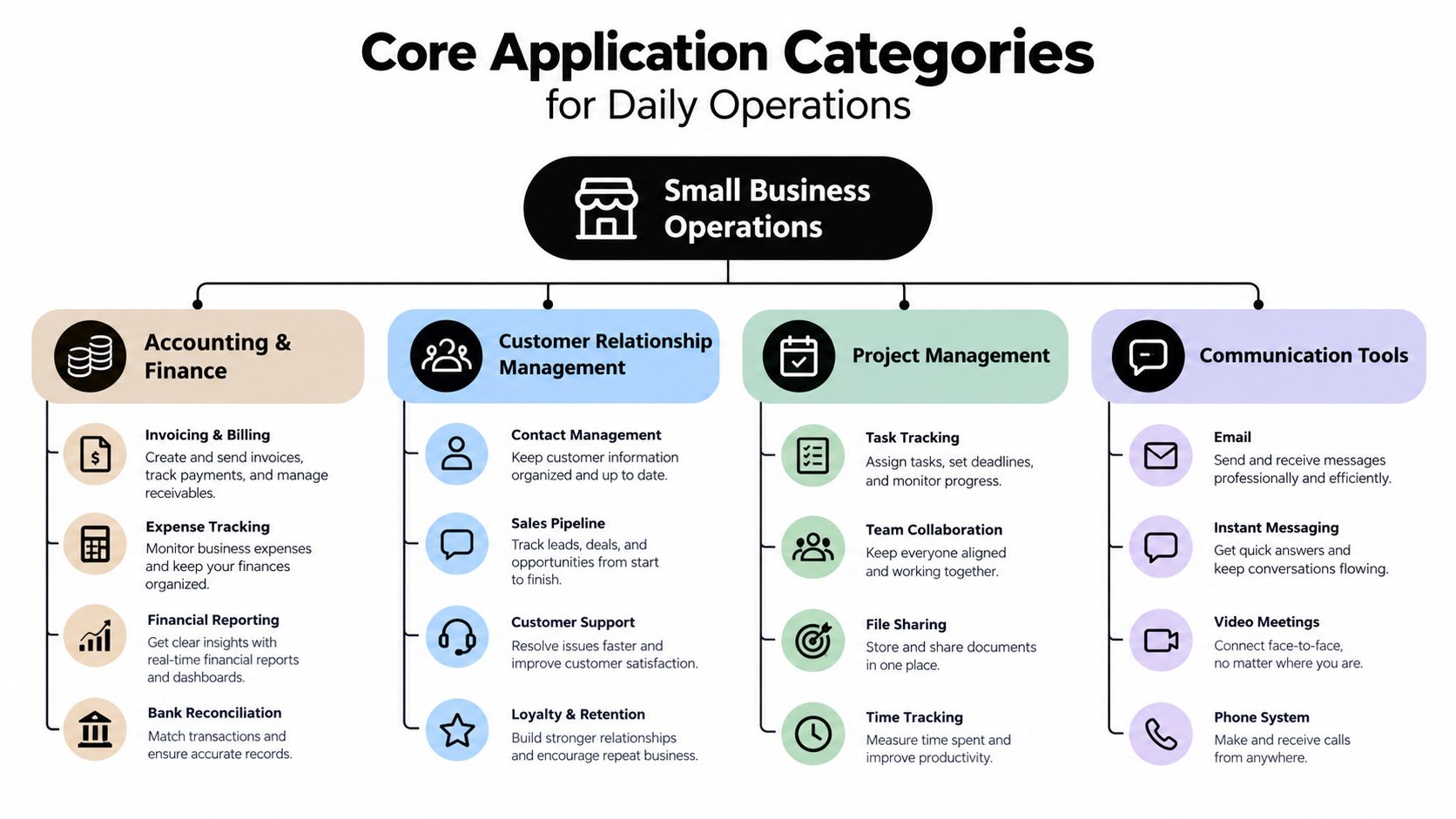
Core Application Categories for Daily Operations
A useful small business application stack begins with bottlenecks, not brands. Ask what repeatedly delays work, loses information or forces the owner to remember details that software could retain.
Accounting and finance
Accounting software is the financial source of truth. It should receive sales, expenses, payments and tax-relevant data without forcing the owner to rebuild the month from bank statements and paper files.
For UK businesses, platforms such as Xero and QuickBooks can form the ledger layer, but the software is only as reliable as the information entering it. Choose a system that supports bank feeds, expense records, invoice workflows, reporting and a clear export path for your accountant. Businesses operating elsewhere should also check local tax treatment before copying a UK workflow. A practical regional comparison, such as this UAE accounting software buyer's guide, shows why compliance and bookkeeping requirements need to shape the selection.
If bookkeeping is the immediate pain point, compare the workflow rather than the marketing claims in this guide to best bookkeeping apps. The decisive question is whether the application reduces repeated entry and keeps supporting documents connected to transactions.
Customer relationship management
A CRM protects revenue from disappearing into personal inboxes and memory. It should show who has enquired, what they need, what has been quoted, when the next action is due and whether the opportunity became work.
A freelancer may need only a structured pipeline and reminders. A growing team may require permissions, email history and hand-off rules. Don't buy a heavy CRM until the business has defined its sales stages. A simple pipeline that people maintain beats an advanced system filled with stale records.
Project management
Project management tools turn accepted work into visible delivery. They're useful when tasks, deadlines, files, client approvals or subcontractor responsibilities need coordination.
For a service business, the workflow might move from a CRM opportunity to a project template, then to time tracking, expenses and invoicing. Select a tool that supports that sequence. A board that looks attractive but doesn't connect delivery data to billing will leave the owner performing the same transfer manually.
Communication tools
Email, messaging and video platforms hold the conversations that keep work moving. Their value increases when teams establish rules for where decisions, files and requests belong.
Use communication tools for discussion, not as the permanent database for expenses or commitments. A WhatsApp message can notify a team member that a receipt exists, but the receipt should enter the financial workflow in a structured form. Clear boundaries prevent important information from being trapped in a chat thread.
Selection Criteria for a Connected Software Stack
A strong application can still be the wrong choice if it creates a dead end. Evaluate every tool by tracing one piece of information through the business.
Take a new client enquiry. It may begin in a form or CRM, become a quote, turn into a project, generate supplier costs, produce an invoice and finish as a payment in the accounting ledger. If staff must download, rename, retype and upload information at each stage, the stack is passing its complexity to the owner.
Compare the connection methods
| Connection method | What it offers | What to verify |
|---|---|---|
| Native integration | A prepared connection between applications | Which records and fields transfer |
| API access | Flexible connection for custom workflows | Cost, technical support and permissions |
| Import and export | A fallback for moving data | File format, field mapping and audit history |
| Automation platform | Connects tools without bespoke development | Error handling, limits and ownership |
Native integration is usually the simplest starting point, but “integrates with” can mean little more than a one-way export. Ask whether the connection transfers attachments, tax fields, categories, payment status and references. Ask what happens when a record changes or an import fails.
Map the minimum viable data flow
Write down the fields that must survive each hand-off. For an expense, that may include supplier, date, amount, currency, tax and category. For a client, it may include contact details, source, stage, agreed value and next action.
Then test three conditions:
- Completeness: The destination receives every field needed for the next decision.
- Traceability: A reviewer can move from the ledger entry back to the original document.
- Portability: You can export your records in a usable format if the supplier changes.
Security and permissions matter just as much. A contractor may need to submit documents without seeing payroll or customer records. Owners should also confirm who can approve expenses, edit categories and delete files.
A connected stack should make the correct action the easiest action. If users must remember a workaround, the workflow will eventually fail.
Run a small pilot with real transactions before committing. Include a normal purchase, a refund, a tax-inclusive receipt, a document received by email and a transaction needing correction. The result will reveal more than a feature list.
Bridging the Gap with Automated Receipt Capture
Accounting software can't reconcile information it never receives. That's where receipt capture earns its place in a small business application stack.
A contractor finishes a site visit and buys materials on the way back. The receipt is photographed on a phone, then buried among personal images. A consultant receives a software invoice by email. A tradesperson gets a fuel receipt that includes tax details but no project reference. These documents represent real business costs, yet each requires deliberate handling before it becomes useful financial data.
Capture at the point of spending
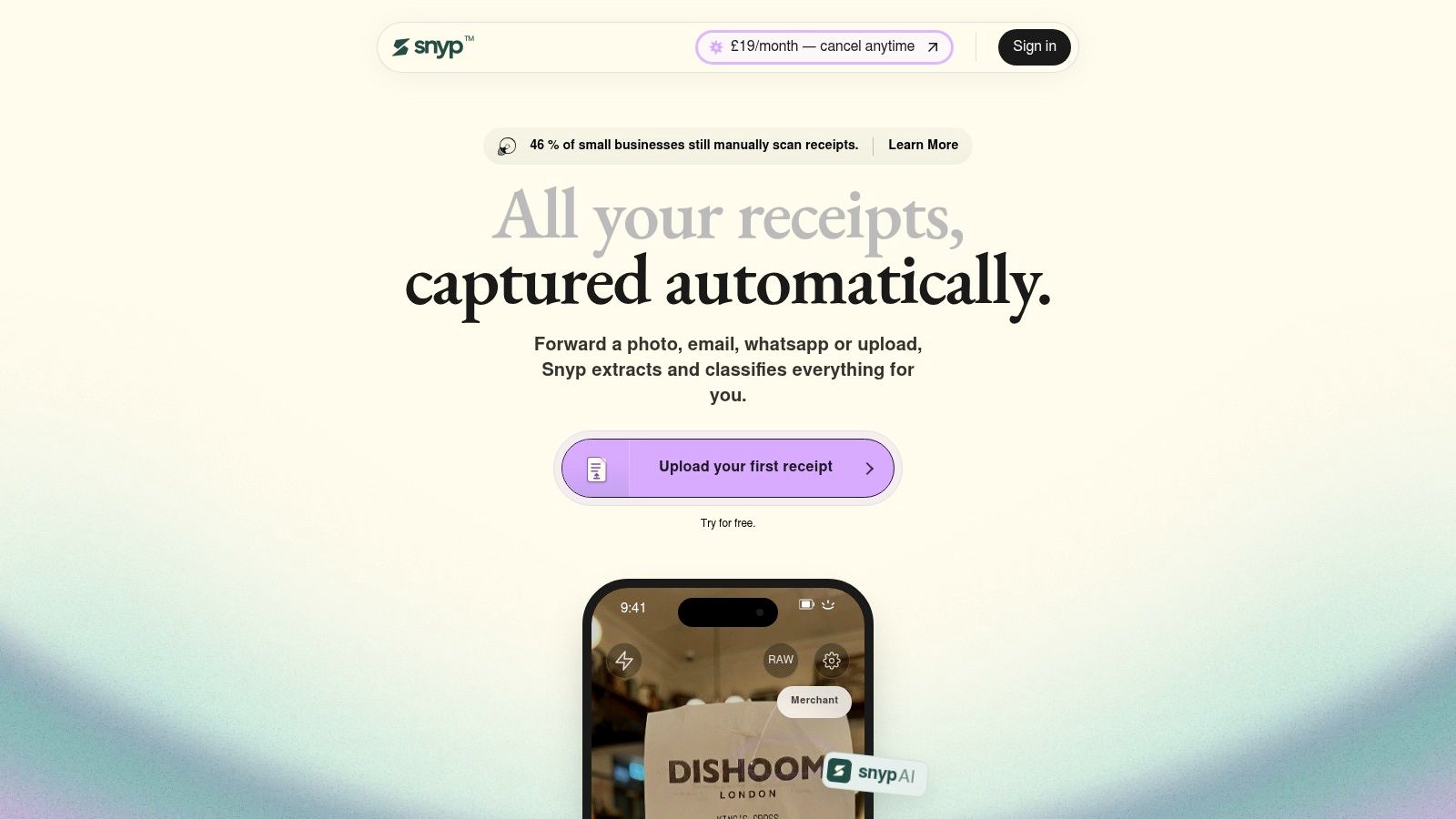
The best workflow starts where the document appears. The user forwards an email, submits a file or takes a photo instead of waiting for a month-end bookkeeping session. A capture tool then extracts the merchant, amount, date, tax, currency and category, leaving the owner to review exceptions rather than type every field.
Snyp is one example of this approach. It accepts receipts and related documents through WhatsApp, email forwarding or direct upload, supports JPEG, PNG and PDF, and can send structured expense data to platforms such as Xero and QuickBooks. The process is described in more detail in this guide to automatic data capture.
The practical benefit is continuity. The document enters the workflow while its context is still fresh, and the accounting record doesn't depend on someone remembering what a charge meant weeks later.
Use human review where it adds value
Automation should handle predictable extraction, not hide uncertainty. A good process flags unclear amounts, unusual tax treatment, duplicate documents or missing project details for review.
That creates a useful division of labour:
- The user submits the document using the habit already available to them.
- The capture layer extracts structured fields and applies a proposed category.
- The owner or accountant checks exceptions and approves the record.
- The accounting platform receives the data for reconciliation and reporting.
Watch the workflow below to see how receipt capture fits into a smoother expense process.
The control point is review, not retyping. Owners still decide whether a purchase is business-related and whether a category is appropriate, while the application removes repetitive transcription. That balance preserves oversight without recreating the manual workload the software was meant to address.
Navigating Digital Tax Compliance and Record Retention
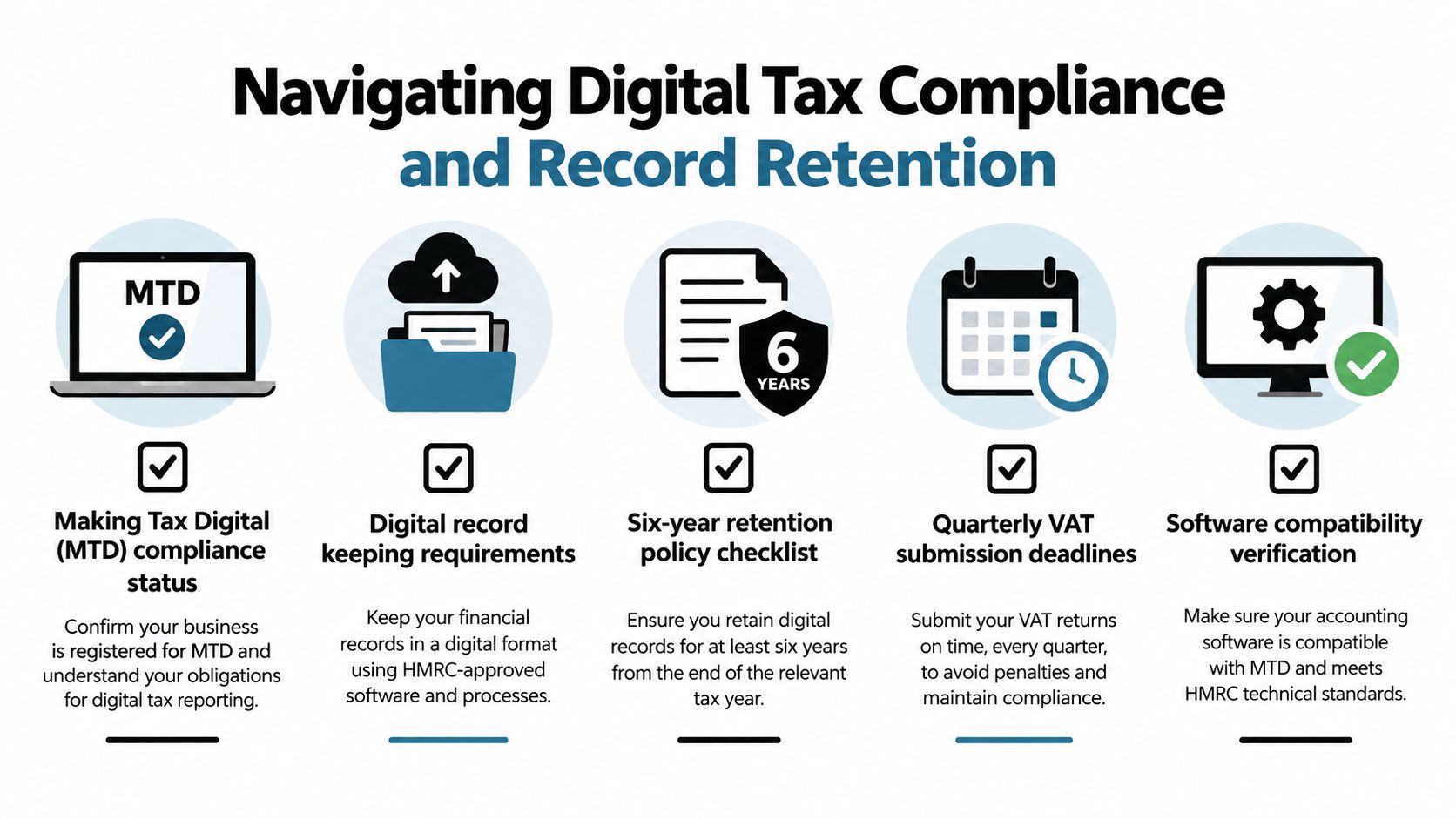
Digital compliance depends on a connected record system. Receipts, invoices, transactions and tax submissions must remain usable, traceable and available for review. A cloud folder alone does not provide that control.
For VAT, HMRC says businesses with turnover above £85,000 must keep digital records and file VAT returns through compatible software, as explained in HMRC's Making Tax Digital research. Build the digital equivalent of every paper-based process before gaps create filing or reconciliation work.
What a compliant record needs to prove
HMRC's VAT guidance requires digital records to include the time of supply, value excluding VAT, VAT on purchases and sales, and adjustments, as set out in the official VAT record-keeping guidance. A receipt image preserves visual evidence, but the application must also extract fields that accounting software can use.
Keep the original document beside those fields. Preserve edits, approvals and the link to the related transaction. This audit trail lets an accountant verify what was recorded and identify where each detail came from. Receipt capture is the bridge between daily purchasing and a reconciled financial record.
Retain records beyond the filing moment
Self-employed businesses must keep income and expense records, including receipts for goods and stock, under HMRC's guidance on records for self-employed people. For practical guidance on retention periods and the records HMRC expects, see this guide to HMRC record keeping. The appropriate retention period can vary by record type and business structure.
Set the application up to:
- Store the source document: Keep each receipt, invoice or attachment with its structured record.
- Preserve readability: Confirm files remain accessible and open correctly later.
- Maintain links: Connect documents to transactions, returns or reconciliation entries.
- Control access: Restrict editing and deletion while allowing authorised review.
- Check exports: Test retrieval if the application changes or the business migrates systems.
Making Tax Digital creates another systems requirement. The government's MTD guidance requires compatible software to support digital income and expense records and quarterly updates for affected small businesses, sole traders and landlords. Choose a stack that preserves capture through reconciliation. A photograph left in a phone gallery is not a dependable record-keeping system.
Building Application-Ready Financial Records for Funding
Funding applications don't begin when a lender opens the form. They begin with the records a business maintains every day.
The smallest firms face particular friction. FCA-linked evidence reports a 46% declined application rate for SMEs with no employees, while broader SME funding decline rates across Q1 2024 to Q2 2025 were about 43%, according to the FCA Consumer Panel report on SME access and barriers to growth. Those figures don't prove that weak bookkeeping causes every rejection, but they show why a tiny business can't afford avoidable uncertainty in its application pack.
Revenue is only part of the evidence
A lender, investor or support programme needs to understand how money enters and leaves the business. Incomplete expense records make margins harder to verify. Unmatched transactions raise questions about cash flow. Scattered invoices and receipts force the applicant to explain information that should already be organised.
Daily capture creates a better foundation because it preserves evidence before documents go missing. The accounting system can then produce consistent reports, while the original records support the figures when someone asks for clarification.
Build an application-ready file around:
- Current accounts: Keep income and expenditure categorised and reconciled.
- Supporting documents: Attach receipts and invoices to the relevant transactions.
- Clear ownership: Separate personal spending from business costs.
- Management context: Record what unusual expenses, refunds or one-off payments represent.
- Exportable history: Confirm that an adviser can retrieve the records in a useful format.
The same discipline helps with non-bank support. Parliamentary evidence found that only 3% of SMEs applied for new or renewed funding in Q4 2023, and 1.5% applied for bank loans, as reported through the FCA-linked evidence above. The UK government also reported that SME uptake of business support fell from 49% in 2010 to 26% in 2023, which suggests many businesses don't find or complete support routes.
For businesses considering fundraising beyond traditional lending, a resource such as the Gritt.io fundraising platform can help owners understand how investor-facing opportunities are presented. Whatever the route, clean records improve the quality of the conversation.
Executing a Frictionless Software Audit and Upgrade
Don't replace the entire stack because one process is broken. Fix the highest-friction hand-off first, then confirm that the change works before expanding it.
Start with a short operational audit
List every recurring task that involves copying data, searching for documents or asking someone to resend information. Mark the task that happens most often and causes the most delay. For many small firms, receipts and expense records are a better first target than a full CRM replacement because they affect bookkeeping immediately.
Next, map the current flow from source to destination. Note where information enters, who checks it, which fields are lost and where the final record lives. This exposes the actual problem rather than the tool the owner happens to dislike.
Test before you switch
Use representative documents and transactions, not a perfect demonstration file. Test a phone image, an emailed PDF, a refund, a tax field and an item requiring manual review. Check whether the data reaches the accounting platform correctly and whether the original document remains available.
Run the new process alongside the old one briefly. Compare missing records, review effort and correction points. Train users on one clear rule: submit documents at the moment they receive them, then escalate exceptions rather than creating side channels.
Make the change stick
Assign one owner for categories, one person for approvals and one place for questions. Remove the old process only after the new workflow has passed a real operating cycle. Review the results at the end of the first month and tighten the rules around duplicates, permissions and exception handling.
The objective isn't a larger software catalogue. It's a connected system where information moves once, remains traceable and supports both everyday decisions and future applications for finance.
Snyp captures receipts and related documents from WhatsApp, email forwarding or direct upload, extracts key expense fields and connects with accounting platforms such as Xero and QuickBooks. Visit Snyp to test a receipt workflow that reduces manual entry while keeping your financial records organised and ready for reconciliation.