




Mobile Expenses Login Made Simple and Secure

You're usually not looking for a “mobile expenses login” because you love login screens. You're standing in a car park, outside a supplier, or in the back of a taxi with a fading receipt in one hand and a phone in the other. You want to get the expense captured before the paper disappears, the amount is forgotten, or finance has to chase you later.
That's the part many expense tools miss. Access on mobile isn't just about username, password, Face ID, or a one-time code. It's about whether the route into the system lets you capture the receipt, keep the record usable, and reconcile it later without creating more admin than the expense itself.
Why Mobile Expenses Login Feels Harder Than It Should
For people in the UK, mobile is already the normal way to handle money. UK Finance reported that banking app activity rose 354% over five years, with app access moving from 21% of current-account customers in 2012 to 61% by early 2017. In 2016 alone, regular users generated 4.9 billion app logins, or about 159 logins every second (UK Finance mobile banking data). By 2024, 73% of UK bank account holders were managing banking via mobile devices, up from 63% in 2019, while 91% of UK adults used some form of online or remote banking and 75% used mobile banking (UK digital banking usage statistics).
So the issue usually isn't that people won't use phones for finance. They already do.
The friction starts when expense access adds extra layers that normal banking doesn't always expose in the same way. A banking app mostly answers one question: is this really you? An expense tool has to answer several more. Which business does this belong to? Which employee is submitting it? Who can approve it? Which category fits? Where does the receipt live for audit purposes?
The real job isn't logging in
A field engineer snaps a fuel receipt. A freelancer forwards a phone bill. A project manager uploads a hotel invoice from the train. None of them are trying to “log in” as an end goal. They're trying to create a record that won't break later when accounts reconciles the bank feed or HMRC asks for support.
Mobile access fails when it treats sign-in as the task. The task is capture, coding, approval, and retrieval.
That's why I push teams to think in access paths, not screens. Native app login is one path. Mobile web is another. In some cases, the fastest route is to avoid repeated sign-ins entirely and capture by message or email instead. If you're mapping that more broadly across systems, this guide to use cases for account access is useful because it frames access around the job being done, not just the credential being entered.
What works better in practice
The teams that stay organised on mobile usually standardise three things:
- One fast route for daily capture: usually app login with biometrics.
- One fallback route: usually mobile web when the app fails or isn't installed.
- One no-login route: usually email or WhatsApp for receipts that need to be captured immediately.
That shift matters because a delayed expense isn't just inconvenient. It's often the first step toward missing data, messy reconciliation, and weak records.
How to Access Mobile Expenses on App Web and WhatsApp
There isn't one correct door into a mobile expense system. There are three practical ones, and each is useful in a different situation.
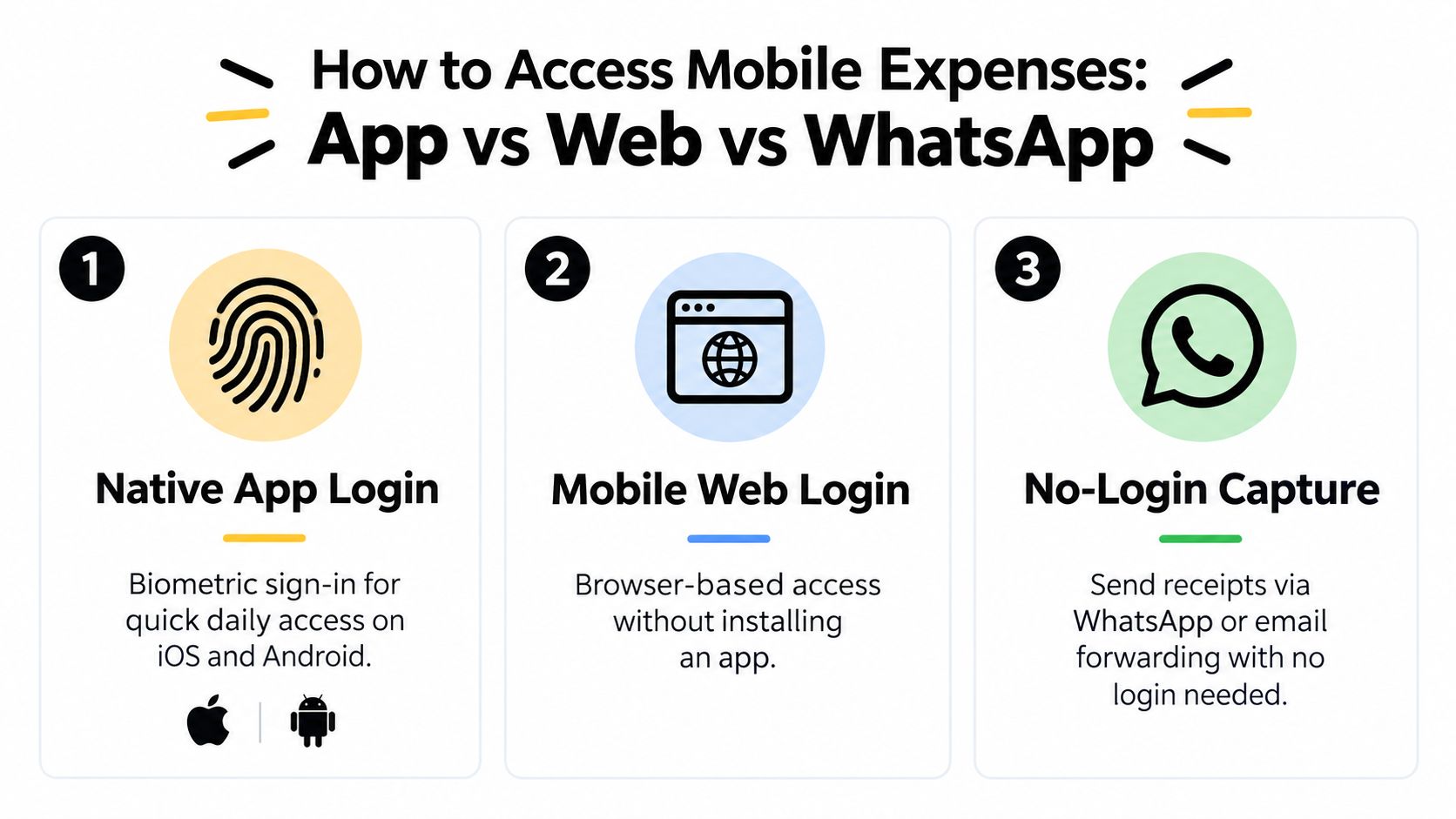
Native app login
Native app login is still the fastest option when someone submits expenses every day. On major UK banking apps, biometric login is commonly used as the first line of access. Bank of Scotland notes that fingerprint authentication can replace memorable information on compatible devices, can be turned on or off in the app, and falls back to memorable information after three unsuccessful attempts (Bank of Scotland app FAQ).
That pattern works well for expenses too. If the user already trusts Face ID or fingerprint for banking, they expect the same speed from receipt capture.
Use the app when:
- You submit often: daily travel, site purchases, regular mileage support.
- You need camera access immediately: faster receipt capture from the phone camera.
- You approve on the go: managers can review and clear claims in spare moments.
Mobile web login
Mobile web is the quiet fallback that saves a lot of support time. It matters when the app isn't installed, the phone is managed by IT with restrictions, or the user is on a temporary device.
The web route is usually better when:
- Someone is logging in rarely
- A contractor changes devices often
- An approver only needs occasional access
- You want a browser session without installing anything
Web access is rarely as smooth as a good app, but it's dependable when the app breaks, storage is full, or biometric enrolment hasn't been set up.
A lot of teams also underestimate messaging as an access layer. If you want examples of how businesses use conversational flows to remove friction before users ever reach a formal portal, this round-up on how to boost engagement with WhatsApp bots is helpful.
No-login capture through WhatsApp or email
This is the route people overlook. If the immediate job is “get this receipt into the system now”, logging into anything may be unnecessary. Some tools support receipt intake through messaging or email forwarding. One example is WhatsApp receipt capture for expenses, where the user sends the receipt into a configured channel instead of opening an app and navigating menus.
That approach is strongest when:
- Signal is poor and the app is slow
- The person is moving and needs speed
- The record already exists as an emailed invoice or bill
- You want to reduce failed mobile logins entirely
Here's the fast comparison.
| Choosing Your Mobile Access Route | |||
|---|---|---|---|
| Access Method | Best For | Login Needed | Key Benefit |
| Native app | Frequent submitters and approvers | Yes | Fast biometric access and camera-first capture |
| Mobile web | Occasional use and fallback access | Yes | Works without installing an app |
| WhatsApp or email capture | Urgent receipt capture on the move | No repeated login for each receipt | Removes access friction at the point of spend |
A short walkthrough helps if you're comparing the routes side by side:
Practical rule: Pick the access route based on the moment of capture, not based on what your software vendor prefers.
Setting Up Frictionless Capture Without Repeated Logins
The cleanest mobile workflow is often the one with fewer formal logins, not better ones.
If you've onboarded people who travel, buy materials on site, or forward supplier invoices from their phone, you've seen the same pattern. They don't forget expenses because they're careless. They forget because every extra tap pushes the task into later, and later usually means never.
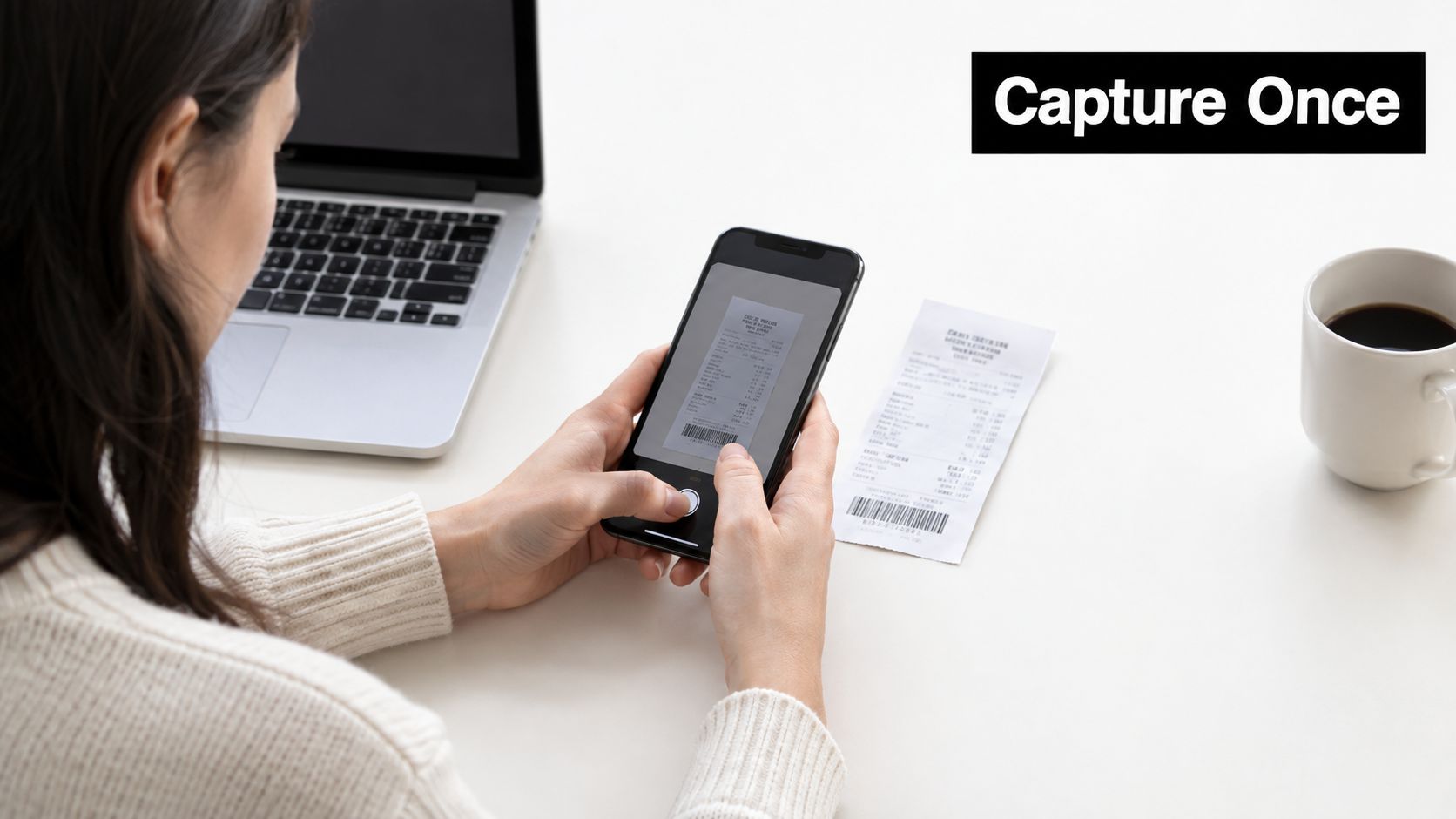
Set up the channels once
A practical no-repeat-login setup usually starts with three inputs linked to the same destination:
- WhatsApp capture: staff send a photo of the receipt as soon as they get it.
- Email forwarding: supplier invoices, phone bills, and travel receipts are forwarded in place.
- Direct upload: useful for PDFs already stored on the phone or laptop.
A tool such as Snyp supports this kind of multi-channel receipt upload, so receipts from different habits still land in one pipeline instead of being split across chats, inboxes, and camera rolls.
What should happen after capture
Many mobile expense setups fall apart. They focus on intake but not on what the finance team needs next.
After capture, the system should turn the image or PDF into structured fields people can review quickly. In practice that means extracting details such as merchant, amount, date, tax, currency, and category, then preparing the expense for sync into Xero or QuickBooks. The important part isn't that extraction exists. It's that the review is short and the output is usable for reconciliation.
What works:
- A single inbox for receipts from all channels
- Automatic field extraction with a quick review pass
- Simple approval before sync
- A clear link from document to transaction record
What doesn't:
- Saving receipt photos only in the phone gallery
- Forwarding receipts into personal email with no shared visibility
- Asking users to retype every field on a small screen
- Treating upload as done when nothing is categorised or reconciled
Keep the user in their existing habit
Most users won't change behaviour just because finance wants cleaner books. They will, however, send a photo in WhatsApp or forward an invoice email if that's all they need to do.
That's why set-and-forget capture works. It meets people where they already are, then hands the structured review to finance or the approver instead of forcing everyone through the same full mobile form.
If someone has to remember a password before they can submit a £7 parking receipt, the process is too heavy for the job.
Fixing Common Mobile Expenses Login Problems Fast
Most mobile expense login issues are ordinary, repeatable, and fixable in minutes. The mistake is treating them as one generic “user can't sign in” ticket.
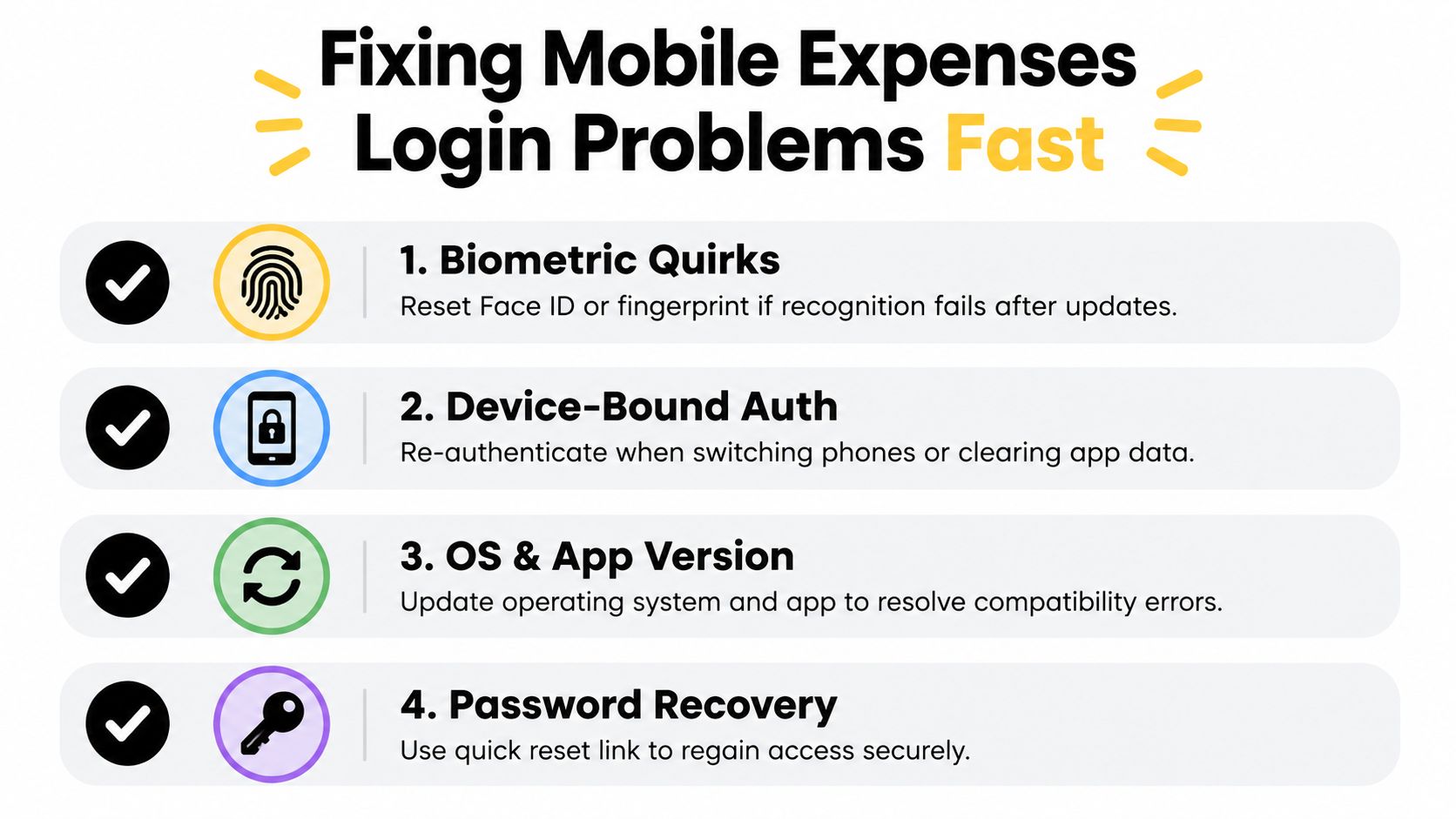
Where failure usually starts
Biometric sign-in is convenient, but it's device-bound. Bank of Scotland states that biometric access depends on a compatible device and current operating system, and that failed attempts can trigger fallback to memorable information. Barclays also tells users to keep the device operating system updated, register fingerprint or face settings on the phone first, then enable login in the app's security settings. Bank of Ireland UK limits biometrics to mobile phone logins rather than tablet or desktop, and not for other functions such as payments. Those patterns all point to the same reality. Biometrics are quick, but they aren't universal and they aren't portable across every device state.
When login support requests come in, I usually sort them into symptom, cause, and fix.
| Symptom | Likely cause | Fast fix |
|---|---|---|
| Face ID or fingerprint stops working | Device update, sensor issue, or poor scan condition | Re-enrol biometrics and test fallback credential |
| User changed phones | Authentication is tied to the previous device | Sign in with fallback method, then re-enable biometrics |
| App keeps rejecting sign-in | Old app version or operating system mismatch | Update the app and phone operating system |
| User can't get past recovery | Reset path is too long or unclear | Use the shortest secure password recovery route and confirm access before travel |
MFA friction is real
Independent UK survey data suggests many consumers still use relatively simple phone access controls. 55% use a PIN, 28% use Touch ID, 20% use Face ID, and only 17% use two-factor authentication. The same source cites a mobile MFA policy change that increased login failure rates from 10.2% to 17.9%, while average time away from the task rose from about 10 minutes to about 24 minutes per event (mobile privacy and authentication findings).
For mobile expenses login, that matters a lot. The receipt task is low patience by nature. If recovery takes too long, users stop and tell themselves they'll do it later.
Recovery playbook that actually helps
Use a short playbook instead of sending long support notes.
- Check the phone first: confirm Face ID or fingerprint is working at device level, not just inside the expense app.
- Use the fallback immediately: if biometrics fail repeatedly, switch to password or memorable information rather than retrying too long.
- Update before escalating: app and operating system mismatches cause more trouble than expected.
- Re-test after device changes: new phone, cleared app data, or security reset usually means biometrics must be enabled again.
Keep recovery concise. The longer the detour, the more likely the receipt never gets submitted.
Keeping Mobile Expenses Secure and HMRC Compliant
A photographed receipt isn't automatically a compliant record. It's just an image until the business stores the right data around it and can retrieve it later.
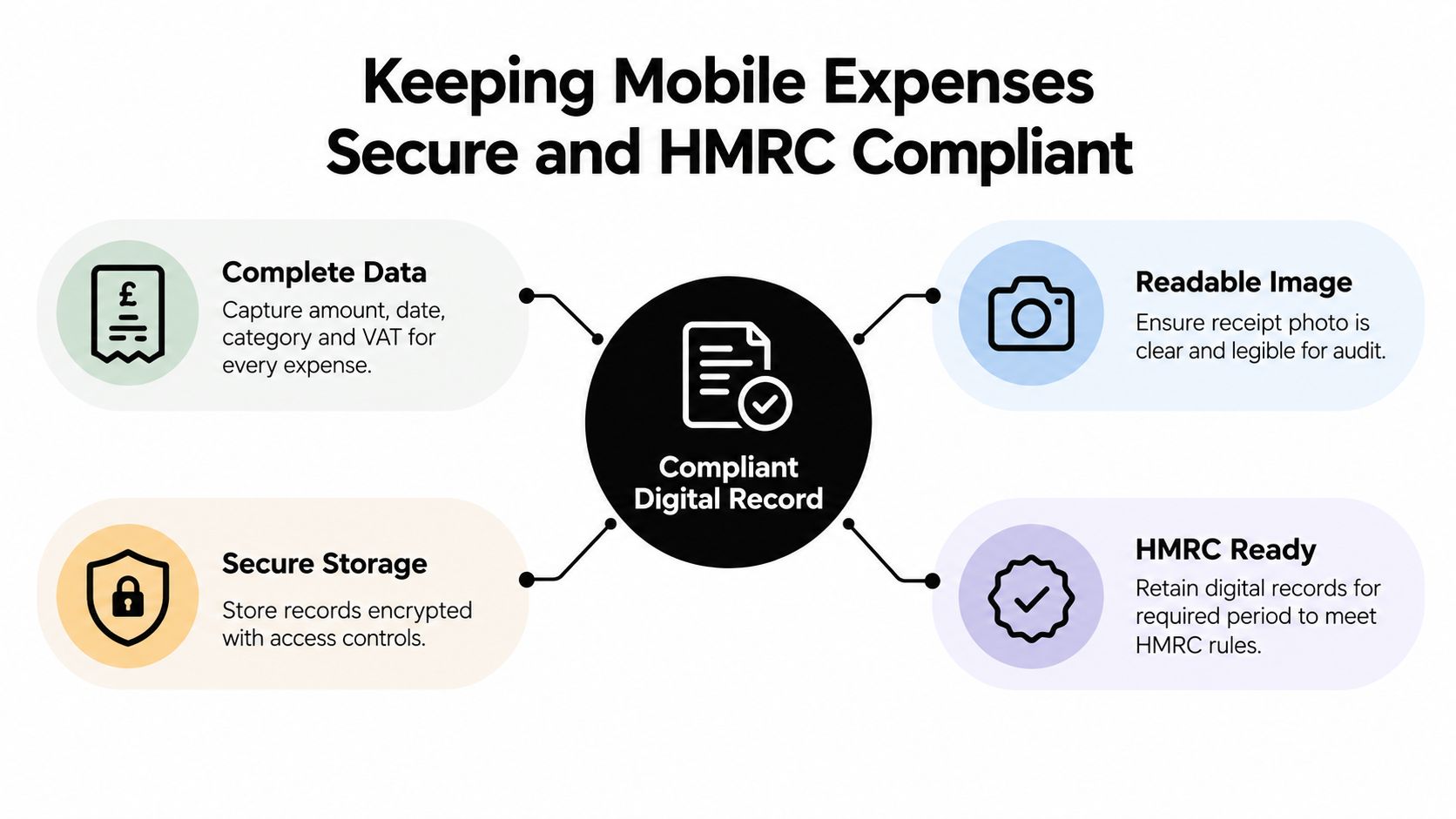
What HMRC actually cares about
HMRC guidance says key fields such as amount, category, and other details must be recorded digitally. The same guidance points sole traders toward software-based record keeping under Making Tax Digital for Income Tax, rather than relying on phone-camera storage or ad hoc spreadsheets. It also notes that April 2026 is when MTD for Income Tax begins applying to sole traders above £50,000, with a second threshold following in 2027 (HMRC digital records guidance).
For day-to-day finance work, that means mobile access has to do more than get the receipt off the phone. The record needs to be structured, linked to the underlying transaction where relevant, and kept in a digital system for the retention period described in the guidance.
The hidden gap after capture
Public advice often stops at “yes, digital receipts are acceptable”. That's only the starting point.
The harder operational questions are these:
- Can the team retrieve the receipt quickly for review or audit?
- Can finance see who submitted it and who approved it?
- Does the system preserve the document and the coded data together?
- Can the expense be reconciled cleanly against the bank transaction?
That's why access design matters. Fast capture is useful, but uncontrolled capture creates mess. A strong mobile process needs permissions, auditability, secure storage, and a clear handoff between the person who spent the money and the person who books it. This explainer on HMRC record keeping for expense workflows is useful if you're tightening the compliance side rather than just the upload side.
Convenience wins the first mile. Compliance wins the final one. A good mobile expense process handles both without making users fight the interface.
Your Quick Mobile Expenses Login Checklist
If mobile expenses login feels messy, the fix usually isn't a better password policy. It's a tighter workflow.
Run this check on your current setup:
- Biometric access enabled: confirm app users can sign in with fingerprint or face recognition where supported.
- Fallback tested: make sure password or memorable-information recovery works before someone is travelling.
- Web access available: keep a browser route ready for rare users and app failures.
- No-login capture in place: allow receipts and emailed bills to enter the system without repeated sign-ins where appropriate.
- Structured data confirmed: check that amount, date, category, tax, and supplier details are being captured in a usable format.
- Approval path clear: managers should be able to review quickly from phone or desktop.
- Accounting sync checked: verify the expense lands where the books are maintained.
- Retention and retrieval covered: make sure receipts are stored securely and can be retrieved when needed.
Freelancers usually need simplicity and retention. Small teams need low-friction capture plus clear approvals. Accountants and bookkeepers need consistency above all else. Different users, same principle.
Reduce logins where you can. Keep the audit trail where you must.
If you make one change, make it this one: stop treating mobile expenses login as a sign-in problem. Treat it as a capture, reconciliation, and record-keeping problem that starts on a phone.
Snyp gives small businesses, freelancers, and accountants a way to capture receipts through WhatsApp, email forwarding, or upload, then turn them into structured expense records ready for review and sync. If you want fewer mobile login interruptions without losing control of compliance and reconciliation, take a look at Snyp.