




How to Categorize Expenses in QuickBooks the Right Way
You've opened QuickBooks after a busy month and found a bank feed full of transactions called “CARD PAYMENT” or “DIRECT DEBIT”. You remember buying some of them, but the details have blurred together. Was that online order marketing material, office equipment, or a personal purchase? Can the VAT be reclaimed? Is the cost deductible at all?
Learning how to categorise expenses in QuickBooks isn't mainly about finding the right button. It's about building a defensible trail from the payment, to the receipt, to the QuickBooks account, and finally to the relevant HMRC treatment. QuickBooks can speed up that process, but it can't create a business purpose that was never recorded.
The workflow below is designed for UK freelancers, sole traders and small businesses. It starts with evidence, aligns your accounts with HMRC reporting, and deals with the awkward cases, including mixed-use costs, capital items, owner-paid expenses and the limits of QuickBooks Self-Employed.
Why Categorising Expenses in QuickBooks Starts With Your Records
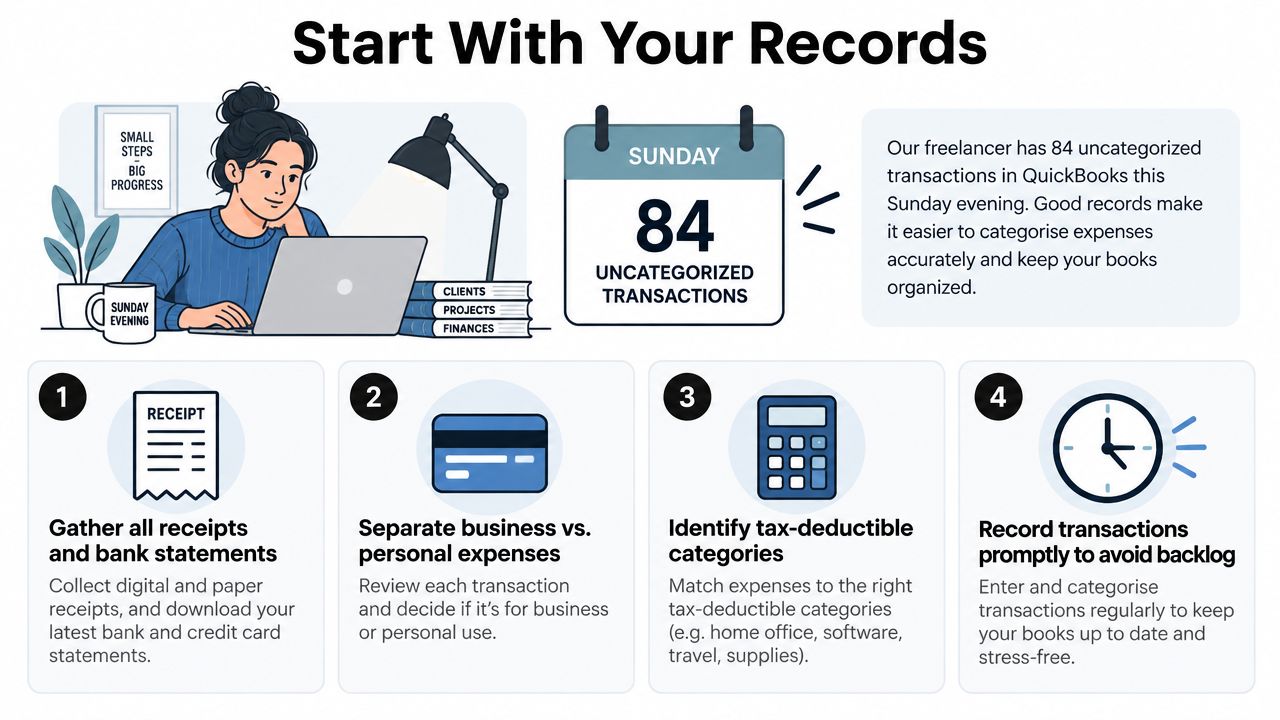
A freelance designer sits down on Sunday evening and opens QuickBooks to find 84 uncategorised transactions from a busy wedding season. The bank feed shows payments to a print supplier, a coffee shop, a taxi company and an online marketplace. Some clearly relate to client work. Others might be personal. Without receipts or notes, the designer has to reconstruct the month from memory.
That's the wrong place to start. QuickBooks can assign a ledger account, but it can't reliably determine why a purchase was made when the underlying record is vague. UK guidance emphasises a records-first process, with receipts, invoices, bank or card statements, cash records, mileage evidence and support for apportioned costs retained alongside the bookkeeping entry (UK business expense record-keeping guidance).
What a complete expense record contains
For each transaction, aim to preserve:
- Supplier and date: The document should identify who supplied the goods or service and when the purchase happened.
- Amount and VAT: Record the gross amount and any VAT charged, using the correct VAT treatment in QuickBooks.
- Business purpose: Add a short note such as “client presentation printing” or “travel to Manchester client meeting”.
- Supporting document: Keep the receipt, invoice, statement or other evidence attached to the transaction.
A photographed coffee receipt with no explanation may prove that money was spent, but it may not explain whether the coffee was a private purchase, a staff cost or part of a qualifying business journey. A five-second note made at the time is often more useful than trying to remember the context months later.
HMRC's underlying test is that a deductible expense must be wholly and exclusively for business use. Where a cost has both business and private use, you need a reasonable, evidenced apportionment rather than an automatic full claim. Digital copies, including photographed or scanned receipts, can support the category assigned in QuickBooks.
Practical rule: If you can't explain the supplier, purpose, VAT treatment and business proportion from the records, the category isn't ready to post.
This approach also helps when your systems become more connected. A business using manufacturing software may need to integrate CNC quoting with QuickBooks, but the integration still depends on meaningful source data and an account structure that reflects the underlying transaction.
Setting Up a Chart of Accounts That Maps to HMRC
Set up the Chart of Accounts before processing the backlog. If you accept every default account without checking its tax meaning, you may create tidy-looking reports that are awkward to map to the self-assessment return.
For a UK sole trader, the SA103F expense boxes provide a useful anchor. They cover areas including cost of goods, staff costs, subcontractor payments, premises, repairs, office costs, travel, advertising, professional fees, financial charges, depreciation and other expenses. QuickBooks' default accounts broadly reflect these areas, but the labels may not be clear enough for your working process.
Build the account structure
Open Settings, then Chart of Accounts, and review each expense account. Rename unclear accounts so you know exactly what belongs there. For example, “Job materials” could become “Subcontractor costs”, with a note that it maps to the relevant SA103F box. Don't change a default account merely for cosmetic reasons if it already produces the correct tax mapping.
Split an HMRC box into separate QuickBooks accounts when the distinction improves management reporting. You might separate software subscriptions from general office costs, even if both ultimately feed into an administrative expense area. Keep the split only if you'll use it consistently.
Create clearly labelled non-deductible or equity accounts for personal spending, owner drawings and private portions of mixed-use transactions. These accounts stop personal payments from polluting the profit and loss report.
| QuickBooks account | SA103F box | Example spends |
|---|---|---|
| Materials and stock | Cost of goods | Materials bought for resale or client jobs |
| Subcontractor costs | Subcontractor payments | Trade work supplied by another business |
| Office costs | Office costs | Stationery, postage and business printing |
| Travel and mileage | Travel | Business journeys, fares and qualifying mileage |
| Professional fees | Professional fees | Accountant, solicitor or specialist advice |
| Advertising and marketing | Advertising | Website promotion, printed campaigns and digital advertising |
Use HMRC record-keeping guidance for small businesses as a reference point when deciding which evidence each account needs. A chart is working properly when every account maps to an HMRC box, a balance-sheet line or an explicitly non-deductible bucket.
Avoid an account for every supplier
A separate account for every shop makes reports noisy and maintenance harder. Suppliers belong in the payee field. Categories should describe the nature of the spend, such as travel, office costs, professional fees or equipment.
For longer-life assets, don't force the purchase into an ordinary expense account. HMRC distinguishes items used for less than two years from assets with a longer useful life, which may require capital allowance treatment. Equipment, vehicles and durable technology should have a clear route into fixed assets or the appropriate capital treatment.
Assigning Categories Transaction by Transaction
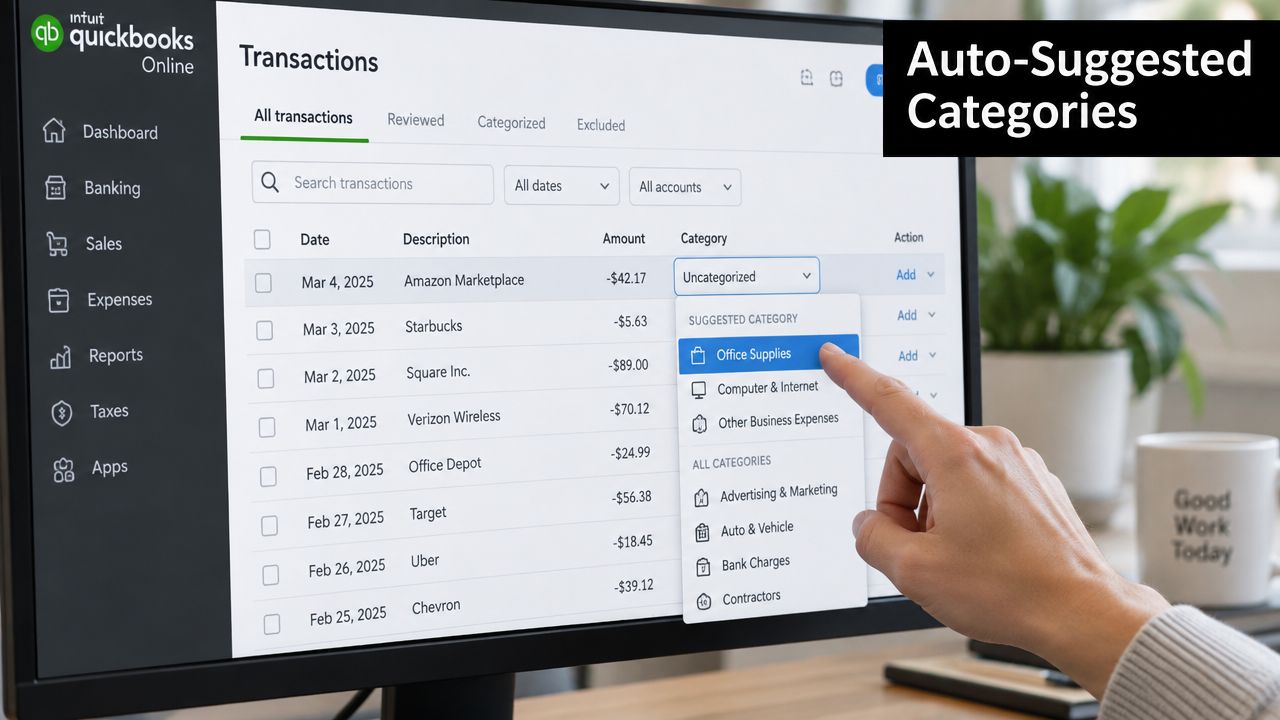
Once the account structure is ready, process each transaction rather than approving the entire bank feed in one pass. In QuickBooks Online, open Banking or Transactions, choose the relevant account, and select an uncategorised row. The review screen normally presents a suggested category, the payee, VAT details and the option to choose another account.
QuickBooks' suggestion is a starting point, not a tax decision. Accept it when the supplier is familiar, the purchase is clearly trade-only, the account fits the pattern and the VAT code is correct. Override it when the supplier is ambiguous, the purchase includes private items, the VAT treatment is missing or the transaction needs to be split.
A reliable review sequence
Open the row and check the payee first. Edit the payee name if the bank has supplied an abbreviated or unhelpful description. Then select the correct category, confirm the amount and choose the VAT treatment that matches the invoice.
If the receipt isn't attached, use the receipt or attachment option to add it from your computer or connected file source. Don't approve a transaction because the amount looks familiar. A missing document is a prompt to investigate, not a reason to guess.
Use Split when one bank payment contains different types of spending. For example, a stationery shop receipt might contain business stationery assigned to office costs and a personal item assigned to a non-deductible account. Splitting preserves the total payment while keeping the tax-relevant portion separate.
Common UK errors include:
- VAT code errors: A standard-rated purchase left on a zero-rated code can distort the VAT return.
- Mileage errors: Business mileage should be supported by a mileage record and handled through the appropriate approved-rate method, not entered as an arbitrary flat expense.
- Owner-payment errors: A purchase paid personally by the owner isn't the same as a business-bank expense. Record the business cost with the correct funding or equity treatment, and keep the evidence.
Review order: Category first, amount second, receipt third. Don't move to the next transaction until all three are present.
For unusual adjustments, a journal entry may be appropriate, but it shouldn't replace ordinary transaction recording without a reason. A practical explanation of how to do journal entries for business can help you understand the mechanics, but UK tax treatment still needs to guide the account selection.
The Self-Employed Category Limit Most Guides Skip
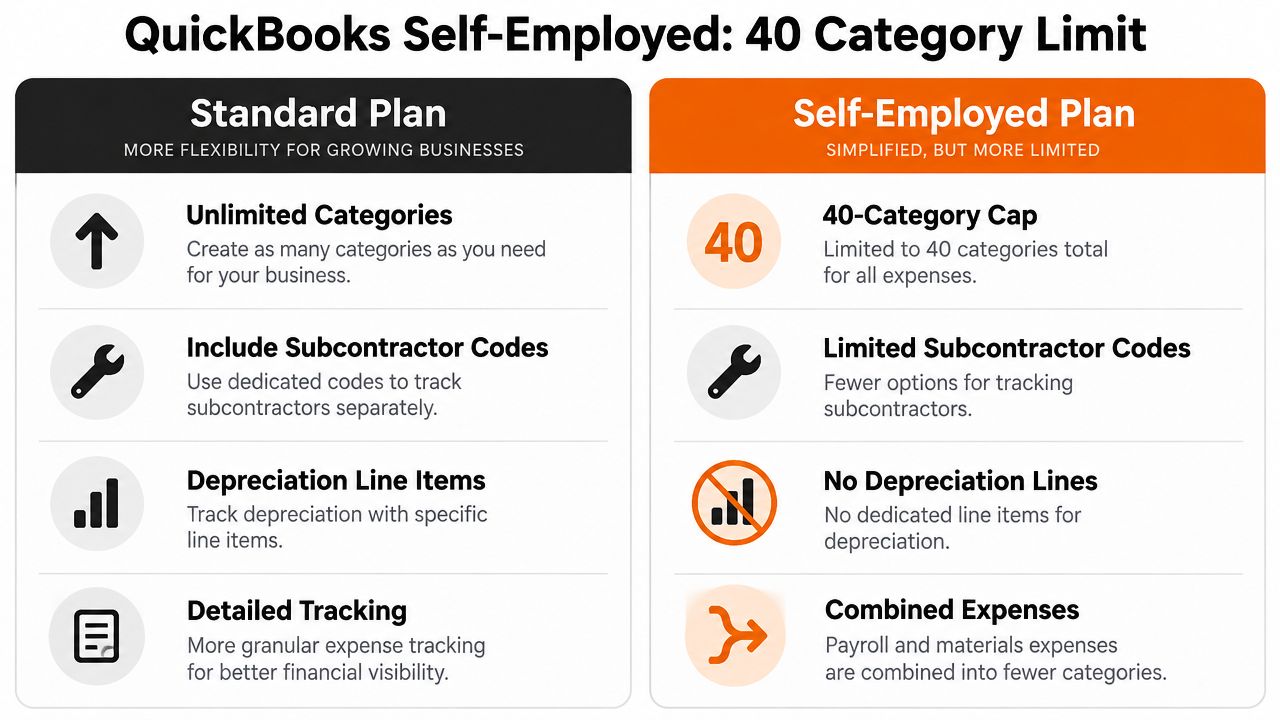
QuickBooks Self-Employed is designed around tax categorisation, not a fully customisable accounting ledger. QuickBooks UK support explains that its categories are patterned after HMRC categories and that creating new categories isn't available in self-employed mode (QuickBooks UK category support).
That constraint matters when your work becomes more varied. A contractor may need to distinguish several types of subcontractor cost. A designer may want separate equipment, software and production accounts. A sole trader with assets also needs a way to identify purchases that shouldn't remain buried in ordinary revenue expenses.
Work within the limit carefully
If you stay on the self-employed tier, use the available category that most closely matches the relevant SA103F treatment. Keep a supporting spreadsheet or attached note for internal detail, especially where several types of spend share one tax bucket. Don't invent a category name that suggests a different tax treatment from the one QuickBooks will report.
At month-end, discuss complex splits with your accountant. A more detailed QuickBooks plan may provide a fuller Chart of Accounts and sub-account structure, but upgrading only makes sense if the extra reporting control outweighs the additional subscription cost and maintenance.
Use this decision checklist:
- Stay on Self-Employed: Your transactions fit comfortably into the existing HMRC-aligned categories.
- Review the structure: You're repeatedly using notes or spreadsheets to separate materially different types of spending.
- Consider an upgrade: You need sub-accounts, clearer asset tracking or more detailed management reporting.
- Ask for tax advice: A category limitation is affecting capital items, subcontractor reporting or VAT review.
The relevant detail is covered further in this guide to self-employed tax deductions. The software tier should support the reporting you need, not encourage artificial categories that create confusion.
Rules, Receipt Capture, and Bulk Categorisation
Automation works best after you've made several correct decisions manually. In QuickBooks, bank-feed rules can categorise transactions by payee, description, keywords or amount conditions. Open Categorisation, then Rules, and create a rule only when the pattern is stable and the VAT treatment is predictable.
A rule for a recurring business software supplier may be sensible. A rule for a general marketplace is risky because the same seller can supply business equipment, office items and personal goods. Use narrow conditions, review the matched transactions and keep the rule's category aligned with the account you built for HMRC reporting.
Use receipt capture as evidence collection
Receipt capture is separate from trusting the bank feed. The bank feed tells you money moved. The receipt tells you what you bought, what VAT was charged and why the purchase belongs in the business records.
QuickBooks' receipt workflow can be accessed through Expenses, then Receipts. You can upload or forward documents, review the extracted details and attach the evidence to the proposed transaction. For a broader workflow built around forwarding and organising receipts, see QuickBooks receipt scanning.
Check for duplicates when the same receipt arrives through email and a mobile upload. Also check whether a rule change has been applied only to future matches. Editing a rule doesn't automatically mean every historic transaction has been corrected.
Clean historical transactions in batches
For a backlog, open Banking, choose Batch edit where available, select transactions with the same correct treatment and apply the category together. Don't bulk-edit mixed suppliers because the amounts look similar. Review the sample first, then inspect the result.
Suppose a client account contains software, office purchases and personal items from the same online marketplace. Three carefully scoped rules can separate recurring software, known office suppliers and a clearly marked personal keyword. Transactions that don't match should remain for manual review instead of being forced into the nearest account.
A workable weekly rhythm is simple:
- Monday: Scan the bank feed and resolve obvious matches.
- Wednesday: Process captured receipts and investigate missing documents.
- Friday afternoon: Batch-edit safe groups and review exceptions.
Automation should reduce repetitive selection, not remove judgement from ambiguous transactions.
Tricky Edge Cases That Break the Cleanest Books
The difficult entries aren't usually the obvious stationery purchases. They're the transactions that contain both business and private value, or that look like ordinary expenses but belong somewhere else in the accounts.
A home phone or broadband bill used for work and personal activity needs a documented business proportion. Don't claim the whole payment because the business uses the service. In QuickBooks, split the transaction with the new line function, assign the business portion to the relevant expense account and send the private portion to the appropriate non-deductible or owner account.
Capital and revenue need different treatment
A durable laptop, camera or specialist tool may need capital treatment rather than ordinary expense treatment. The correct decision depends on the asset, its useful life and the applicable tax rules, not the purchase price alone. HMRC guidance distinguishes shorter-life items from longer-life assets, so record equipment and vehicles in a way that allows the treatment to be reviewed later.
For a capital purchase, use the fixed asset process rather than hiding it in office costs. Attach the invoice, enter the acquisition date and preserve the supporting description. If the tax treatment is uncertain, leave a clear note for the accountant instead of creating a confident but unsupported category.
Mileage requires evidence
Only business journeys should form part of a mileage claim. Keep a mileage log with the date, destination, purpose and distance, then attach it to the relevant QuickBooks entry or recurring journal documentation. Ordinary commuting generally isn't an allowable travel claim, so a journey to a regular workplace shouldn't be treated like travel to a temporary client location.
Client entertainment should also have its own account. It may be useful for cash-flow visibility even where tax relief is restricted or unavailable. Separating it means the year-end report stays honest and your accountant can identify the item without searching through meals or marketing costs.
| Edge case | HMRC position | QuickBooks action |
|---|---|---|
| Mixed-use phone or broadband | Claim the evidenced business proportion | Split the transaction and code the private element separately |
| Durable equipment | May require capital allowance treatment | Use a fixed asset account and retain the invoice |
| Business mileage | Record business journeys using the appropriate method | Attach a mileage log and exclude private travel |
| Client entertainment | May be restricted or non-deductible | Use a separate entertainment account |
| Owner-paid business purchase | Business cost needs evidence and correct funding treatment | Record the expense and owner contribution or reimbursement clearly |
Reasonable estimates can be acceptable when they're supported by a sensible method and evidence. HMRC doesn't require you to pretend a mixed cost is perfectly precise, but it does expect a defensible basis for the proportion claimed.
Reconciliation and a Weekly Categorisation Habit
Categorisation only becomes useful when the books agree with the bank. After reviewing transactions, open Accounting, then Reconcile, select the QuickBooks account and compare the cleared balance with the statement from the matching period. Work through the statement from the bank, rather than assuming every downloaded transaction has been correctly matched.
Use a consistent monthly reconciliation slot for each business account, whether it's with HSBC, Barclays, Lloyds or Monzo. Investigate missing entries, duplicates, transfers and personal payments before changing the reconciliation difference. A penny-round difference should have an explained, controlled treatment, not a random expense category that changes profit.
Make the tax trail retrievable
UK businesses need organised records over several years. HMRC guidance commonly requires records to be retained for at least five years after the relevant 31 January submission deadline, while VAT invoices should be retained for at least six years under the record-keeping guidance cited earlier. Employer expense records can have a different retention period, so keep the record type and business structure in mind.
Categorised transactions make the profit and loss report, VAT review and self-assessment preparation easier to defend because each amount can be traced to an account and supporting document. For businesses dealing with several payment channels, resources on how to track crypto and card payments can also help frame the reconciliation problem, although the underlying principle remains the same: every balance needs a documented source.
A practical Friday routine takes about half an hour:
- Open For Review and resolve uncategorised items.
- Match each receipt to the correct transaction.
- Review VAT codes and split mixed-use payments.
- Run a categorisation completeness report or equivalent transaction review.
- Flag unclear items for your bookkeeper or accountant.
- Keep the monthly reconciliation appointment in the diary.
Weekly work feels lighter because you're dealing with recent purchases and intact context. Quarterly catch-ups tend to turn bookkeeping into detective work. The habit, not the software, is the bookkeeping system.
Snyp captures receipts from WhatsApp, email forwarding or direct upload, extracts supplier, amount, date, tax and category details, and lets you review the suggested QuickBooks category before syncing. Visit Snyp to see how a records-first receipt workflow can keep your QuickBooks review queue current.