




Expenditure Management Software: How It Works in 2026

A receipt lands in your inbox, another is buried in a WhatsApp chat, and a card payment is already sitting in your bank feed. At month end, you need to turn those scraps into accurate expense records without losing track of what was bought, who approved it or how it reached the accounts.
That's the job of expenditure management software. It's more than a receipt scanner: it's a control system that moves each transaction from source document to ledger, checking for errors and preserving a traceable record along the way.
How Spend Moves From Receipt to Ledger and Where Controls Fail
Think of expenditure processing as a conveyor belt with checkpoints, not a filing cabinet. A receipt can be missed, misread, miscategorised or posted twice at different points, so each stage needs a control that catches its particular failure.
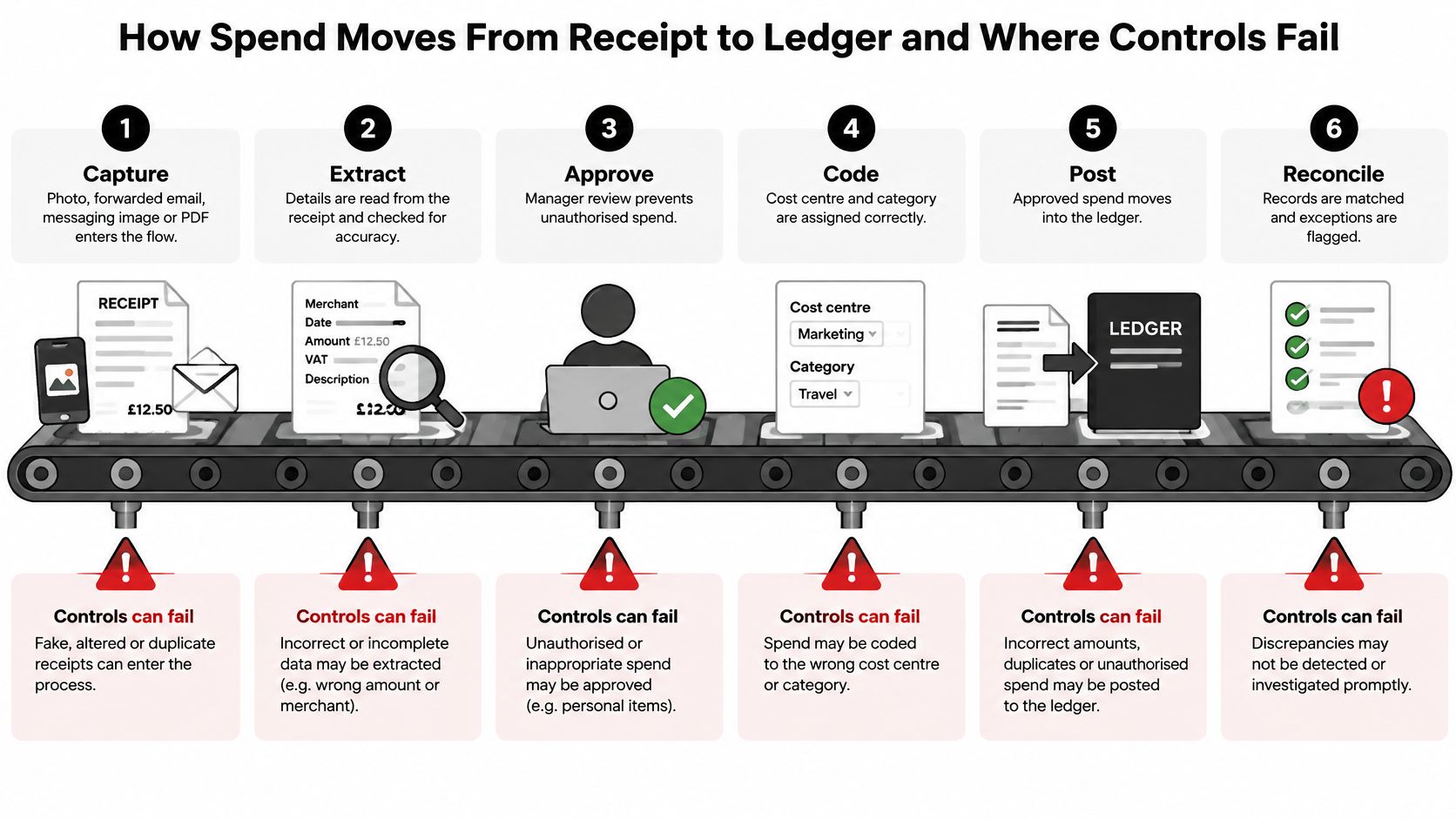
The six checkpoints
| Stage | What the software does | Where errors appear | Typical control |
|---|---|---|---|
| Capture | Reads receipts from a photo, email, messaging app or PDF upload | Blurred images or missing pages | Keeps the original file unchanged |
| Extract | Pulls merchant, date, net, VAT, gross and currency | Misread totals or the wrong VAT rate | Confidence score with a review queue |
| Categorise | Assigns a ledger code or expense category | Personal purchases filed as business | Category rules and reviewer approval |
| Approve | Manager or owner signs off the claim | Claims approved without checking | Role-based approval limits |
| Sync | Posts structured data to Xero or QuickBooks | Duplicate postings | Duplicate detection before posting |
| Reconcile | Matches postings to bank or card lines | Unmatched items at month end | Weekly review of the exception list |
Capture starts with a photo, forwarded email, messaging image or uploaded PDF. A clear original matters because the extracted fields may need checking later. If the system replaces the source file with an edited version, it becomes harder to see what the supplier issued.
Extract turns that document into structured details, such as the supplier, transaction date, net amount, VAT amount, gross amount, currency and category. Optical character recognition, or OCR, reads text from an image, but it can confuse a total with a subtotal or miss a VAT line. A confidence score helps send uncertain values to a person instead of treating every machine reading as correct.
Categorise assigns the expense to a ledger account or category. A personal purchase can slip into business records if the software guesses from the merchant name alone. Category rules help, but a reviewer should still check unusual merchants or items that don't fit the business.
Approve records that an owner or manager has checked the claim against policy. Role-based approval limits help make clear who can authorise which expenses. For practical guidance on setting that responsibility, see this explanation of the expense approval process.
Sync sends the approved fields into Xero, QuickBooks or another accounting system. Check whether each entry can be traced from the ledger line back to its receipt, rather than judging an integration only by how quickly it posts. For teams handling payables as well as expenses, this guide to streamlining traveller and supplier invoices offers useful context on connecting document workflows.
Reconcile matches ledger entries against bank or card transactions. A weekly exception review makes missing receipts, unmatched payments and duplicates easier to investigate while the purchase is still familiar.
The control is the trace
For VAT-registered businesses, HMRC requires purchase records to include the VAT charged, supplier, time of supply and value excluding VAT. Where businesses use more than one system, information must move through a digital link; manual re-keying or copy-and-paste isn't an acceptable substitute. The HMRC guidance on keeping VAT records explains why a receipt image alone isn't enough: records need structured fields that can move through accounting software and remain connected to the original document.
The risk isn't limited to typing mistakes. UK Finance reported £629.3 million stolen through fraud in the first half of 2025, across 2.09 million confirmed cases; those figures don't prove that receipt software causes or prevents fraud, but they underline why businesses need safeguards for documents arriving by email, messaging or mobile upload. The UK Finance half-year fraud report describes the broader context, while practical controls for expense workflows include preserving originals, recording timestamps, detecting duplicates and keeping an exportable approval history.
Practical rule: Automate fields the software reads confidently, and send ambiguous amounts, missing VAT details or unusual merchants to a named reviewer. Full automation can let a confidently misclassified personal purchase pass unnoticed; checking every field by hand can bring back the workload the software was meant to remove.
When comparing products, test the link from the receipt to the ledger entry and onward to the VAT return before weighing convenience or extra features.
A Week of Expenses From Receipt to Return
Consider Priya, a self-employed electrician in Leeds. In a hypothetical week, she collects around 40 receipts for fuel, parts and tools. Before using software, she keeps some receipts in a shoebox, forgets others in her van and faces a month-end scramble to work out which purchases belong in the accounts.
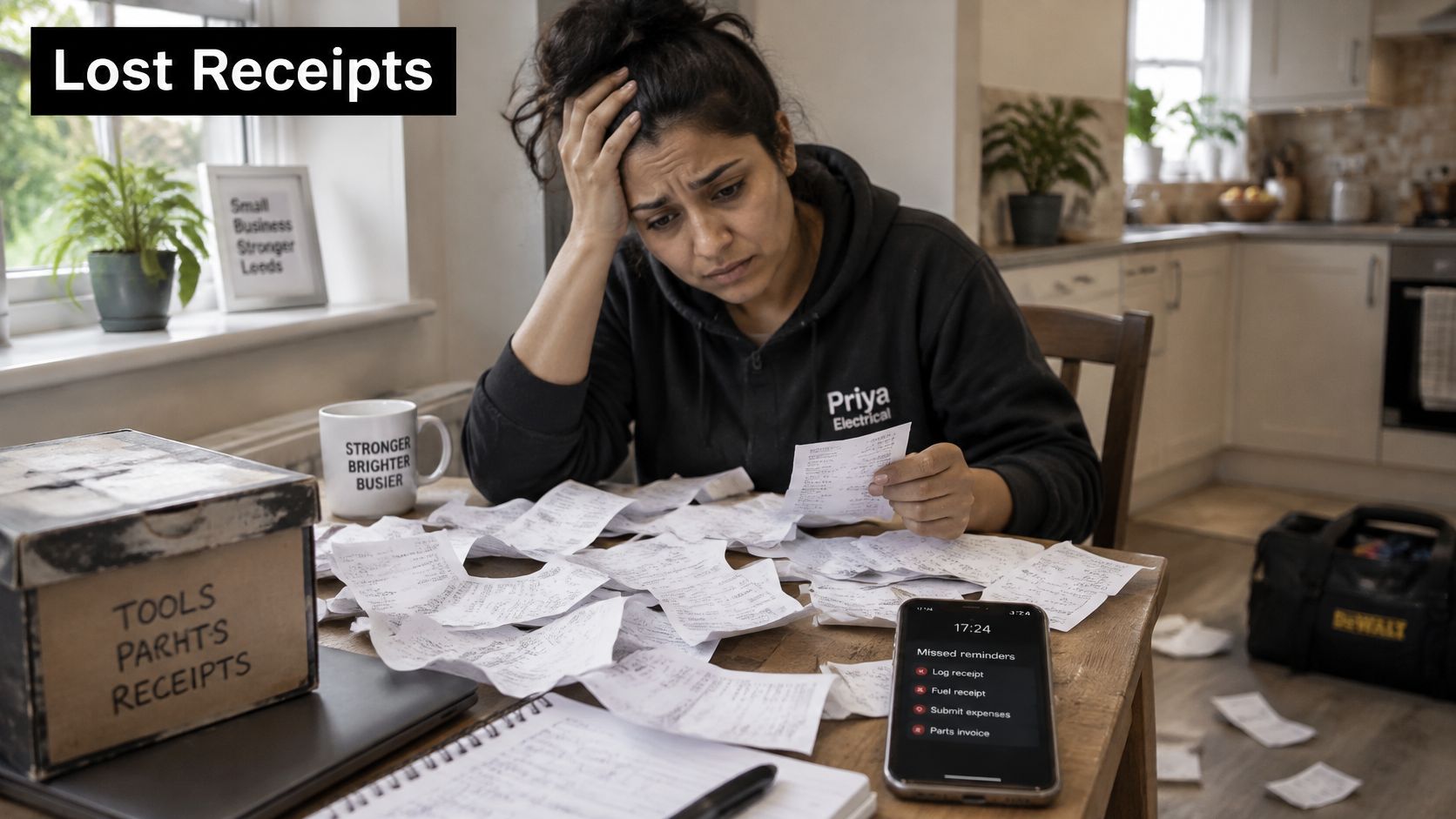
On Monday, Priya photographs a merchant receipt on her phone. Later in the week, she forwards a supplier invoice PDF by email and sends a fuel receipt through a messaging app. The software brings them into one queue and fills in fields such as merchant, date, net amount, VAT and category. Priya doesn't have to sort every document into a folder before it can be processed.
Three items are flagged for her to check. The first is a fuel receipt with no visible VAT line. That's an extraction exception: the system can't confidently populate the VAT field, so Priya checks the original rather than accepting a guess. The second is a parts receipt she sent twice. Duplicate detection at sync catches the repeated document before it becomes a second ledger entry.
The third item is a personal grocery purchase Priya captured by mistake. The software has identified a transaction, but that doesn't make it a business expense. A category rule or reviewer check should stop it from being approved as a work cost. In this hypothetical example, she reviews the three flagged items in about four minutes and approves the rest.
At month end, a bank feed matches 38 of the 40 transactions automatically. Priya checks the two unmatched entries together and resolves them in one sitting. The process isn't perfect, and it doesn't need to be: the software handles routine records while Priya spends her time on the exceptions that need judgement.
The useful measure isn't whether software never flags a receipt. It's whether each flag tells you what needs attention and leaves you with a clear record of the decision.
Making Tax Digital Rules by Business Type
| Business case | Rule that applies | Start date | Software needed |
|---|---|---|---|
| VAT-registered, taxable turnover above £85,000 | Digital records and VAT returns through compatible software | April 2019 | Compatible or bridging software |
| VAT-registered, all turnover levels | Same digital record-keeping rules | April 2022 | Compatible or bridging software |
| Sole trader or landlord, qualifying income above the applicable threshold | MTD for Income Tax digital records | Check the current HMRC phase date | Compatible software |
| Sole trader or landlord in a later income phase | MTD for Income Tax digital records | Check the current HMRC phase date | Compatible software |
| Sole trader or landlord in another later income phase | MTD for Income Tax digital records | Check the current HMRC phase date | Compatible software |
| Not VAT-registered and outside MTD for Income Tax | No mandatory digital records under these MTD rules | Not applicable | Optional, but useful for records |
The VAT rules have already brought digital record keeping into ordinary business administration. VAT-registered businesses with taxable turnover above £85,000 have had to keep digital records and submit VAT returns through compatible software since April 2019. From April 2022, the requirement expanded to all VAT-registered businesses, including those below that turnover threshold. HMRC's estimate of Making Tax Digital's wider economic benefits sets out the transition and the effects HMRC measured.
HMRC found that 48% of businesses required to join MTD kept VAT records continuously up to date, compared with 38% before MTD, while 97% updated records at least quarterly. Among smaller businesses brought into the regime from April 2022, 54% used fully functional compatible software and 26% used bridging software. HMRC also estimated that businesses using fully compatible software saved approximately 26 to 40 hours per year on business-finance and record-keeping activities compared with their earlier processes.
MTD for Income Tax adds a separate set of digital-record requirements for self-employment and property income and expenses. The qualifying-income threshold and start date depend on the applicable phase, so don't assume a date based on another trader's situation. Check HMRC's current timetable and confirm that the product you choose supports the requirements that apply to you.
Before choosing software, find your business case, confirm your own start date and check that the product is compatible for your needs. This guide to Making Tax Digital compliance can help you prepare the questions to ask your accountant or software provider.
Required Fields and Digital Links for a VAT-Ready Record
A receipt becomes useful to the accounts when its important details survive the journey from document to ledger. For a VAT-registered business, HMRC's purchase-record requirements include the supplier, time of supply, VAT charged and value excluding VAT. Your workflow should also carry the gross amount, currency and category so the transaction can be checked and mapped correctly.
| Field | Why it matters | Where to check it |
|---|---|---|
| Supplier | Identifies who issued the receipt or invoice | Original document and ledger |
| Transaction date or time of supply | Places the purchase in the right period | Receipt and transaction record |
| Net amount | Shows the value excluding VAT | Extracted fields and ledger |
| VAT amount | Records the tax charged | Receipt and tax-code mapping |
| Gross amount and currency | Confirms the total paid and currency used | Receipt and ledger entry |
| Category and ledger account | Places the cost in the right part of the accounts | Review screen and ledger |
The digital link is the electronic transfer of data between the systems used to keep records and submit tax information. If you use separate products, data should pass through a connected workflow, such as an API, an approved integration or a controlled import and export. Re-keying a value or copying and pasting it between systems breaks that digital chain.
For MTD for Income Tax, HMRC says compatible software must create, store and correct digital records of self-employment and property income and expenses. Bank-feed imports and receipt or invoice scanning are both ways to capture records. A correction history matters because a reviewer needs to understand what changed, not just see the final number. This guide to digital record keeping provides further context on keeping records in a digital workflow.
Before you buy, put three questions to the vendor:
- Corrections: Does an edit overwrite the original value, or preserve both the original and the correction?
- Exports: Does the exported record include who made the change and when?
- System link: Does information pass through a digital link, or does the workflow rely on manual re-entry or copy-and-paste?
Features and Profile Criteria That Decide a Choice
A feature matters when it answers a real need in your workflow. Compare products using documents and transactions you handle, not a polished demonstration that skips the messy receipt or exception.
| Feature | What it does | Who needs it most | Watch for |
|---|---|---|---|
| Receipt capture | Accepts a photo, email forward, messaging image or upload | Sole traders and field teams | Blurry images on mobile |
| Bank and card feeds | Imports transactions automatically | Businesses with many card payments | Missing connections from some banks |
| Data extraction | Pulls structured fields from documents | Accountants and bookkeepers | OCR-only tools can miss context |
| Approval workflows | Routes claims to a named approver | Teams with several spenders | Claims held in an approval queue |
| Policy limits | Flags or blocks spend above a set rule | Growing companies | Rules that slow ordinary work |
| Duplicate detection | Flags repeated receipts or transactions | Anyone reimbursing claims | Similar receipts with different totals |
| Accounting sync | Posts to Xero, QuickBooks or another ledger | VAT-registered businesses | Incorrect tax-code mapping |
| Audit trail | Logs edits, approvals and timestamps | Businesses preparing for HMRC checks | Exports that omit history |
| Multi-currency | Records foreign-currency spending | Businesses buying abroad | Unclear exchange-rate source |
| Mileage claims | Records business journeys | Mobile workers | Manual trip entry |
Start with document capture. Photograph a till receipt and compare it with a forwarded supplier invoice PDF. Does the software read both, keep each original and present the extracted details in a form you can check? If your team mostly pays by card, try a bank feed using a realistic workload, such as a hypothetical 60 transactions in a month, and see whether imported entries match the evidence you hold.
Test how the system handles rules, not just routine entries. For example, set a hypothetical policy that flags any claim above £250 and check whether the right approver receives it. For extraction, use a receipt where the total and VAT line are printed apart: basic OCR may read both numbers without knowing how they relate, while context-aware extraction should identify which value belongs in each field. HMRC's guidance on choosing software for MTD for Income Tax says compatible products must support digital records and corrections, and describes options such as bank-feed imports and receipt or invoice scanning. It also supports a practical buying test: automate high-confidence fields, but route missing or ambiguous values for human review.
Match the workflow to the business
A sole trader who pays mostly by card should prioritise bank feeds, mobile capture and the accounting connection needed for their tax records. An accountant with several clients needs accurate synchronisation, clear client separation and audit logs that make changes easy to review.
A growing company with several spenders should look closely at approval workflows, policy limits and role-based access. A field contractor may care more about reliable mobile capture, mileage recording and the ability to upload documents when connectivity is poor. A team buying in foreign currencies should test how the product records the original currency and explains its conversion.
For a receipt-first workflow, Snyp accepts photos, WhatsApp images, email forwards and PDFs, extracts structured expense fields, and can sync records to Xero or QuickBooks for review. Businesses with complex approvals across several entities may find a heavier enterprise platform better suited to their control needs. If you sell through Shopify, this accounting software guidance for Shopify retailers can also help you think about how sales and expense records fit together.
Finish your comparison with three questions: Which documents arrive in your business? Which fields reach the ledger? What gets logged when someone changes a field? The answers reveal more about fit than a feature count.
Run a One-Month Trial Before Committing
A realistic trial should test your records from arrival through reconciliation. Use actual working documents, including awkward receipts, rather than relying on a vendor's clean sample files.
- Load a full month of records. Include real receipts, invoices and bank transactions so you can see how the product handles your normal mix.
- Record four benchmarks. Track the exception rate, the number of corrections needed, the time from receipt to reconciled entry, and whether each posted line traces back to its source document.
- Check compliance fit. Confirm that the product supports the MTD requirements and start date that apply to your business, and that it connects digitally to your accounting system.
- Inspect the export. Confirm that an exported record retains its audit trail, including corrections and approvals where available.
- Compare the full cost. Ask each vendor about charges by user, receipt volume and bank-feed use. Write down any fee the vendor can't confirm rather than treating it as included.
- Share the results. Keep a short written record of your tests and discuss it with your accountant before deciding.
Use the results to make the choice. Prefer the product with the lower exception rate and a complete trace from receipt to VAT return, not the one with the most impressive OCR demonstration.
Snyp captures receipts and invoices from photos, WhatsApp, email and file uploads, then extracts expense details for review and synchronisation with Xero or QuickBooks. If you want to test a receipt-first workflow against your own records, visit Snyp and see whether it fits the way your business handles spend.