




Data Entry Automation Guide for UK Businesses
Manual data entry can consume 15–30 hours a week in a typical UK small business team, costing up to £45,000 a year before errors are counted. Data entry automation turns that recurring expense into a practical financial intervention, provided it improves the whole workflow rather than just making data capture faster.
Receipts, invoices, spreadsheets and email attachments rarely arrive in a neat, consistent format. Someone still has to identify the supplier, read the date, check the tax, choose a category, enter the figures and reconcile the result in accounting software. That work often disappears into the background because it's spread across inboxes, phone galleries, messaging apps and shared folders.
The sensible objective isn't perfect automation. It's to remove repetitive transcription, route clean information into the right system and send uncertain records to a person for a quick decision. That approach fits the reality of UK compliance, mixed-format documents and small teams that can't afford a long technology project.
The Hidden Cost of Manual Data Entry
Manual data entry is often treated as a low-cost administrative task. In practice, it's a recurring operating expense that competes with customer service, sales, delivery and financial control.
Independent UK-facing reporting estimates that manual data entry can take 15–30 hours per week across a typical small business team. At a fully loaded labour cost of £20–£30 per hour, that represents roughly £15,000–£45,000 in annual direct labour costs, before correcting mistakes, according to UK analysis of AI data entry and operations automation.
The cost isn't limited to the person typing. A receipt may be entered into a spreadsheet, copied into bookkeeping software, checked by an accountant and revisited when a VAT figure doesn't reconcile. Each handoff creates another opportunity for the amount, date, supplier or category to diverge.
Where the hours go
The most expensive tasks are usually mundane:
- Transcription: Someone reads a document and rekeys information into another application.
- Searching: Staff look through email, WhatsApp messages, downloads and paper files for missing evidence.
- Correction: A typo or misread figure creates follow-up work later.
- Reconciliation: Bookkeepers compare records that were created through inconsistent manual processes.
- Chasing: Finance staff ask colleagues to identify an unfamiliar merchant or explain a transaction.
Manual entry also has a measurable error burden. The same UK reporting places common manual data entry error rates in the 1%–5% range, depending on complexity and volume. For invoice workflows, UK government consultation material on electronic invoicing cites an average error rate of approximately 10% for manually entering supplier invoice data.
Practical rule: Measure the time spent correcting records, not just the time spent creating them. Rework is part of the data entry process.
Why small firms feel the impact first
Large organisations can distribute administrative work across finance, operations and shared-service teams. A sole trader or small practice usually can't. The owner may be the person photographing receipts, forwarding invoices, approving expenses and answering the accountant's questions.
That's why automation shouldn't be framed as an enterprise upgrade. It can be a control mechanism for a lean business. Removing repeated typing gives the existing team a cleaner record to review, rather than asking them to work faster inside a broken process.
The best business case usually starts with one repetitive flow, such as receipts into Xero or supplier invoices from a shared inbox. If the workflow has clear inputs, a defined destination and predictable review rules, it's a strong candidate for automation.
How Data Entry Automation Works
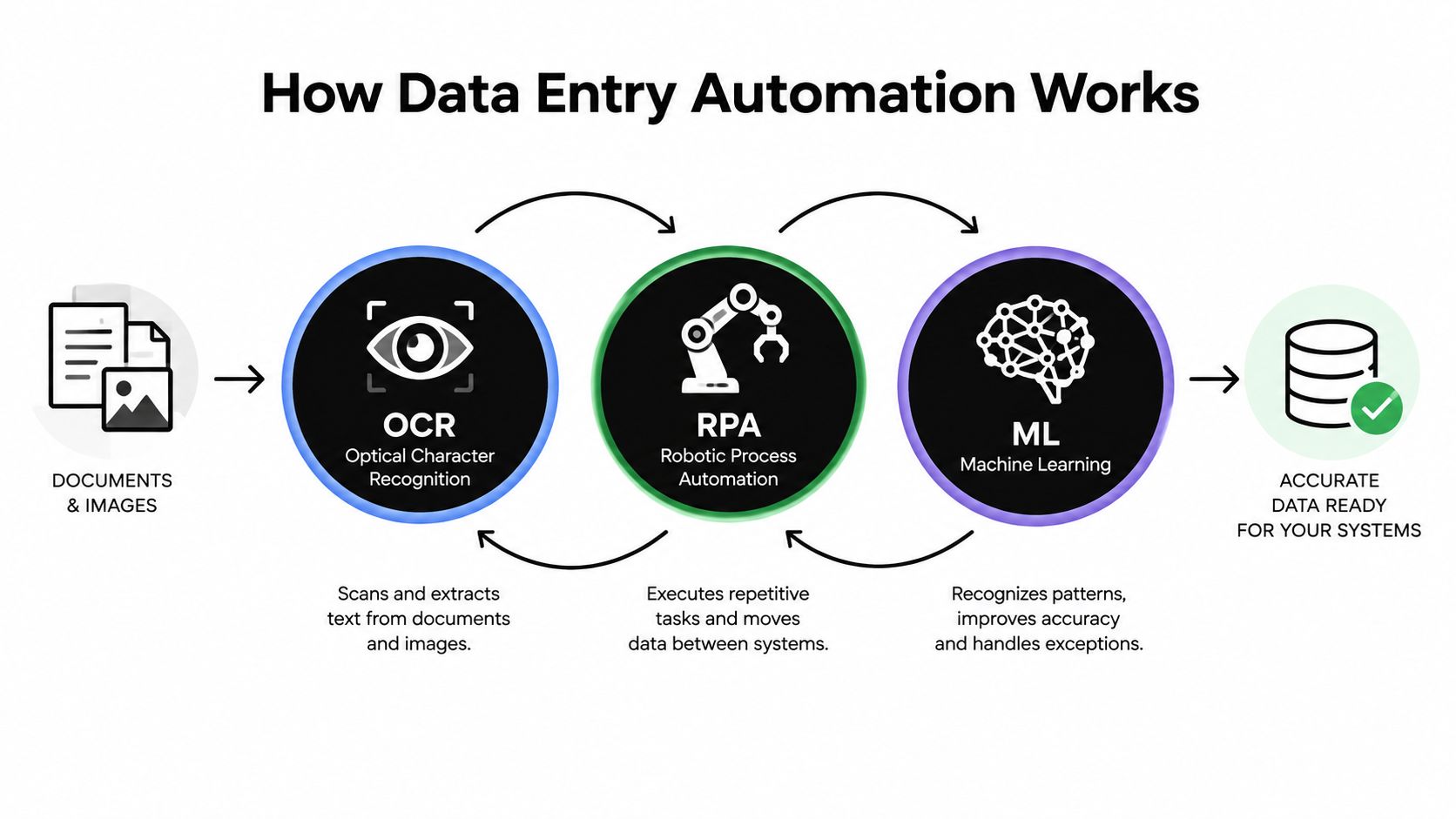
Data entry automation combines several technologies, each solving a different problem. OCR reads text, RPA performs repetitive actions, and machine learning helps interpret patterns and handle variation. A reliable workflow then validates the result before sending it to the system of record.
OCR is the starting point
Optical Character Recognition converts text in a scan, photograph or PDF into machine-readable characters. Traditional OCR works well when the document is clean and consistently structured. Independent UK guidance on intelligent document processing reports that traditional OCR is typically 85%–90% accurate on clean, structured forms. Receipts are more difficult because they may be creased, poorly lit, angled, faded or designed with different layouts.
OCR alone doesn't understand the business meaning of a field. It may recognise a number without knowing whether it's a total, VAT amount, transaction reference or phone number. That distinction matters in bookkeeping.
AI-enabled Intelligent Document Processing adds classification and context. The same UK guide to intelligent document processing reports that AI-enabled deployment data can show processing-time reductions of 50%–90%, with extraction accuracy reaching the mid-90s. Its practical advantage is layout-agnostic field extraction, combined with human review for exceptions.
RPA moves information between systems
Robotic Process Automation imitates the actions a person performs in a user interface. An RPA bot can open an application, copy values, populate fields and submit a record. It's useful when a legacy system lacks a suitable API or connector.
The trade-off is maintenance. If the application changes its screen layout, field names or navigation, the bot may need updating. API-based integration is generally more durable where it's available, because it works at the data and application layer rather than relying on clicks.
Machine learning handles variation
Machine learning helps an automation tool recognise patterns across different suppliers, document layouts and transaction descriptions. It can support classification, confidence scoring and category suggestions. It doesn't remove the need for rules or accountability.
A mature workflow looks like this:
- Capture: Receive a file, photo, email attachment or form submission.
- Extract: Identify relevant text and fields.
- Validate: Check required fields, formats, totals and business rules.
- Route: Send approved data to the appropriate accounting or operational system.
- Review: Present uncertain records to a person.
- Record: Preserve the original evidence alongside the structured transaction.
For a wider explanation of practical automation for your business, it helps to think beyond isolated software features and map how information moves from source to destination. A useful overview of automatic data capture makes the same operational distinction: capturing a document is only valuable when the result becomes usable business data.
Choosing the Right Automation Strategy
The right choice depends on the shape of the work, not the novelty of the technology. A structured spreadsheet transfer and a pile of photographed receipts may both be called data entry, but they need different controls.
| Approach | Best suited to | Main advantage | Main trade-off |
|---|---|---|---|
| RPA | Repetitive tasks in predictable interfaces | Can work with legacy applications | Sensitive to interface changes |
| IDP | Invoices, receipts and varied documents | Extracts fields from heterogeneous layouts | Needs confidence checks and exception handling |
| Specialist capture tool | A defined document workflow, such as expenses | Quick adoption with a focused user experience | May have a narrower scope than a broader platform |
Match the tool to the bottleneck
Choose RPA when the data is already structured and the main issue is repetitive movement between systems. For example, transferring approved rows from a fixed spreadsheet into a legacy finance application may not require document intelligence.
Choose IDP when the source documents vary. Supplier invoices and receipts often use different field positions, terminology and visual designs. The system needs to identify the merchant, date, total and tax based on context, not just coordinates on a page.
Choose a specialist capture tool when the business needs a simple receipt-to-books flow. Freelancers and sole traders generally benefit more from an easy intake method and a clear review queue than from an enterprise workflow engine requiring extensive configuration.
Build or buy
Building internally can make sense when the business has unusual rules, strong technical ownership and systems that must be tightly integrated. It also creates ongoing responsibility for monitoring, security, updates and support.
Buying a focused tool is usually more practical when the problem is common and the business wants to deploy without a long project. Review the integration with Xero or QuickBooks, the handling of original documents, the process for uncertain fields and the ability to correct records without starting again.
Decision test: Don't ask whether a tool can extract a receipt. Ask what happens when the receipt is unclear, duplicated, missing VAT information or assigned to the wrong category.
Small firms can also use the automation tips for small businesses from Up North Media as a useful prompt for identifying processes that are repetitive enough to automate without creating unnecessary complexity. Before committing, document the current workflow and name the point where staff spend the most time correcting or checking information. Guidance on improving data accuracy is especially relevant when the core problem is inconsistent source data rather than slow typing.
The Snyp Approach to Receipt Capture
Receipt automation works best when it fits the behaviour people already follow. Requiring staff to rename every file, choose a folder and complete a form before submitting evidence recreates the admin burden in a different interface.
Snyp is designed around familiar intake routes, including WhatsApp, email forwarding and direct file upload. It accepts JPEG, PNG and PDF documents, then extracts expense information such as the merchant, amount, date, tax, currency and category for review and synchronisation with accounting platforms including Xero and QuickBooks.
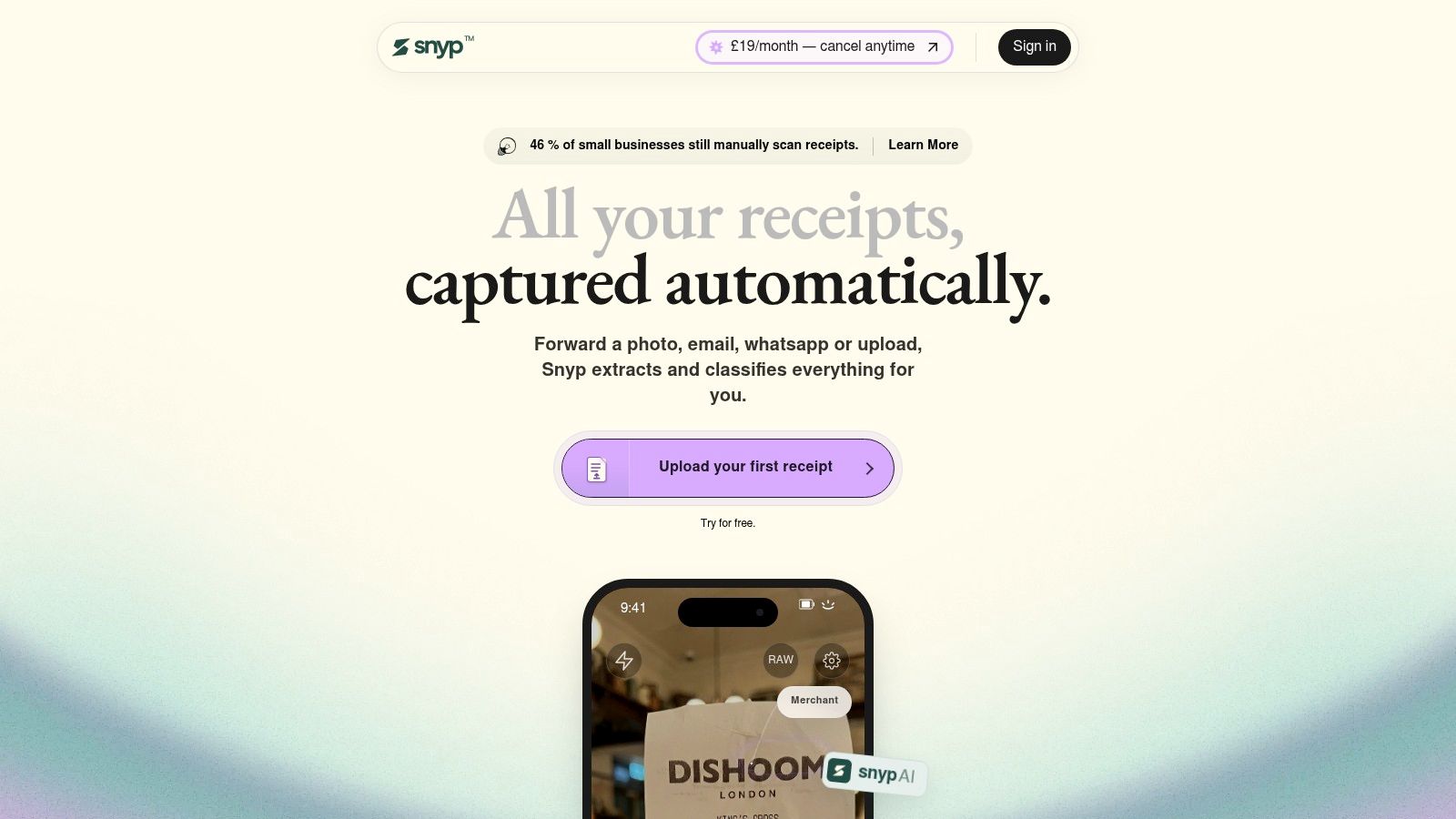
The practical flow is deliberately short. A contractor photographs a receipt after buying materials, a director forwards an emailed invoice, or an accountant uploads a batch of files. The extraction engine turns those documents into structured records, while the user can review or approve the result before it reaches the bookkeeping workflow.
That distinction matters. A fast capture tool that produces a queue of unreliable records just moves work downstream. A useful system reduces the amount of manual review by presenting the information in a form that supports categorisation and reconciliation.
The overlooked workflow after capture
Receipt capture is only the first handoff. The bookkeeping value comes from what happens next:
- Classification: The transaction needs a sensible expense category.
- Tax handling: VAT or other tax fields need to remain visible and reviewable.
- Evidence retention: The original receipt should remain connected to the transaction.
- Synchronisation: Structured information must reach the accounting platform without another round of typing.
- Exception review: Ambiguous records should be visible rather than automatically approved.
Many automation projects disappoint here. They optimise the scanning moment but leave finance staff to export files, rename documents, check totals and reconcile entries manually.
The wider UK context makes that weakness important. A 2025 survey of 200 UK finance professionals found that only 15% of accounts payable processes were automated, while 73% of teams weren't fully automated and 27% had no automation at all, according to UK accounts payable statistics and finance automation reporting. The gap isn't just OCR. It includes approvals, matching, exceptions and controls.
A short product walkthrough can help teams assess whether the intended workflow matches their daily habits:
Implementing Automation in Your Business
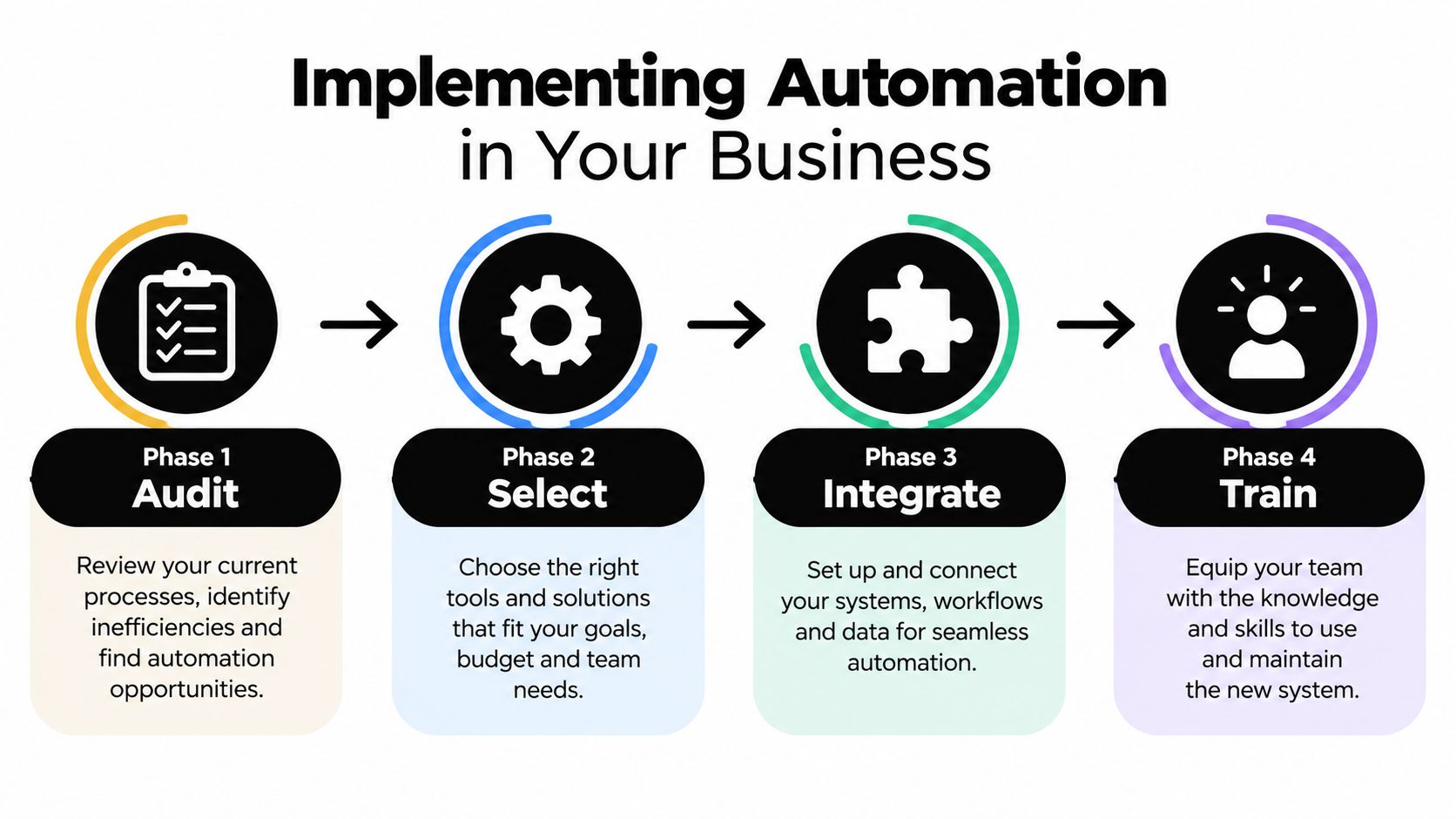
A successful implementation starts with the process, not the software. The first task is to follow one transaction from the original receipt to the final accounting entry and record every manual touch.
Audit the existing route
Collect representative documents, not ideal examples. Include phone photos, forwarded PDFs, faded receipts, foreign-currency documents and receipts where tax is unclear. Note where information enters, who checks it, which system owns the record and where staff currently store the evidence.
Then define the failure conditions. A missing date, duplicate receipt, unusual supplier or mismatch between the total and tax amount should trigger a review rather than pass through invisibly.
Select a narrow first workflow
Start with a process that has a clear owner and a manageable destination. Receipt capture is often suitable because the source is familiar, the business outcome is concrete and the accounting system already provides a place for the structured record.
Avoid automating a process that nobody has agreed. If different people use different categories or approval rules, software will reproduce the inconsistency faster. Agree the policy first, then configure the automation around it.
Integrate controls, not just connections
A connection to Xero or QuickBooks doesn't automatically create a reliable finance process. Set rules for required fields, duplicate detection, category review and approval. Keep access limited to the people who need it, and ensure the original document remains available for audit and bookkeeping evidence.
Security should cover the complete route, from the moment a document is submitted to the point where the accounting record is stored. Data retention, user permissions and account connections deserve the same attention as extraction accuracy.
Human review has a job: It should resolve unusual or low-confidence records, not repeat every step the automation was meant to remove.
Train for exceptions
Staff don't need to become automation engineers. They need to know what a confident record looks like, which fields require checking and how to correct a result. Show examples of accepted records and explain why certain documents are routed for review.
Monitor the workflow after launch. If the same supplier repeatedly creates exceptions, improve the rule or source document process. If reviewers keep changing the same category, update the categorisation logic. The aim is a controlled feedback loop, not blind trust.
A clear explanation of automation of data can help teams distinguish between capturing information, validating it and making it useful inside the accounting workflow.
The State of Automation in UK Business
Automation is still far from universal across UK businesses. The 2026 UK Business Data Survey reports that only 5% of businesses used advanced data management in 2025–2026, with adoption ranging from 8% among large businesses to 5% among sole traders, as documented in the UK government survey publication.
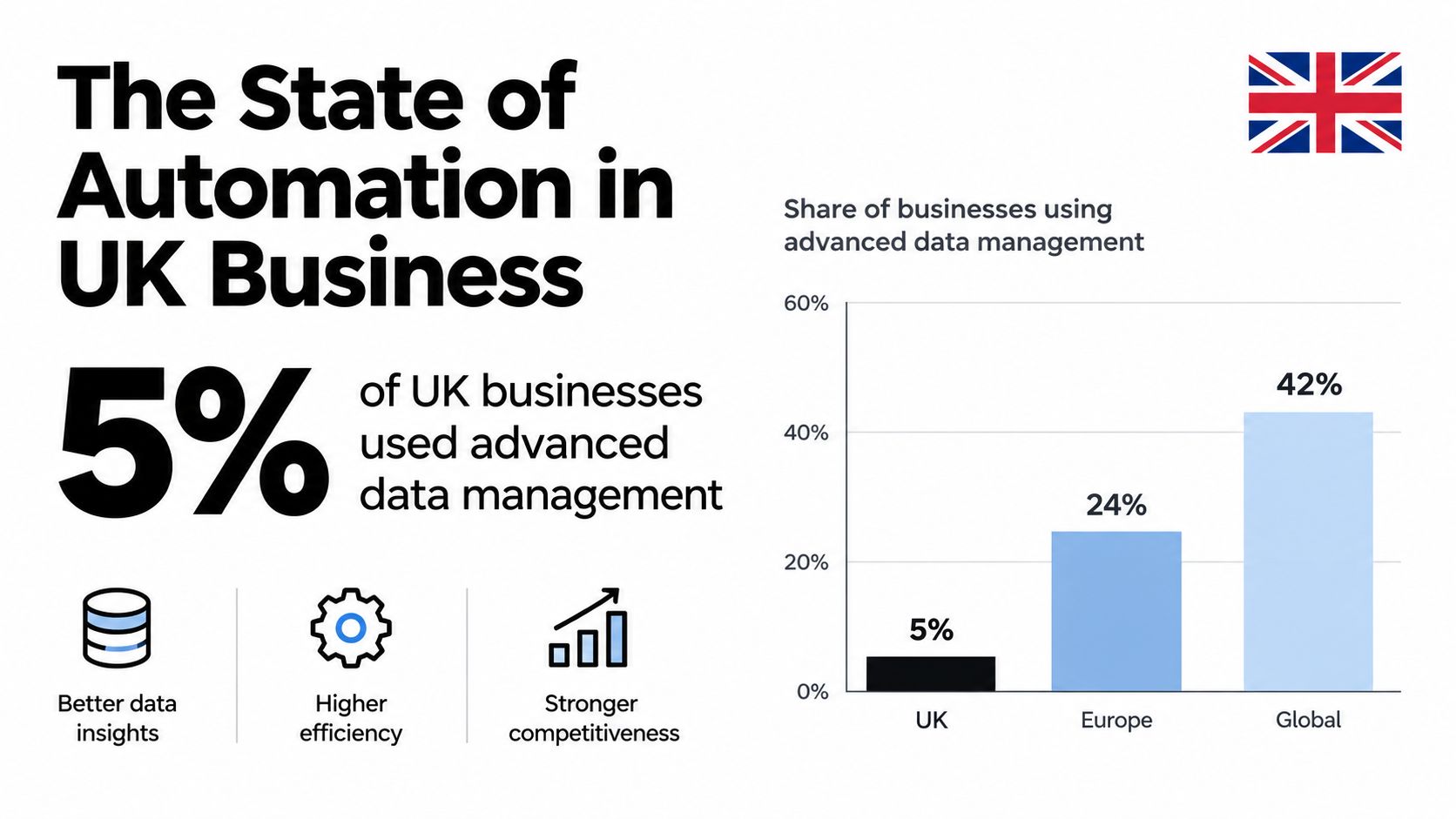
That adoption gap challenges the idea that data entry automation belongs only to large enterprises. Larger firms may have more complex processes and dedicated technology teams, but sole traders and small businesses often have the clearest personal incentive to remove repetitive admin from the working day.
The challenge is practical rather than theoretical. Small firms may rely on phone photos, email forwarding and messaging apps because those channels are convenient. Any solution that forces a new filing habit, lengthy setup or complicated approval path risks being abandoned, regardless of its technical capability.
The 2025–2026 Tell ABAB report received 10,195 responses, with 88% directly from small businesses, highlighting the scale of administrative pressure faced by smaller firms. The sensible response isn't to wait for a perfect transformation. It's to choose one evidence-heavy workflow, preserve its controls and remove the avoidable typing first.
Snyp captures receipts from WhatsApp, email forwarding or file upload, extracts structured expense details and sends them towards accounting workflows such as Xero and QuickBooks for review and reconciliation. Visit Snyp to see whether a receipt-to-books workflow can remove a practical source of manual data entry from your business.